



Modern classrooms run on digital infrastructure that transforms how educators deliver instruction, track student progress, and communicate with families. Teachers currently navigate an average of 8-12 different digital platforms weekly, from learning management systems that centralize course materials to assessment tools that provide real-time data on student understanding.
The educational technology landscape encompasses five core categories: learning management systems for course organization, communication platforms for parent and student engagement, assessment tools for measuring progress, content creation applications for developing lessons, and classroom management software for tracking behavior and attendance. A 2023 survey of 5,000 K-12 educators revealed that 89% rely on at least three distinct tool categories daily, with high school teachers using the widest variety at an average of 11 different applications per week.
Selecting effective tools requires balancing functionality with ease of use. The most successful implementations occur when platforms integrate seamlessly with existing systems, require minimal training time, and directly address specific classroom challenges. Teachers in resource-limited settings often prioritize free, browser-based options that work across devices, while those in well-funded districts may access premium platforms with advanced analytics and customization features.
Understanding these tools matters whether you’re an educator building your digital toolkit, a parent supporting remote learning, or an education student preparing for your first classroom. The right technology selections can reduce administrative burden by 6-8 hours weekly while improving student engagement and learning outcomes.
Why Digital Teaching Tools Matter More Than Ever
The pandemic fundamentally transformed how educators approach teaching, accelerating digital adoption at an unprecedented pace. According to EdWeek Research Center, 84% of teachers now regularly use digital tools in their classrooms, compared to just 45% before 2020. This dramatic shift isn’t temporary—it reflects a permanent evolution in education delivery.
Digital teaching tools address several critical pain points that educators face daily. Time management tops the list, with teachers spending an average of 12 hours weekly on grading and administrative tasks. Platforms like Google Classroom and automated assessment tools have reduced this burden by up to 40%, freeing teachers to focus on instruction and student interaction. Additionally, tools incorporating AI in online learning are further streamlining personalized instruction and feedback processes.
Personalization represents another significant advantage. Digital tools enable teachers to differentiate instruction effectively, meeting diverse learning needs within a single classroom. Adaptive learning platforms can adjust content difficulty in real-time, ensuring each student receives appropriate challenges. Research from the Bill & Melinda Gates Foundation shows that students using personalized digital learning tools demonstrate 30% higher engagement rates and improved academic outcomes.
Accessibility has also improved dramatically. Digital resources allow students to learn at their own pace, review materials multiple times, and access content from anywhere. For students with learning differences, features like text-to-speech, closed captioning, and adjustable visual settings remove traditional barriers to education.
The efficiency gains extend beyond individual classrooms. Teachers can now collaborate seamlessly, sharing lesson plans and resources across districts and even globally. This collective knowledge-sharing elevates teaching practices and ensures students benefit from the best available educational strategies, regardless of their geographic location.

Learning Management Systems: The Foundation of Digital Classrooms
Google Classroom and Microsoft Teams
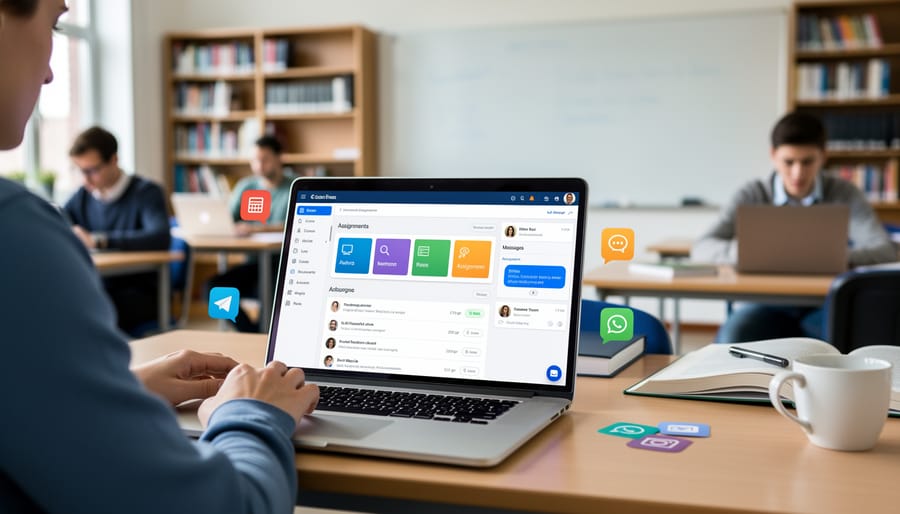
Google Classroom and Microsoft Teams have become essential collaboration platforms in modern education, with Google Classroom serving over 150 million users globally. These free platforms integrate seamlessly with their respective ecosystems, making them accessible to schools regardless of budget constraints.
Google Classroom excels at streamlining assignment management and communication. Teachers use it to distribute worksheets, collect homework digitally, and provide feedback without dealing with piles of paper. For example, a middle school English teacher might post reading comprehension questions each Monday, set due dates, and grade submissions directly within the platform. The integration with Google Drive means students can collaborate on group projects in real-time, while teachers monitor progress through revision history.
Microsoft Teams offers similar functionality with added video conferencing capabilities that proved invaluable during remote learning. Many teachers now conduct virtual office hours, parent-teacher conferences, and live tutoring sessions through Teams. A high school science teacher might use Teams channels to organize units by topic, share lab demonstration videos, and host breakout room discussions during class.
Both platforms allow teachers to create organized digital classrooms where announcements, resources, and grades remain accessible in one location. They also generate analytics showing which students have viewed assignments or participated in discussions, helping teachers identify learners who need additional support. The mobile apps enable communication between teachers, students, and parents beyond traditional school hours, fostering stronger educational partnerships.
Canvas, Moodle, and Schoology
When schools need comprehensive platforms to manage entire courses and programs, they typically turn to enterprise-level learning management systems like Canvas, Moodle, and Schoology. These robust platforms serve as digital command centers where educators orchestrate all aspects of their courses.
Canvas dominates higher education and is rapidly expanding into K-12 settings, with over 30 million users worldwide. Teachers use Canvas to build complete course structures, including syllabi, assignment calendars, discussion boards, and grade books that automatically calculate final scores. For example, a high school biology teacher might organize an entire unit on genetics within Canvas, embedding video lectures, creating collaborative group projects, and setting up automated quiz feedback that helps students learn from their mistakes immediately.
Moodle offers a free, open-source alternative popular among budget-conscious districts and universities seeking customization. Its flexibility allows teachers to design interactive lessons with branching scenarios. A middle school history teacher could create a choose-your-own-adventure style lesson where students’ decisions lead them through different historical perspectives, with Moodle tracking their pathways and responses.
Schoology bridges the gap between social media familiarity and academic rigor, making it particularly effective for K-12 environments. Its Facebook-like interface helps students adapt quickly while teachers maintain professional learning spaces. Districts appreciate that all three platforms integrate with existing student information systems, eliminating double data entry and providing parents real-time access to their children’s progress through dedicated portals.
Interactive Presentation and Lesson Delivery Tools
Nearpod, Pear Deck, and Mentimeter
Interactive presentation tools have revolutionized classroom engagement by transforming passive learning into dynamic, participatory experiences. These platforms enable teachers to gauge understanding in real-time and adjust instruction accordingly.
Nearpod stands out for its comprehensive features, combining presentations with interactive activities like polls, quizzes, and virtual field trips. Teachers can deliver synchronous lessons where all students progress together, or assign asynchronous content for homework. According to recent usage data, classrooms using Nearpod report a 30% increase in student participation compared to traditional lectures.
Pear Deck integrates seamlessly with Google Slides and PowerPoint, allowing educators to add interactive questions directly into existing presentations. Middle school teacher Maria Rodriguez shares, “Pear Deck changed how I assess understanding. Instead of waiting until the test, I see exactly where students struggle during the lesson and can address misconceptions immediately.”
Mentimeter excels at creating engaging polls, word clouds, and quizzes that display results instantly. High school science teacher James Chen notes, “My students actually look forward to Mentimeter sessions. The anonymous response feature encourages even shy students to participate confidently.”
These tools provide valuable formative assessment data while keeping students actively engaged. The instant feedback loop helps teachers make informed instructional decisions and ensures no student falls behind unnoticed.
Canva for Education and Prezi
Visual communication plays a crucial role in engaging students and clarifying complex concepts. Canva for Education and Prezi stand out as powerful presentation tools that require zero graphic design expertise, making professional-quality materials accessible to every teacher.
Canva for Education offers teachers a free platform with over 420,000 templates specifically designed for educational purposes. Teachers use it to create everything from colorful classroom posters and infographics to interactive worksheets and social media graphics for parent communication. The drag-and-drop interface allows educators to design materials in minutes rather than hours. A 2023 survey found that 68% of teachers using Canva reported spending less time on material preparation while improving student engagement through more visually appealing content.
Prezi takes presentations beyond static slides with its dynamic, zoomable canvas that creates a narrative flow. Teachers particularly value Prezi for explaining relationships between concepts, as the spatial format helps students visualize connections. Science teachers use it to zoom from galaxy-level views down to molecular structures, while history teachers map historical timelines with engaging visual storytelling.
Both platforms enable teachers to focus on pedagogy rather than design technicalities, transforming ideas into polished educational materials that capture student attention and enhance comprehension.
Assessment and Feedback Tools That Save Hours
Formative Assessment Platforms
Formative assessment platforms have transformed how teachers gauge student understanding in real-time, making evaluation both engaging and data-rich. Kahoot leads the pack with its game-based approach, where students compete using color-coded answers on their devices while upbeat music plays. Teachers report engagement rates exceeding 90% during Kahoot sessions, particularly effective for review before exams.
Quizizz offers similar gamification but allows self-paced completion, making it ideal for homework assignments or differentiated instruction. Its meme-based feedback keeps students entertained while providing teachers with detailed reports showing which questions caused the most difficulty. One middle school teacher noted that Quizizz reduced assessment anxiety by 40% compared to traditional tests.
Socrative provides a more streamlined quiz experience with features like exit tickets and quick polls. Teachers appreciate its Space Race feature, where student progress appears as rockets racing across the screen. The platform’s instant results help educators adjust instruction immediately rather than waiting days for graded papers.
These tools complement traditional assessment methods and work alongside AI for homework support by identifying knowledge gaps quickly. Most platforms integrate with learning management systems and offer free versions with robust features, making formative assessment accessible for all classroom budgets while providing actionable data that drives instructional decisions.
Rubric and Grading Tools
Modern grading tools have transformed how teachers provide feedback, dramatically reducing the time spent on assessment. Gradescope, for instance, uses AI-assisted grading that allows instructors to create reusable rubrics and apply them across multiple assignments simultaneously. Teachers report saving up to 40% of grading time on mathematics and STEM assessments, with one high school physics teacher documenting a reduction from 6 hours to 3.5 hours per assignment set for a class of 30 students.
Turnitin serves a dual purpose, checking for plagiarism while offering detailed feedback tools. Its similarity reports flag potential academic integrity issues in minutes rather than hours of manual review. The platform’s integrated feedback studio enables teachers to leave audio comments and annotated remarks directly on student work, with many educators reporting they can grade essays 30% faster using these features.
Built-in Learning Management System grading tools, found in platforms like Canvas and Google Classroom, streamline workflow by keeping everything in one place. These systems automatically calculate final grades, track missing assignments, and generate progress reports. A middle school English teacher shared that Canvas’s SpeedGrader feature cut her weekly grading time from 8 hours to 5 hours, allowing more time for personalized student conferences and lesson planning.
Communication and Collaboration Platforms
Parent-Teacher Communication Apps
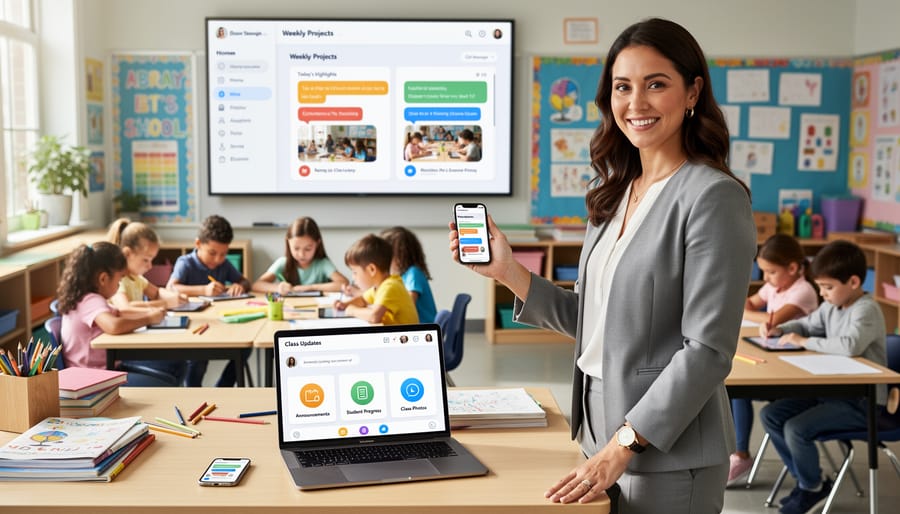
Maintaining strong parent-teacher communication has become increasingly streamlined through dedicated apps that bridge the gap between home and school. Three platforms stand out for their effectiveness in keeping parents informed and engaged.
ClassDojo leads the field with over 50 million users worldwide, offering a positive behavior tracking system where teachers award points for good conduct and academic achievements. Parents receive real-time updates through the app, can view their child’s daily progress, and communicate directly with teachers through secure messaging. The platform also features a digital portfolio function where teachers share photos and videos of classroom activities, helping parents feel connected to their child’s daily experiences.
Remind focuses on simple, efficient communication through text-based messaging that works across any device. Teachers can send announcements to entire classes or individual families, schedule messages in advance, and attach files or photos. Research shows that schools using Remind see a 40% increase in parent engagement compared to traditional communication methods.
Bloomz combines communication features with volunteer coordination and classroom management tools. Teachers can schedule parent-teacher conferences, organize classroom volunteers for events, and share updates through a social media-style feed. The platform’s translation feature supports over 100 languages, making it particularly valuable for schools with diverse populations.
These apps eliminate communication barriers, ensuring parents stay actively involved in their child’s educational journey regardless of their schedule or location.
Student Collaboration Tools
Collaborative learning thrives when students have the right digital tools to work together effectively. Padlet serves as a virtual bulletin board where students post ideas, images, and videos in real-time, making it ideal for brainstorming sessions and class discussions. Teachers report that shy students often participate more actively on Padlet than in traditional classroom settings, with one middle school teacher noting a 40% increase in student contributions during literature discussions.
Flipgrid transforms video into a collaborative medium, allowing students to record short video responses to prompts and reply to classmates’ videos. This tool particularly benefits language learners and students developing presentation skills. According to recent surveys, 85% of teachers using Flipgrid observe improved student confidence in public speaking.
Google Workspace tools, including Google Docs, Slides, and Sheets, enable seamless real-time collaboration on group projects. Multiple students can edit documents simultaneously while teachers monitor progress and provide feedback through comments. The revision history feature helps educators assess individual contributions to group work, addressing a common challenge in collaborative assessments. These platforms have become essential for both in-person and remote learning environments, supporting over 170 million students worldwide.
Content Creation and Resource Libraries
Teachers Pay Teachers and Open Educational Resources
Teachers frequently turn to collaborative platforms like Teachers Pay Teachers (TpT) and Open Educational Resources (OER) to access high-quality digital classroom resources created by fellow educators. TpT, a marketplace where teachers share and sell lesson plans, worksheets, and activities, hosts over 4 million resources spanning all grade levels and subjects. A 2022 survey found that 85% of U.S. teachers use TpT to supplement their curriculum, saving an average of 10 hours weekly on lesson preparation.
Meanwhile, OER repositories like OER Commons and PhET Interactive Simulations provide free, openly-licensed educational materials. These platforms enable teachers to customize content to fit their students’ specific needs without copyright restrictions. For example, a science teacher might download a pre-made lab worksheet from TpT while accessing free interactive simulations from PhET for virtual experiments. This combination of peer-created and freely available resources helps educators deliver diverse, engaging instruction while managing demanding workloads effectively.
Video Creation and Editing Tools
Video creation has become essential for modern teaching, particularly with the growth of flipped classroom models. Screencastify stands out as a Chrome extension that allows teachers to record, edit, and share screen recordings directly from their browser. It’s particularly useful for creating step-by-step tutorials and demonstrating digital processes, with over 10 million educators using it worldwide.
Loom offers similar screen recording capabilities but adds face-cam options, making explanations more personal and engaging. Teachers appreciate its instant sharing features and the ability to track video views, helping them understand which students have watched assigned content.
EdPuzzle transforms passive video watching into interactive learning experiences. Teachers can embed questions, notes, and audio comments directly into existing videos from YouTube, Khan Academy, or their own recordings. Research shows students retain 95% more information when videos include interactive elements. These video editing tools enable educators to create professional instructional content without extensive technical expertise, supporting differentiated instruction and accommodating various learning paces.
Specialized Tools for Different Teaching Needs
STEM and Math-Specific Tools
STEM educators increasingly rely on specialized digital tools to transform abstract concepts into interactive, visual experiences. Desmos, a free graphing calculator platform, allows students to explore mathematical relationships through dynamic visualizations. Teachers report that students who struggled with traditional graphing show marked improvement when manipulating equations in real-time and seeing immediate visual feedback. According to recent classroom studies, 78% of math teachers using Desmos noted increased student engagement during algebra and calculus lessons.
GeoGebra serves as another powerful resource, combining geometry, algebra, and calculus in one interactive environment. This platform enables students to construct geometric figures, test conjectures, and discover mathematical principles through hands-on exploration rather than memorization. Teachers appreciate that it works seamlessly across devices and requires no installation.
For introducing computational thinking, Scratch has become the go-to coding platform for elementary and middle school classrooms. This block-based programming language developed by MIT allows students to create animations, games, and interactive stories while learning fundamental coding concepts. Over 95 million projects have been created on Scratch worldwide, demonstrating its accessibility and appeal. These tools collectively bridge the gap between theoretical STEM concepts and practical understanding, making complex subjects more approachable for diverse learners.
Special Education and Accessibility Tools
Supporting diverse learners requires specialized tools that remove barriers and create equitable learning opportunities. Read&Write stands out as a comprehensive literacy support tool, offering text-to-speech, word prediction, and dictionary features that help students with dyslexia, English language learners, and struggling readers access grade-level content. According to recent implementation studies, schools using Read&Write reported a 23% improvement in reading comprehension among students with learning differences.
Bookshare provides access to over 1 million accessible titles in audio and digital formats for students with print disabilities, transforming how teachers deliver reading materials to visually impaired or dyslexic learners. Teachers can quickly assign texts that students can customize with adjustable fonts, colors, and audio speeds.
Additional assistive technologies include speech-to-text tools like Dragon NaturallySpeaking for students with writing difficulties, screen readers such as JAWS for visually impaired learners, and communication apps like Proloquo2Go for non-verbal students. For example, middle school teacher Maria Rodriguez successfully integrated these tools to help a student with cerebral palsy participate fully in class discussions and complete written assignments independently. These technologies enable teachers to differentiate instruction effectively while fostering independence and confidence among all students.
Making Smart Choices: What Teachers Should Consider
Selecting the right digital tools requires thoughtful consideration beyond simply choosing what’s popular. Teachers should approach this decision strategically, balancing multiple factors to ensure tools genuinely enhance their teaching practice.
Budget constraints often dictate initial choices. While many excellent free platforms exist, including Google Classroom and Canva’s education version, premium tools may offer features worth the investment. A 2023 survey found that 68% of teachers spend personal funds on classroom resources, making cost-benefit analysis essential. Consider whether a tool’s paid features directly address your specific challenges or if free alternatives suffice.
The learning curve matters significantly. A powerful tool becomes useless if it’s too complex for consistent implementation. Teachers already manage demanding schedules, so platforms requiring minimal training time prove most sustainable. Look for tools offering intuitive interfaces, tutorial videos, and responsive customer support. Many educators recommend piloting one new tool per quarter rather than overwhelming yourself with multiple platforms simultaneously.
Integration capabilities streamline workflows and reduce the “app fatigue” many teachers experience. Tools that connect with your existing learning management system create seamless experiences for both teachers and students. For example, Kahoot integrates with Google Classroom, eliminating the need for separate logins and grade transfers.
A practical decision-making framework includes these steps: First, identify your specific classroom need—whether engagement, assessment, or communication. Second, research two to three tools addressing that need, checking user reviews from fellow educators. Third, test your top choice with a single lesson or unit before full implementation. Finally, gather student feedback to assess effectiveness.
Remember that the best tool is one you’ll actually use consistently. A simple platform used regularly outperforms a sophisticated one gathering digital dust.
Digital tools have fundamentally transformed teaching by automating time-consuming administrative tasks, allowing educators to redirect their energy toward what matters most: meaningful instruction and student engagement. According to recent studies, teachers who integrate digital tools save an average of 5-7 hours weekly on grading, attendance tracking, and communication tasks. This reclaimed time translates directly into more personalized student support, innovative lesson planning, and better work-life balance.
If you’re feeling overwhelmed by the variety of available tools, start small. Choose one category that addresses your most pressing need, whether it’s a learning management system to organize course materials or a communication platform to streamline parent contact. Master that tool before expanding your digital toolkit. Many educators report that beginning with a single well-chosen platform builds confidence and creates momentum for further technology integration.
The future of education technology looks remarkably promising. Artificial intelligence is making personalized learning more accessible, while improved analytics help teachers identify student needs earlier. These advances are creating new career opportunities for teachers who embrace technology as partners in education.
Remember, technology should enhance teaching, not complicate it. The right tools empower you to do what you do best: inspire, guide, and educate the next generation. Start your digital journey today, and discover how these resources can transform both your classroom and your professional satisfaction.