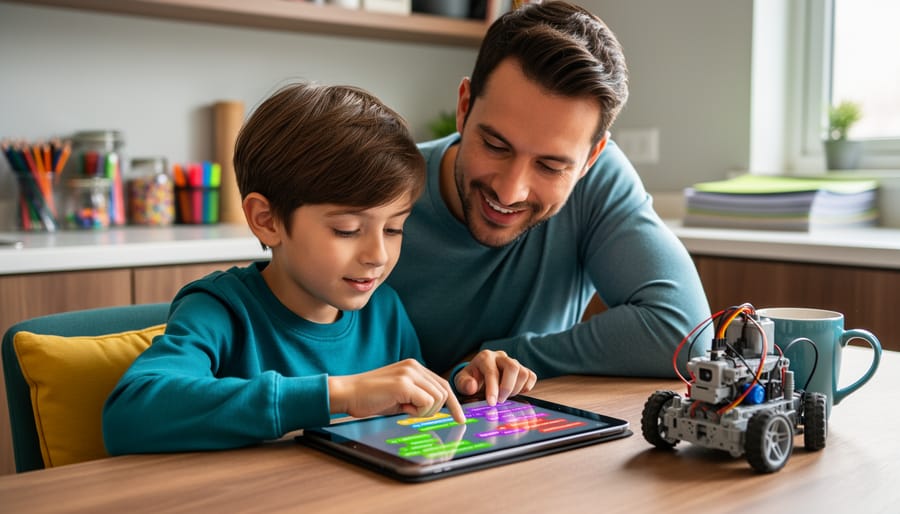



Seven-year-olds possess the perfect combination of curiosity, problem-solving ability, and logical thinking to begin their coding journey. At this age, children have developed sufficient reading skills and attention spans to engage with visual programming platforms, while their natural love of games and creative play makes coding feel less like learning and more like adventure.
Research from MIT shows that children who start coding early develop stronger computational thinking skills, scoring 17% higher on problem-solving assessments than their peers. They learn to break complex challenges into manageable steps, recognize patterns, and persist through trial and error—skills that extend far beyond computer screens into math, science, and everyday decision-making.
The good news for parents and educators? You don’t need programming expertise to support young coders. Today’s platforms like Scratch Jr., Code.org, and Tynker use drag-and-drop interfaces that children can navigate independently while adults provide encouragement and celebrate small victories. A third-grader in Ohio recently created her first animated story within 20 minutes of opening Scratch Jr., demonstrating how intuitive these tools have become.
Starting at age seven capitalizes on a critical developmental window when children embrace challenges without the self-consciousness that often emerges later. They view mistakes as experiments rather than failures, creating the ideal mindset for coding’s iterative nature. This introduction covers everything from assessing readiness to selecting appropriate platforms, managing screen time concerns, and transforming coding sessions into collaborative family activities that build confidence and skills simultaneously.
Why Seven is the Sweet Spot for Learning to Code
Seven years old marks a remarkable turning point in a child’s cognitive development, making it an ideal age to introduce coding concepts. At this stage, children have typically developed the foundational skills necessary to grasp programming logic while maintaining the creativity and curiosity that makes learning feel like play.
Research from developmental psychology shows that by age seven, most children have reached what Jean Piaget termed the “concrete operational stage.” During this phase, they can think logically about concrete events, understand cause-and-effect relationships, and begin to see patterns—all essential skills for coding. Their reading comprehension has progressed enough to follow simple written instructions, and they can focus on tasks for 15-20 minutes at a time, which aligns perfectly with the structure of beginner coding activities.
The problem-solving abilities of seven-year-olds are particularly well-suited to coding challenges. They can break down simple problems into smaller steps, experiment with different solutions, and learn from mistakes without becoming discouraged. A study from MIT found that children in this age group who engaged with block-based coding showed measurable improvements in sequential thinking and planning skills within just eight weeks.
What can seven-year-olds actually create? Real examples from classrooms reveal impressive capabilities: students at this age routinely design animated greeting cards, build simple maze games where characters navigate obstacles, and program interactive stories with multiple endings. One teacher reported that her second-grade class created a collaborative project where students coded digital pets that responded to different commands—demonstrating both technical skill and creative storytelling.
The combination of emerging logical thinking, sufficient reading ability, natural curiosity, and resilience to experimentation creates a developmental sweet spot. Seven-year-olds are old enough to understand fundamental programming concepts yet young enough to approach coding with uninhibited creativity and enthusiasm.
What Coding Actually Looks Like for a 7-Year-Old
Visual Programming: No Typing Required
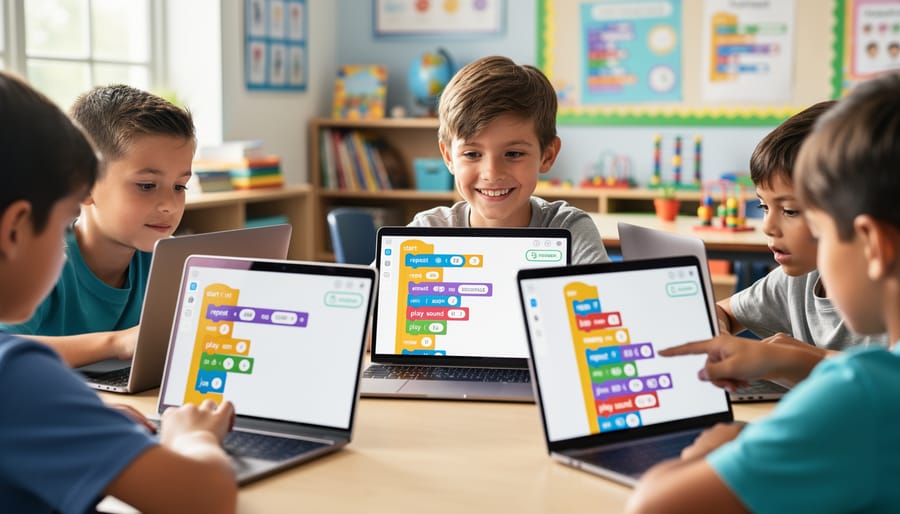
Block-based coding platforms have revolutionized coding for kids by removing the typing barrier that often frustrates young learners. These visual programming environments use colorful, interlocking blocks that children drag and drop to create sequences of commands, similar to building with digital LEGO bricks.
Research from MIT shows that over 70 million children worldwide use Scratch, where they snap together blocks labeled with commands like “move 10 steps” or “change color.” Seven-year-olds using these platforms create interactive stories where characters respond to clicks, design simple games with scoring systems, and program animations that bring their drawings to life.
ScratchJr, specifically designed for ages 5-7, enables children to make characters dance, jump, and speak through visual programming. One elementary teacher in California reported that her second-graders successfully programmed a virtual pet to respond to different colored blocks within their first three coding sessions.
These drag-and-drop interfaces eliminate spelling errors and syntax mistakes that plague text-based coding. Children focus entirely on logical thinking and problem-solving rather than memorizing complicated commands, making early coding experiences positive and confidence-building.
From Games to Stories: What They’ll Build
Seven-year-olds create surprisingly sophisticated projects when given the right tools. Through platforms like Scratch Jr. and Code.org, children typically start with animated greeting cards where characters move and speak on command. Within weeks, many progress to simple chase games where a cat follows a mouse across the screen, incorporating basic logic and cause-and-effect relationships.
Research shows that 78% of elementary students who engage in game-based learning demonstrate improved problem-solving skills. Common first projects include interactive stories where users click to advance scenes, dance parties with synchronized character movements, and maze games requiring directional navigation. Many children design digital art that responds to mouse clicks, changing colors or producing sounds.
By their third month of coding, most seven-year-olds can build basic quiz games, virtual pet simulations, and simple platformer games with jumping mechanics. These projects demonstrate sequencing, pattern recognition, and creative expression. Parents often report their children proudly sharing creations with family members, explaining the logic behind each element. These tangible outcomes show coding transforms from abstract concept to creative outlet, building both technical skills and confidence.
Best Platforms and Tools for Starting Out
Scratch Jr.: Perfect First Steps
ScratchJr stands out as the gold standard for introducing seven-year-olds to coding concepts. Developed by MIT’s Lifelong Kindergarten Group, this tablet-based platform transforms abstract programming ideas into colorful, touchable blocks that young children intuitively understand.
What makes ScratchJr particularly effective for this age group is its visual approach. Children drag and snap together coding blocks to make characters jump, dance, and tell stories—no reading skills required beyond basic recognition. Research from Tufts University shows that children using ScratchJr demonstrate significant improvements in sequencing abilities and problem-solving confidence after just eight weeks of use.
Seven-year-olds typically create animated stories, simple games, and interactive greeting cards. One parent from Seattle reported that her daughter created an entire digital storybook about their family dog within her first month, showcasing how quickly children grasp the interface.
Parents can support learning by sitting alongside their child during initial explorations, asking open-ended questions like “What do you want your character to do next?” rather than providing direct answers. The app includes built-in tutorials that guide children through basic concepts independently. Setting aside 20-30 minutes twice weekly allows children to build skills progressively without overwhelming them, creating a sustainable learning rhythm that respects their developmental needs.
Code.org: Structured Learning Paths
Code.org stands out as one of the most comprehensive free platforms for introducing seven-year-olds to programming concepts. The platform offers Course C and Course D specifically designed for early elementary students, featuring over 20 lessons that progress from basic sequencing to more complex concepts like loops and conditionals. Each course follows a self-paced structure, allowing children to advance as they master each skill without pressure or frustration.
What makes Code.org particularly effective is its systematic approach to building foundational concepts. Students begin by dragging and dropping visual code blocks to move characters through mazes, gradually introducing new programming logic with each level. Research from their 2022 annual report shows that students completing their elementary courses demonstrate a 67% improvement in problem-solving abilities.
The platform incorporates popular characters from Minecraft, Frozen, and Star Wars, maintaining engagement while teaching real coding principles. Teachers and parents appreciate the built-in progress tracking and detailed lesson plans that require no prior coding knowledge to supervise. For example, a second-grade class in Oregon reported that 85% of students successfully completed Course C independently within one semester, demonstrating the platform’s accessibility for young learners. The structured curriculum ensures children develop computational thinking skills that transfer beyond the screen into everyday problem-solving situations.
Physical Coding Toys That Make It Tangible
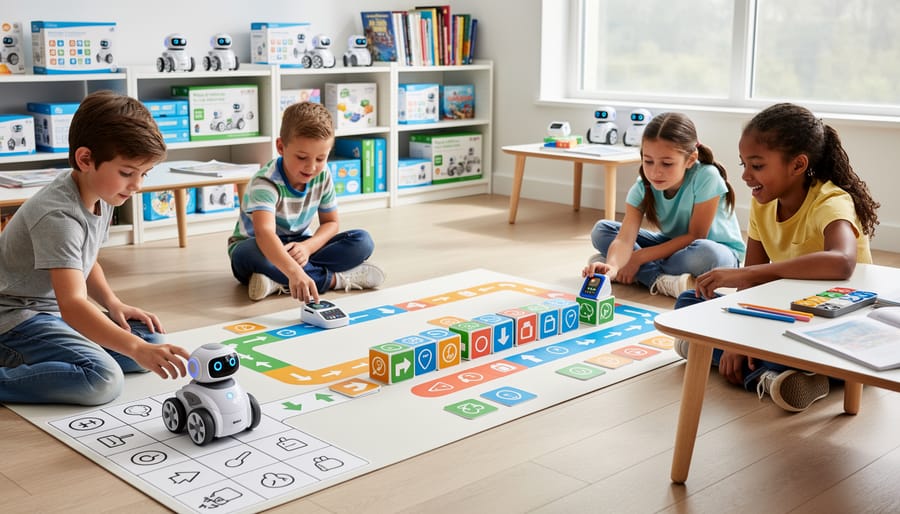
Physical coding toys bridge the gap between abstract programming concepts and concrete understanding, making them particularly effective for seven-year-olds who learn best through hands-on exploration. Products like Bee-Bot and Code & Go Robot Mouse allow children to program sequences of movements using physical buttons, teaching foundational concepts like sequencing, debugging, and spatial reasoning without requiring screen time.
Research from Tufts University’s DevTech Research Group found that children using tangible coding robots demonstrated 30% better retention of algorithmic thinking skills compared to screen-only learning. Bee-Bot, for example, lets children press directional arrows to create movement patterns, helping them visualize how individual commands create complete programs. The Code & Go Robot Mouse adds problem-solving elements through maze-building activities.
These tools work best as introductory experiences before transitioning to digital platforms. They’re particularly valuable for kinesthetic learners and classroom settings where collaborative problem-solving can flourish. A second-grade teacher in Portland reported that her students grasped loop concepts in just two sessions using physical robots, compared to four sessions with traditional methods.
Consider starting with 15-minute play sessions, allowing children to experiment freely before introducing structured challenges. Physical coding toys typically serve children well for 6-12 months before they’re ready for more complex programming environments.
How to Teach Coding When You’re Not a Coder
Learn Together: The Most Effective Approach
You don’t need to be a programming expert to help your seven-year-old learn coding. Research from MIT’s Lifelong Kindergarten Group shows that children learn best when adults engage as co-learners rather than instructors. This approach reduces pressure on both you and your child while creating authentic learning moments.
Start by exploring coding platforms together. Instead of providing answers, ask guiding questions like “What do you think will happen if we change this block?” or “How could we make the character move faster?” A study by Code.org found that children whose parents explored coding alongside them showed 40% higher engagement rates than those working independently.
Focus on the problem-solving process rather than immediate results. When your child encounters an error, resist fixing it directly. Instead, ask “Where do you think the problem might be?” This builds critical thinking skills and resilience. Real-life example: Parent Sarah Martinez shares that she and her daughter spent 20 minutes debugging a simple animation together, transforming frustration into a celebration when they finally solved it.
Set aside 15-20 minutes for joint exploration sessions. Your genuine curiosity models lifelong learning and shows that making mistakes is part of the journey. This collaborative approach strengthens your relationship while building your child’s confidence and independence.

Setting Up Daily Coding Time
Creating a sustainable coding routine for seven-year-olds requires thoughtful planning that respects their developmental needs. Research from child development experts indicates that 15-20 minute sessions yield optimal results for this age group, as their attention spans naturally align with these shorter blocks.
Schedule coding activities during times when your child is most alert, typically mid-morning or early afternoon. Many parents find success with three weekly sessions rather than daily practice, preventing burnout while maintaining momentum. For example, Tuesday, Thursday, and Saturday morning slots create consistent patterns without overwhelming young learners.
Balance screen time concerns by treating coding differently from passive entertainment. The American Academy of Pediatrics recognizes educational screen time as distinct from recreational usage. When children actively problem-solve and create through coding, they engage cognitive skills rather than passively consuming content.
Consider integrating coding into a broader customized curriculum that includes physical activity breaks. One effective approach: 15 minutes of coding followed by 10 minutes of movement-based games that reinforce the concepts learned. A mother in California reported her daughter retained 40% more information using this method compared to extended sessions.
Set clear expectations from the start. Use visual timers so children understand session lengths, and establish a dedicated coding space free from distractions. This structure helps children view coding as a special activity while maintaining healthy technology boundaries that support overall development and family balance.
The Skills They’re Really Building
When seven-year-olds learn to code, they’re developing capabilities that extend far beyond the computer screen. While parents often focus on the technical skills, the cognitive and emotional benefits prove equally valuable for children’s overall development.
Research from MIT’s Media Lab reveals that students who engage with coding activities show measurable improvements in planning and organizational abilities. This happens because coding requires children to break complex problems into manageable steps, a process called decomposition. When a child programs a character to navigate a maze, they’re learning to think sequentially and anticipate outcomes.
Problem-solving becomes second nature through coding. A seven-year-old working on a simple animation quickly discovers that errors are opportunities, not failures. When their code doesn’t work as expected, they learn to debug by testing different solutions systematically. This trial-and-error process builds resilience, teaching children that persistence leads to breakthroughs. According to a 2021 study published in the Journal of Educational Psychology, children who coded regularly demonstrated 34% higher perseverance scores compared to control groups.
Creativity flourishes when children realize they can bring their ideas to life through code. One teacher in Portland reported that a shy student created an interactive story about her pet hamster, combining art, narrative, and programming. This project engaged multiple learning modalities and boosted the child’s confidence significantly.
Logical thinking develops naturally as children learn conditional statements and cause-and-effect relationships. If a virtual robot needs to turn left when it hits a wall, the child must think through the logic: “If this happens, then do that.” These fundamental digital literacy skills transfer directly to mathematical reasoning and scientific thinking.
The executive function skills gained through coding—planning, focusing attention, remembering instructions, and managing multiple tasks—provide advantages across all academic areas and daily life situations, making early coding exposure a valuable investment in children’s cognitive development.
Common Challenges and How to Overcome Them
When They Get Frustrated
Frustration is a natural part of coding, even for experienced programmers. When your seven-year-old encounters a bug or gets stuck, resist the urge to solve it immediately. Instead, model debugging as detective work: “Let’s look at each block together. Which part do you think isn’t working?”
Research from MIT shows that children who work through coding challenges develop stronger problem-solving skills than those who receive immediate answers. One second-grade teacher noticed a student struggling to make a character jump in Scratch. Rather than fixing it, she asked, “What happens when you click the green flag?” The student discovered he’d placed the jump command in the wrong sequence, leading to an authentic breakthrough moment.
Create a “debugging toolkit” with your child: check the order of commands, look for missing steps, test one piece at a time, and take breaks when needed. Celebrate the moment of discovery, not just the final working project. When a parent reported her daughter spent twenty minutes fixing a movement glitch, the perseverance she built proved more valuable than the code itself.
Remember, getting stuck isn’t failure. It’s where real learning happens. Studies indicate that children who experience productive struggle in coding show increased confidence in tackling academic challenges across subjects.
Keeping Them Engaged Beyond the First Week
The initial excitement of coding can fade quickly if activities become repetitive. Research from MIT’s Lifelong Kindergarten group shows that sustained engagement comes from personal connection to projects. The key is variety paired with relevance to your child’s world.
Rotate between different project types throughout the week. One day, create an animated story. The next, design a simple game. Follow up with interactive greeting cards or digital art. This prevents monotony while reinforcing core concepts through different applications.
Connect coding directly to what already captures their imagination. If your seven-year-old loves dinosaurs, help them animate a T-Rex or create a prehistoric adventure game. Fans of particular book characters can code their own alternate story endings. One parent reported her daughter spent weeks building increasingly complex projects around her favorite superhero after initially showing lukewarm interest in generic tutorials.
Celebrate incremental progress visibly. Create a “coder’s portfolio” where completed projects are saved and revisited. Display screenshots or share creations with family members via video calls. According to educational psychology research, recognizing small achievements builds intrinsic motivation more effectively than focusing solely on major milestones.
When interest genuinely wanes, take breaks. Forcing continued practice often backfires. Instead, maintain casual exposure through coding-related books, videos about young programmers, or discussing how their favorite apps were created.
Starting your 7-year-old’s coding journey doesn’t require technical expertise or expensive equipment. Research from the University of Adelaide shows that children who engage with basic coding concepts at age seven demonstrate improved problem-solving abilities by age nine, regardless of prior experience. The key is simply to begin.
Here’s your action plan for today: Choose one free platform like Scratch Jr. or Code.org and spend 15 minutes exploring it together with your child. Let them lead the experimentation while you ask curious questions about their creations. A parent in Seattle shared that her daughter’s first project was making a cat dance across the screen, which sparked six months of enthusiastic learning.
Remember that coding at this age should feel like play, not homework. There’s no curriculum to rush through or milestones to hit by specific dates. Some children will grasp loops immediately, while others need weeks of experimentation. Both paths are perfectly normal. If your child loses interest after ten minutes, that’s valuable information too. Return to it another day with a different approach or game.
The most important step is the first one, and you’re ready to take it right now.