



Protect your digital classroom by starting with password fundamentals: require unique passwords for every educational platform, implement a password manager like LastPass or 1Password for your school accounts, and enable two-factor authentication on all systems containing student data. According to recent studies, 81% of data breaches stem from weak or stolen passwords, making this your most critical first defense.
Recognize common cyber threats in educational settings before they strike. Phishing emails targeting educators increased 67% in 2023, often disguised as messages from district administrators or familiar educational technology platforms. Train yourself to verify sender addresses, hover over links before clicking, and question unexpected attachment requests, even from seemingly trusted sources.
Establish clear digital boundaries between personal and professional device use. Create separate browser profiles for school-related activities, avoid accessing sensitive student information on personal devices, and understand your legal responsibilities under FERPA regarding student data protection. One compromised personal device can expose entire classroom rosters and private student records.
Build foundational knowledge through free, educator-focused resources from organizations like the Cybersecurity and Infrastructure Security Agency (CISA) and SANS Institute’s cyber awareness programs. These platforms offer 15-minute modules designed specifically for non-technical professionals, providing certificates that demonstrate your commitment to protecting student information. Starting with just 30 minutes weekly creates sustainable learning habits that transform overwhelming technical concepts into manageable, practical skills you can apply immediately in your classroom environment.
Why Cybersecurity Matters in Today’s Classrooms
The Real Cost of Data Breaches in Schools
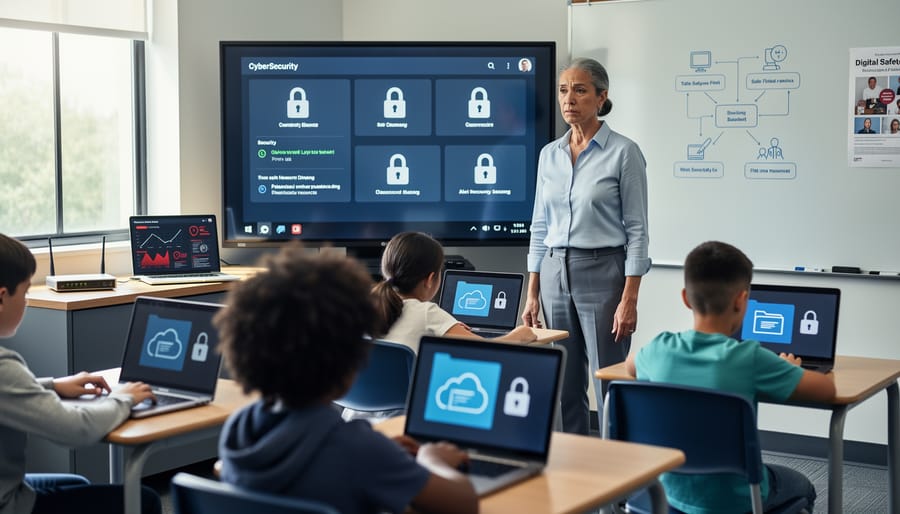
School data breaches carry serious consequences that extend beyond headlines. In 2022, K-12 institutions experienced over 400 reported cybersecurity incidents, affecting millions of students and families nationwide. These breaches expose sensitive information including student records, Social Security numbers, health data, and family financial details.
The financial impact is substantial. According to recent studies, educational institutions spend an average of $3.86 million per breach on recovery costs, legal fees, and system improvements. However, the human cost runs deeper. Students whose personal information is compromised face increased identity theft risks that can follow them into adulthood, affecting college applications and future credit opportunities.
One notable 2021 incident affected a district serving 36,000 students, exposing names, addresses, and special education records. Families spent months monitoring credit reports and managing identity protection services. Beyond immediate concerns, these breaches erode trust between schools and communities.
Understanding these real-world impacts makes protecting schools from cyberattacks not just an IT priority, but an essential responsibility for everyone in education. The good news? Learning basic cybersecurity practices significantly reduces these risks, and you don’t need technical expertise to start making a difference today.
What Educators Are Actually Responsible For
Good news: you’re not expected to become your school’s IT department. According to a 2023 Consortium for School Networking report, 68% of educators mistakenly believe they’re responsible for network security and infrastructure protection—tasks that belong squarely with IT professionals.
Your actual cybersecurity responsibilities focus on three manageable areas. First, protect your own accounts and devices by using strong passwords and recognizing phishing attempts. Second, model good digital citizenship for students through everyday actions like locking your screen when stepping away. Third, integrate age-appropriate security awareness into your existing curriculum, much like you already incorporate other essential life skills.
You’re not responsible for configuring firewalls, managing school networks, or responding to data breaches. Those tasks require specialized training and belong to IT staff. When expanding your digital teaching toolkit with remote teaching resources, your role is recognizing potential security concerns and reporting them—not solving them yourself. Think of it like noticing a broken lock on a classroom door: you report it to maintenance rather than fixing it yourself. This realistic scope makes cybersecurity achievable alongside your primary mission of teaching.
Essential Cybersecurity Concepts Every Educator Should Know
Understanding Digital Threats in Simple Terms
Understanding digital threats doesn’t require a computer science degree. Think of these dangers as you would other risks in your classroom—they’re manageable once you recognize them.
Phishing is essentially digital impersonation. Imagine receiving an email that appears to be from your school district’s IT department, asking you to verify your login credentials. A 2023 study found that educational institutions experienced a 576% increase in phishing attempts compared to other sectors. These fraudulent messages often create urgency: “Your account will be suspended unless you click here immediately.” In classroom terms, it’s like a stranger wearing a visitor badge who claims to be from the superintendent’s office but can’t provide proper identification.
Malware refers to harmful software that infiltrates devices. Picture a student unknowingly downloading a corrupted educational app that secretly collects personal information or slows down school computers. Real-world example: In 2022, several school districts reported malware infections through compromised educational game downloads.
Ransomware locks your files until payment is made. Consider Baltimore County Public Schools’ 2020 incident where ransomware forced 115,000 students into extended remote learning, costing millions to resolve.
Social engineering manipulates people into breaking security procedures. A classic scenario: someone calls your school office claiming to be a parent who “forgot” their child’s student ID number. They sound convincing and friendly, but they’re gathering information for malicious purposes.
These threats share one characteristic: they exploit trust and urgency rather than technical vulnerabilities alone.
How Data Actually Gets Compromised
Understanding how data gets compromised helps you protect yourself and your students more effectively. In educational settings, several common vulnerability points exist that cybercriminals routinely exploit.
Shared devices present significant risks. When multiple students use the same computer or tablet without proper logout procedures, sensitive information often remains accessible. A 2023 study found that 68% of school computers retained login credentials or browsing history from previous users. This means student grades, personal information, or teacher access to administrative systems could be exposed.
Public Wi-Fi networks in schools, libraries, and coffee shops are another major concern. These unsecured connections allow hackers to intercept data transmitted between your device and the internet. When teachers check email or access gradebooks on public networks without protection, login credentials can be captured by attackers positioned on the same network.
Email remains the primary entry point for cyberattacks, with phishing attempts targeting educators increasing by 47% in recent years. These messages appear to come from trusted sources like administrators, educational platforms, or colleagues, tricking recipients into clicking malicious links or sharing passwords.
Learning platforms themselves can harbor vulnerabilities. Third-party educational apps and websites often request extensive permissions, potentially accessing student data beyond what’s necessary. Additionally, weak passwords on these platforms create easy targets. Research shows that 80% of data breaches involve compromised passwords, with many educators reusing the same password across multiple educational tools.
Recognizing these vulnerability points is your first step toward implementing practical protective measures.
Building Your Cybersecurity Foundation: First Steps
Password Protection That Actually Works
Strong passwords remain your first line of defense against cyber threats, yet research shows that 81% of data breaches involve weak or reused passwords. The good news? Implementing effective password protection is simpler than you might think.
Start by creating passwords that are at least 12 characters long, combining uppercase and lowercase letters, numbers, and symbols. Instead of trying to memorize complex strings, use passphrases—memorable sentences like “MyDog@teMyHomework2day!” that are both secure and easier to recall. Avoid common patterns like “Password123” or personal information such as birthdays.
Password managers like Bitwarden, LastPass, or 1Password eliminate the burden of remembering multiple credentials. These tools generate unique, strong passwords for each account and store them securely behind one master password. For educators managing numerous educational platforms, this single change dramatically improves security without adding complexity.
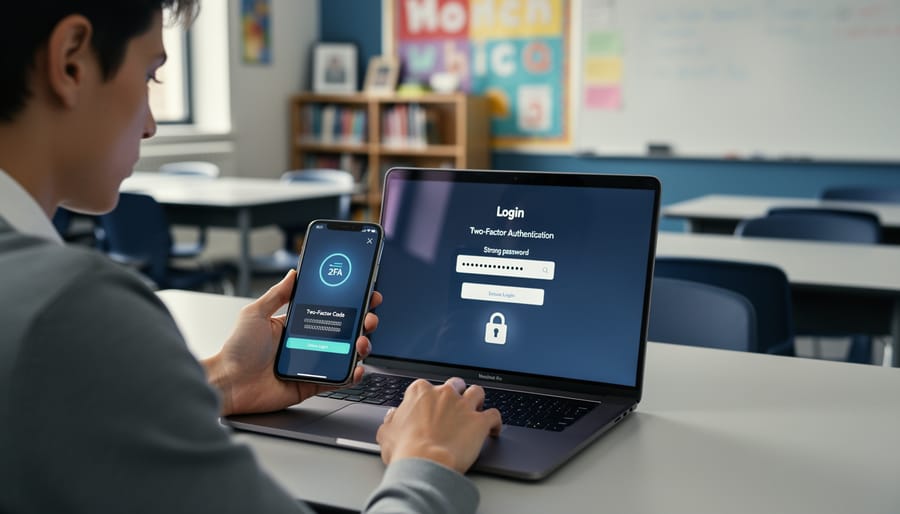
Two-factor authentication (2FA) adds a crucial second layer by requiring both your password and a temporary code sent to your phone or email. Enable it wherever available—especially for email, banking, and educational systems containing student data. Studies show 2FA blocks 99.9% of automated attacks, making it one of the most effective security measures you can implement today.
Recognizing Suspicious Emails and Messages
Phishing emails remain the most common cyber threat in educational settings, with research showing that 1 in 4 school staff members inadvertently click on suspicious links. Learning to spot warning signs protects both your personal information and student data.
Start by examining the sender’s email address carefully. A message claiming to be from your district’s IT department but coming from “support@schoool-district.com” (note the extra ‘o’) is a red flag. Legitimate emails from your school will always use the official domain.
Look for urgent language that pressures immediate action. Phishing messages often claim your account will be suspended unless you click a link right away. For example, “Your school email will be deleted in 24 hours unless you verify your password now” creates artificial urgency to bypass your better judgment.
Hover over links before clicking to preview the actual destination. If an email says “Click here to access student grades” but the link shows a random string of numbers or unfamiliar domain, don’t click.
Watch for generic greetings like “Dear User” instead of your name, spelling errors, and requests for passwords or personal information. Your IT department will never ask for passwords via email.
When in doubt, contact the sender through official channels you already know rather than replying to the suspicious message. Teaching yourself these identification skills creates a security-conscious culture that benefits your entire educational community.
Safe Device and Account Practices
Developing consistent device security habits protects both your information and your students’ data. Start by treating school devices with the same care you’d give your banking information. According to recent education sector reports, 67% of data breaches in schools occurred because devices were left unlocked or unattended.
Always log out completely from accounts when finishing work sessions, especially on shared classroom computers. A teacher in Ohio discovered students had accessed confidential grade information simply because she minimized rather than closed her browser. Set devices to auto-lock after 5 minutes of inactivity as a safety net.
Software updates aren’t just annoying notifications—they’re critical security patches. The 2021 ransomware attack affecting hundreds of U.S. schools exploited outdated systems. Enable automatic updates whenever possible, or schedule weekly checks during planning periods.
Practice safe browsing by verifying website URLs before entering credentials. Phishing sites often mimic legitimate educational platforms but contain subtle spelling variations. Bookmark frequently used sites like your district portal and student information systems rather than relying on search results.
Install only approved software from official sources. Free browser extensions and classroom tools may seem helpful but can introduce security vulnerabilities. Always check with your IT department before adding new programs to school devices.
Protecting Student Privacy and Data
What Student Data Needs Protection (And Why)
Educational institutions handle remarkably sensitive information daily. Student records contain Social Security numbers, birth dates, addresses, medical information, disciplinary records, and academic performance data. Even seemingly minor details like lunch account balances or library checkouts can reveal private information about a child’s home situation.
Two federal laws establish your baseline responsibilities. The Family Educational Rights and Privacy Act (FERPA) protects student education records for children over 13, requiring written consent before sharing information with third parties. Violations can cost schools their federal funding. The Children’s Online Privacy Protection Act (COPPA) safeguards children under 13 using online services, requiring parental consent before collecting personal information and mandating secure data practices from educational technology vendors.
Consider this real scenario: In 2019, a school district’s unsecured database exposed 7 million student records including behavioral assessments and special education designations. This breach violated FERPA and caused lasting harm to families whose private information became public.
Understanding these protections isn’t about legal compliance alone. A 2022 study found that 89% of educational institutions experienced data breaches, affecting millions of students. Each exposed record represents a real child whose identity could be stolen or whose private struggles might become public. When you grasp what information needs protection and why these laws exist, you transform cybersecurity from an abstract concept into a practical responsibility you can confidently fulfill.
Practical Steps for Safeguarding Student Information
Protecting student information requires consistent, practical habits that anyone can implement. Start with secure file sharing by using your school’s approved platforms like Google Classroom or Canvas rather than personal email accounts. According to a 2023 Education Week survey, 68% of schools experienced at least one security incident, often from unintentional data exposure through improper sharing.
When disposing of documents containing student information, always shred paper records rather than simply tossing them in recycling bins. For digital files, permanently delete them and empty your trash or recycle bin. A teacher in Ohio discovered this importance when discarded grade sheets were found in a parking lot, leading to a district-wide policy review.
Communicate sensitive information through encrypted channels. Never discuss individual student details over unsecured messaging apps or social media. If you need to share assessment results with parents, use your school’s secure parent portal or password-protected documents.
Before introducing educational apps, verify they comply with FERPA and COPPA regulations. Check the Common Sense Privacy Program ratings, which evaluate apps on data collection practices. A quick review can prevent situations like the 2022 incident where a popular reading app shared student data with third-party advertisers without proper consent. Always obtain administrator approval and parental consent before implementing new digital tools in your classroom.
Teaching Cybersecurity to Students
Age-Appropriate Cybersecurity Lessons
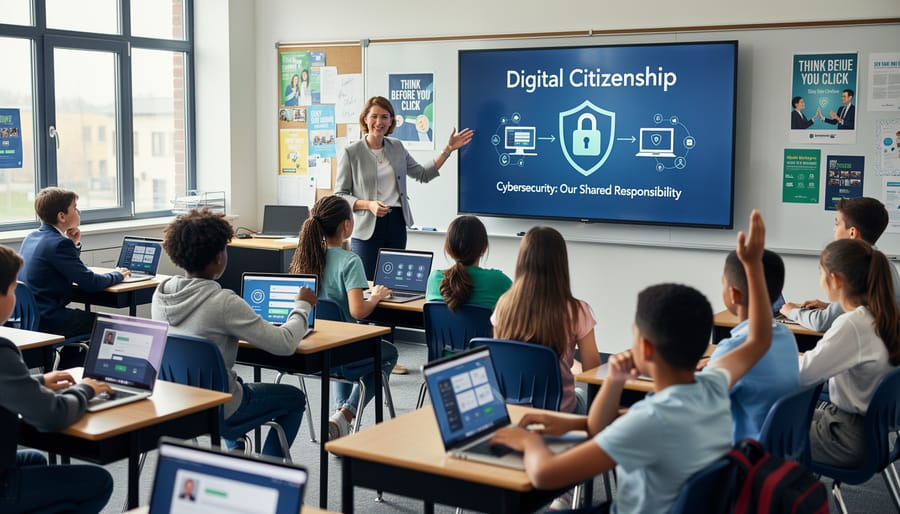
Teaching cybersecurity in schools becomes most effective when tailored to students’ developmental stages and cognitive abilities.
For elementary students (grades K-5), focus on foundational concepts through engaging activities. Introduce password strength using a classroom example: have students create passwords for a pretend email account, then demonstrate how longer passwords with mixed characters are harder to guess. One third-grade teacher successfully used a “Digital Footprint Walk” where students tracked their online activities on paper footprints, helping them visualize their internet presence. Simple games about identifying trusted adults online and recognizing when something feels wrong create lasting safety awareness.
Middle school students (grades 6-8) benefit from hands-on experiences. A Virginia classroom incorporated a phishing email identification challenge where students analyzed real examples (with sensitive information removed) and scored points for correctly spotting red flags. According to recent surveys, 67% of middle schoolers who participated in interactive cybersecurity activities reported increased confidence in online safety decisions. This age group also responds well to creating their own strong passwords and understanding two-factor authentication through practical demonstrations.
High school students (grades 9-12) can explore more complex topics like encryption basics, digital citizenship responsibilities, and ethical hacking concepts. Computer science classes might include coding simple security programs, while all students benefit from discussions about social media privacy settings and protecting personal information across platforms.
Creating a Cyber-Safe Classroom Culture
Building a cyber-safe classroom begins with establishing clear expectations and open communication. Start by creating simple security norms during the first week: devices stay visible, passwords remain private, and unusual messages get reported immediately. Research shows that 60% of school cyberattacks succeed because students hesitate to report suspicious activity, fearing they’ll be blamed or sound uninformed.
Make security everyone’s responsibility through a “digital wellness committee” where students rotate as classroom security ambassadors. These ambassadors remind peers about digital footprints and help troubleshoot concerns. One elementary teacher in Oregon saw reporting increase by 75% after implementing weekly five-minute security check-ins where students anonymously shared concerns.
Celebrate smart security decisions publicly. When a student reports a phishing email or questions a suspicious link, acknowledge their vigilance. This positive reinforcement transforms security from a burdensome rule into a valued classroom skill. Post a visible “Security Win” board highlighting anonymous examples of good digital citizenship, reinforcing that protecting the classroom community is a collective achievement, not an individual burden.
Free Resources and Tools for Continuous Learning
Building your cybersecurity knowledge doesn’t require expensive certifications or specialized degrees. Numerous high-quality resources exist specifically designed for beginners in educational settings.
For structured learning, Cybrary offers free introductory courses covering fundamental concepts like network security and threat awareness. According to their 2023 report, over 3 million learners have accessed their platform, with educators comprising a significant portion. Google’s Applied Digital Skills provides self-paced modules on digital safety that teachers can directly integrate into existing curricula. Similarly, the National Cyber Security Centre’s CyberFirst program offers educational resources tailored for classroom use.
ISTE (International Society for Technology in Education) maintains an active community where educators share practical cybersecurity lesson plans and discuss real classroom challenges. One middle school teacher in Ohio credits ISTE forums with helping her develop a student-friendly password policy after struggling with multiple account lockouts.
Khan Academy partners with organizations like the Cybersecurity and Infrastructure Security Agency to offer free lessons on internet safety fundamentals. These bite-sized videos work particularly well for educators with limited preparation time, averaging just 10-15 minutes per topic.
For ongoing professional development, Common Sense Education provides comprehensive digital citizenship curricula, including cybersecurity components specifically designed for K-12 environments. Their materials come pre-packaged with student handouts and assessment tools, saving valuable planning time.
The SANS Cyber Aces Tutorial offers free hands-on exercises perfect for educators wanting deeper technical understanding without overwhelming complexity. Meanwhile, platforms like Coursera and edX feature beginner cybersecurity courses from respected universities, many offering free audit options.
These resources share one critical advantage: they’re designed for busy professionals, offering flexible learning schedules that accommodate teaching responsibilities. Start with just one platform, explore its offerings for 20-30 minutes weekly, and gradually expand your knowledge base.
Your journey into cybersecurity begins with a single step, and that’s exactly what you’ve taken by exploring these foundational concepts. Remember, becoming cyber-aware isn’t about achieving perfection overnight—it’s about building consistent habits that strengthen your digital defenses day by day.
Start small and celebrate progress. According to recent educational technology reports, schools that implemented just three basic security practices reduced incidents by 67% within six months. Your efforts, however modest they may seem, contribute to a safer digital environment for your students and colleagues.
Every password you strengthen, every suspicious email you question, and every student you educate about online safety creates a ripple effect. When educators prioritize cybersecurity, they model critical thinking skills that extend far beyond technology into everyday decision-making.
The collective impact of your individual actions cannot be overstated. As you continue learning, you’re not just protecting data—you’re fostering a culture of digital responsibility that prepares students for an increasingly connected world.
Take one concrete action today: update the password on your most important account using the strategies you’ve learned. This simple step demonstrates that cybersecurity isn’t overwhelming—it’s achievable, one decision at a time.