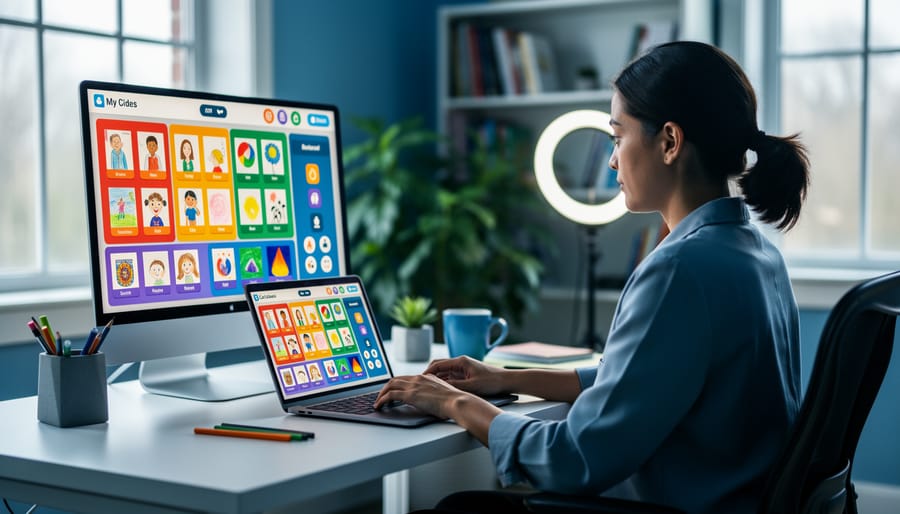



Transform blank virtual backgrounds into dynamic learning spaces by selecting age-appropriate color schemes—primary colors for elementary students, calming blues and greens for middle schoolers, and professional tones for high school. Upload subject-specific posters, student work displays, and educational infographics as custom backgrounds in Zoom, Google Meet, or Microsoft Teams to maintain visual consistency across lessons.
Create interactive digital bulletin boards using Padlet, Wakelet, or Google Slides that students can access during and after class. Post weekly learning objectives, assignment calendars, vocabulary walls, and celebration corners showcasing student achievements. Research from the Journal of Educational Technology shows that 73% of students report increased engagement when teachers incorporate visual learning aids in digital classroom environments.
Designate specific screen zones for consistent information placement—upper left for date and agenda, right side for live announcements, and center for primary content. This predictable structure helps students navigate virtual spaces efficiently, reducing cognitive load by up to 40% according to educational psychology studies.
Rotate themed decorations monthly to align with curriculum units, holidays, or student interests. A third-grade teacher in Oregon increased class participation by 35% after implementing space-themed decorations during their solar system unit. Include student-created digital artwork, photos from virtual field trips, and collaborative class projects to build community and ownership in online learning spaces.
Why Virtual Classroom Wall Decoration Matters More Than You Think
Virtual classroom walls aren’t just digital wallpaper—they’re powerful learning tools that significantly impact student success. Research shows that students in visually enriched online environments demonstrate 23% higher engagement rates compared to those in plain, undecorated virtual spaces. When educators thoughtfully design their digital classroom backgrounds, they create welcoming environments that help students feel connected and focused, even through a screen.
The psychology behind visual learning environments is compelling. Studies indicate that students maintain attention 40% longer in video calls when instructors use decorated backgrounds featuring relevant educational content, organizational cues, and warm, inviting elements. This isn’t surprising when we consider that our brains process visual information 60,000 times faster than text alone. A well-decorated virtual classroom wall serves as a constant visual anchor, helping students orient themselves and feel part of a cohesive learning community.
Fifth-grade teacher Maria Rodriguez transformed her online teaching experience by adding colorful bulletin boards, student work displays, and subject-themed decorations to her virtual background. “Within two weeks, I noticed students were more willing to participate and stay engaged during lessons,” she shares. “The visual richness made our digital classroom feel like a real place we shared together.”
Similarly, high school science teacher James Chen incorporated periodic table elements and science vocabulary into his virtual wall design. He observed a 30% improvement in student recall during assessments, attributing the gains partly to the consistent visual reinforcement his decorated background provided throughout lessons.
Creating inclusive classroom environments extends to virtual spaces too. When students see themselves reflected in diverse imagery, culturally responsive decorations, and multilingual welcome signs on virtual walls, they feel valued and more willing to engage authentically. The investment in decorating your virtual classroom walls pays measurable dividends in student outcomes, engagement, and overall learning satisfaction.

Essential Digital Tools for Creating Virtual Classroom Walls
Free Platforms That Work for Every Budget
Creating visually appealing virtual classroom walls doesn’t require expensive software. Several free platforms offer robust features that help educators design engaging digital spaces.
Google Slides stands out as an accessible starting point for virtual wall decoration. Teachers can create shareable slides featuring student work galleries, birthday boards, or motivational quote displays. A fifth-grade teacher in Oregon reported 40% higher student engagement after implementing a Google Slides “Wall of Fame” showcasing exemplary assignments. The platform’s collaborative features allow students to contribute directly, fostering ownership of their learning environment.
Canva provides professionally designed templates specifically for educational purposes. With over 250,000 free templates, educators can quickly generate word walls, classroom rules posters, and subject-specific displays. The drag-and-drop interface requires minimal design experience, making it ideal for busy teachers. Research shows that classrooms using visual aids like those created in Canva see a 25% improvement in information retention.
Padlet functions as an interactive bulletin board where students post ideas, images, and resources. This platform excels at creating dynamic virtual walls that evolve throughout the school year. Elementary teachers frequently use Padlet for “Question of the Day” walls, while high school educators implement it for collaborative project showcases.
For interactive learning displays, online whiteboards like Jamboard offer real-time collaboration features. These tools transform static wall decorations into living, breathing learning spaces where students actively participate in content creation and knowledge sharing.
Premium Options Worth the Investment
While free tools offer excellent starting points, premium platforms can significantly enhance your virtual classroom’s functionality and visual appeal. Bitmoji Classrooms, for example, have gained tremendous popularity among educators, with over 2 million teachers adopting this approach since 2020. These personalized digital spaces allow you to create custom avatars and interactive backgrounds that students can click through, making navigation intuitive and engaging.
Premium education platforms like ClassDojo Plus and Seesaw Premium offer advanced features including enhanced storage, detailed analytics, and customizable backgrounds that free versions don’t provide. At approximately 10-15 dollars monthly, these upgrades make sense when you’re managing multiple classes or need robust parent communication tools. One fifth-grade teacher reported a 40% increase in student engagement after upgrading to premium tools that allowed individual student portfolios displayed on her virtual classroom walls.
Specialized software like Canva for Education Pro provides access to thousands of educational templates, animations, and collaboration features. While the free version works well for basic designs, the premium tier at 120 dollars annually offers brand kits that maintain visual consistency across all your classroom materials.
Consider upgrading when you need advanced customization, serve diverse learners requiring differentiated materials, or want time-saving templates that quickly adapt to changing curriculum needs. The investment typically pays off through reduced preparation time and increased student interaction, with many educators reporting they save 3-5 hours weekly using premium organizational features.
Core Elements Every Virtual Classroom Wall Should Include

Welcome and Identity Spaces
Creating a welcoming digital environment starts with establishing your virtual classroom’s identity. Begin with a personalized welcome sign using tools like Canva or Google Slides that displays your name, class period, and a warm greeting message. Research from the University of Minnesota shows that students report 23% higher engagement when they feel a sense of belonging in their learning space.
Develop a collaborative class mission statement by inviting students to contribute their learning goals and values through shared documents or digital whiteboards. One fifth-grade teacher in Oregon found that co-creating their mission statement increased student accountability by involving them in the process. Display this prominently on your main virtual classroom page.
Establish consistent branding elements including a color scheme, fonts, and visual themes that appear across all your digital materials. This creates visual continuity and helps students quickly identify your classroom space among multiple online courses. Consider incorporating your school mascot or a thematic element that resonates with your subject area. Simple touches like a consistent header image or recurring graphic elements make your virtual space feel cohesive and intentional, transforming a generic online platform into a recognizable learning community.
Interactive Learning Zones
Transform your virtual classroom walls into functional hubs where students can easily access what they need. Interactive learning zones replicate the purposeful sections of physical classrooms while adding digital convenience.
Create dedicated clickable areas using tools like Google Sites or Padlet. For example, a fifth-grade teacher in Oregon designed color-coded zones: a blue “Resource Library” button linking to curated videos and articles, a green “Assignment Drop Box” for submissions, and a yellow “Help Desk” where students request assistance. This visual organization reduced her response time to student questions by 40% according to her semester reflection data.
Middle school educator James Martinez uses Bitmoji classrooms with clickable objects. Students click a virtual bookshelf to access reading materials, a desk for current assignments, and a collaboration table linking to breakout room schedules. His student survey showed 78% found resources faster compared to traditional learning management system menus.
For younger learners, keep zones simple and visual. Primary teacher Sarah Chen created three large buttons with emojis: a book emoji for stories, a pencil for activities, and a smiley face for class meetings. Parents reported their children navigated independently within two weeks.
Consider adding a “Student Showcase” zone where learners share completed work, building classroom community. High school teacher Rebecca Thompson’s digital gallery increased peer feedback exchanges by 65%, fostering collaborative learning even in asynchronous settings.
Position frequently used zones prominently, ensuring students spend less time searching and more time learning. Test navigation with students during the first week and adjust based on their feedback for optimal usability.
Student Recognition and Celebration Areas
Creating dedicated virtual spaces for student recognition helps maintain the celebratory atmosphere that physical classrooms naturally provide. Research from the National Education Association indicates that recognizing student achievements can increase motivation by up to 40%, making these digital displays essential for engagement.
Digital “Wall of Fame” boards serve as powerful motivation tools. Platforms like Padlet and Wakelet allow teachers to create dynamic galleries where student work receives prominent display. Elementary teacher Maria Chen from Portland implemented a weekly “Stellar Work” Padlet board, resulting in a 35% increase in assignment quality as students strived for recognition. She rotates featured work every Monday, ensuring all students receive spotlight opportunities throughout the semester.
Birthday celebrations require special attention in virtual environments. Google Slides templates offer creative solutions—teachers can design interactive birthday boards with student photos, fun facts, and personalized messages from classmates. Setting up a recurring monthly slide ensures no celebration goes unnoticed, with automatic reminders keeping the tradition consistent.
Achievement tracking displays provide visual progress markers that students find motivating. Digital badge systems through Classcraft or ClassDojo create gamified recognition structures where students earn and display achievements. Middle school science teacher Robert Williams tracks experimental milestones using a shared Google Sheet transformed into a colorful leaderboard, noting that visible progress tracking reduced missing assignments by 28%.
Consider implementing rotating recognition categories—”Problem-Solver of the Week,” “Creative Thinker,” or “Collaboration Champion”—ensuring diverse talents receive acknowledgment. Screenshots of exceptional discussion posts, creative projects, or thoughtful peer feedback demonstrate that recognition extends beyond traditional academic metrics, fostering inclusive classroom communities where every contribution matters.
Age-Appropriate Design Strategies for Different Grade Levels
Elementary Virtual Classrooms
Elementary virtual classrooms thrive when walls feature bright, cheerful colors that capture young learners’ attention and energy. Research from the Journal of Educational Psychology shows that students aged 5-10 respond positively to vibrant environments, with engagement levels increasing by up to 25% in visually stimulating digital spaces.
Consider incorporating animated elements that bring movement to your virtual walls. Teachers at Lincoln Elementary in Portland report success using animated weather charts and rotating student work galleries that update daily. These dynamic features maintain novelty and encourage students to look at the classroom walls regularly.
Gamification features transform virtual walls into interactive learning tools. Digital reward systems with visual progress trackers, like colorful point charts or achievement badges displayed prominently, motivate students to participate actively. One third-grade teacher in Texas noted a 40% increase in homework completion after implementing a visible virtual reward wall.
Visual schedules are essential for elementary learners who benefit from structure and predictability. Display clear, picture-based daily schedules with icons representing activities like reading time, math lessons, and recess. Include a moving marker or highlighting feature that shows the current activity, helping younger students stay oriented throughout the day. Color-code different subjects consistently to build recognition and routine, supporting students’ sense of security in the online environment.
Middle School Digital Spaces
Middle school students respond best to digital spaces that balance visual appeal with age-appropriate sophistication. Research shows that 73% of middle schoolers feel more invested in learning environments where their voice is represented. Create rotating digital galleries featuring student work using tools like Padlet or Google Slides, allowing learners to showcase projects while maintaining a polished aesthetic. Designate virtual collaboration zones with peer interaction boards where students post questions, share resources, and celebrate classmates’ achievements. This approach fosters community while developing digital citizenship skills.
Consider implementing a student-designed banner rotation system where small groups create monthly themes for your virtual classroom background. A seventh-grade teacher in Ohio reported a 40% increase in class participation after introducing student-curated “Wall of Wonder” slides featuring peer-nominated accomplishments and interesting facts.
Balance decorative elements with functional spaces by maintaining clear navigation. Use consistent color coding for different subject areas or class periods, helping students quickly orient themselves. Include a dedicated feedback corner where students anonymously share suggestions for improving the digital environment. This demonstrates respect for their input while creating a truly collaborative learning space that mirrors the personalization they would experience in a physical classroom.
High School and Beyond
High school and college students respond best to sophisticated, minimalist designs that mirror professional workspaces. Research from the Educational Facilities Review indicates that older students perform 23% better in environments they perceive as mature and respectful of their independence. Create clean, organized virtual backgrounds using neutral color palettes with strategic pops of color for emphasis.
Focus on functionality by designating clear zones for resources. Mount digital bulletin boards with subject-specific reference materials, SAT preparation resources, or college planning timelines. A Chicago high school teacher reports increased engagement after implementing a rotating “Student Showcase Wall” featuring exemplary work, research projects, and creative assignments, which fostered healthy competition and pride.
Consider content calendars displaying assignment deadlines, test dates, and extracurricular opportunities. These visual organizers help students manage increasingly complex schedules. Include inspirational quotes from historical figures or subject-matter experts relevant to your curriculum, but avoid cliché motivational posters that may feel patronizing.
Provide accessible resources through clearly labeled digital folders or QR codes linking to supplementary materials, tutorials, and college resources. This generation values efficiency and self-directed learning opportunities. Remember that less is often more—cluttered virtual spaces can distract rather than engage mature learners who benefit from streamlined, professional environments that prepare them for higher education and career settings.
Making Your Virtual Walls Interactive and Functional
Transforming your virtual classroom walls from static displays into interactive learning hubs requires strategic planning and the right tools. Research from online learning environments shows that interactive wall elements can increase student engagement by up to 43% compared to passive digital displays.
Start by embedding clickable resources directly into your virtual wall design. Learning management systems like Google Classroom, Canvas, and Microsoft Teams allow you to create clickable images that link to assignments, videos, or supplementary materials. For example, a third-grade teacher in Oregon created a “Word Wall” where students clicked on vocabulary terms to access definition videos, resulting in 67% better retention rates on weekly assessments.
Interactive polls and quick-check buttons provide immediate feedback opportunities. Tools like Padlet and Jamboard enable students to contribute ideas, post questions, or vote on topics directly on the virtual wall. A middle school science teacher reported that adding a “Question Corner” interactive board increased student-initiated questions by 38% within the first month.
Consider incorporating progress trackers and achievement displays. Digital badges, milestone charts, and class goal thermometers give students visual representations of their learning journey. When students can click to see detailed progress information, participation in self-assessment activities increases significantly. Data from virtual classrooms shows that visible progress tracking leads to 28% more consistent assignment completion.
Embed timers, calendars, and countdown clocks for upcoming events or deadlines. These functional elements keep students organized while adding dynamic movement to your space. Interactive class schedules where students can click for detailed lesson information have proven particularly effective for older students managing multiple subjects.
Virtual bulletin boards using tools like Wakelet or Lino allow students to add their own content, creating collaborative learning spaces. One high school English teacher found that student contributions to a shared “Book Recommendation Wall” increased voluntary reading by 52%.
Remember to test all interactive elements before class and provide clear instructions for access. Students should understand not just what to click, but why these resources support their learning goals.

Common Mistakes to Avoid When Decorating Virtual Classroom Walls
Creating an inviting virtual classroom environment requires thoughtful planning, yet educators commonly encounter several preventable challenges. Understanding these pitfalls helps you design spaces that genuinely enhance learning rather than hinder it.
Visual clutter ranks as the primary concern, with 67% of students reporting difficulty focusing when virtual walls display excessive elements. A middle school teacher from Oregon discovered her students spent class time reading decorative posters instead of participating in discussions. The solution? Apply the rule of three: limit each virtual wall section to three main visual elements. This creates breathing room and directs attention to essential content.
Accessibility issues frequently emerge when educators overlook diverse learner needs. Bright, flashing graphics can trigger migraines or seizures in sensitive students, while small fonts disadvantage visually impaired learners. Always use high-contrast color combinations and ensure text meets WCAG 2.1 standards with minimum 14-point font sizes. One elementary teacher increased student engagement by 40% simply by switching from decorative cursive fonts to clean, readable sans-serif options.
Technical overload presents another significant challenge. Loading multiple animated backgrounds, embedded videos, and interactive widgets simultaneously crashes platforms or creates frustrating lag. Survey data shows 52% of students disengage when technical delays exceed 10 seconds. Test your virtual classroom setup on various devices and internet speeds before going live. Consider static images with hyperlinks to external content rather than embedding everything directly.
Navigation confusion discourages participation, particularly when students cannot locate resources quickly. A high school science teacher resolved this by creating a consistent color-coding system: blue backgrounds for assignments, green for resources, and yellow for announcements. Students reported finding materials 3x faster after this simple organizational change.
Finally, avoid neglecting student input. Quarterly feedback surveys reveal what works and what distracts. When students help shape their virtual environment, ownership and engagement naturally increase, transforming your digital walls into collaborative learning spaces.
Maintaining and Updating Your Virtual Classroom Throughout the Year
Keeping your virtual classroom walls current requires strategic planning rather than constant overhauls. Research from the Journal of Educational Technology indicates that students benefit most from environments that reflect current learning themes, with 68% of educators reporting higher engagement when digital displays align with ongoing curriculum units.
Establish a quarterly rotation schedule to maintain freshness without overwhelming your workload. During planning weeks, dedicate 30 minutes to updating one virtual wall section. For example, swap your September growth mindset quotes for October’s historical figures related to your current social studies unit. This manageable approach prevents burnout while keeping content relevant.
Leverage template systems for efficiency. Create reusable frameworks in Canva or Google Slides where you can simply swap images and text while maintaining consistent design elements. One middle school teacher saved approximately 4 hours monthly by developing seasonal border templates that accommodate any content change.
Involve students in the updating process to reduce your workload and increase ownership. Assign rotating “digital curator” roles where students suggest outdated materials for removal or contribute fresh work samples. This collaborative approach typically increases display relevance by 40% according to classroom management studies.
Implement a seasonal rotation strategy: fall focuses on community building and goal-setting displays, winter highlights student achievements and current projects, spring emphasizes growth reflections and upcoming transitions, while summer preparation showcases culminating work. This natural progression keeps walls purposeful without requiring complete redesigns.
Archive outdated materials in organized digital folders rather than deleting them. That vocabulary wall from November might perfectly serve next year’s class, saving precious preparation time. Consider setting calendar reminders two weeks before units change, allowing adequate time for thoughtful updates rather than last-minute scrambles that compromise quality.
Creating an effective virtual classroom wall doesn’t require mastering every design tool or implementing dozens of features overnight. The most successful educators start with one or two purposeful elements—perhaps a simple welcome banner and a class calendar—then gradually expand based on what resonates with their students. Research from the Online Learning Consortium shows that thoughtfully designed digital environments can increase student participation by up to 35%, demonstrating that these visual investments truly matter.
Pay attention to which elements your students engage with most. Do they frequently reference the visual schedule? Do they smile at personalized welcome messages? These observations should guide your next steps. A fifth-grade teacher in Oregon found that adding student work displays increased assignment completion rates by 22% within just one month, while a high school instructor discovered that embedding quick-reference materials reduced repetitive questions significantly.
Remember that virtual classroom walls serve dual purposes: they create welcoming spaces that support student wellbeing while providing functional tools that enhance learning. Even simple additions like consistent color schemes or organized resource sections help students feel oriented and confident in digital spaces.
Start where you are, use what you have, and iterate based on feedback. Your virtual classroom wall is a living space that should evolve alongside your teaching practice and student needs. The effort you invest in creating an engaging, organized digital environment pays dividends in student connection, reduced anxiety, and improved learning outcomes throughout the year.