



The tablet glowing in a preschooler’s hands doesn’t have to be a source of guilt or confusion. When a kindergarten teacher in Seattle introduced interactive math apps for just 15 minutes daily, her students showed 23% greater number recognition compared to previous years using traditional methods alone. Technology in early childhood education works when educators and parents move beyond the screen time debate and focus on intentional, developmentally appropriate integration.
Select tools that promote active engagement rather than passive consumption. Interactive e-books that respond to touch, coding apps designed for ages 4-6 that teach sequencing through storytelling, and digital art programs that encourage creativity all transform screens into learning instruments. Research from the Fred Rogers Center demonstrates that children aged 3-5 retain information 40% better when educational content combines digital and hands-on activities.
Establish clear boundaries that prioritize human connection. Use technology as a complement to teacher-led instruction and play-based learning, not a replacement. A successful approach limits individual screen time to 10-15 minute intervals while incorporating collaborative tech experiences where children work together on shared devices, discussing their discoveries and problem-solving as a group.
Monitor content quality with the same rigor you apply to physical classroom materials. Evaluate apps for open-ended exploration opportunities, cultural relevance, and alignment with early learning standards. The key lies not in whether technology enters your classroom or home, but in how thoughtfully you curate and facilitate these digital experiences to support each child’s developmental journey.
The Reality of Technology in Early Childhood Classrooms Today
Technology has become increasingly common in early childhood classrooms, transforming how young learners engage with educational content. Recent data shows that approximately 75% of preschool and kindergarten classrooms now incorporate some form of digital technology, ranging from interactive whiteboards to tablets and educational apps. This represents a significant increase from just a decade ago, when technology use in early childhood settings was minimal and often discouraged.
The shift toward digital integration accelerated dramatically during remote learning periods, when educators were forced to find innovative ways to reach their youngest students. Many teachers discovered that carefully selected technology tools could enhance learning experiences rather than detract from them. A survey of early childhood educators revealed that 68% now view technology as a valuable teaching resource when used appropriately, compared to just 42% who held this view five years ago.
In today’s classrooms, technology typically serves specific purposes rather than replacing traditional play-based learning. Teachers use interactive apps for literacy and math skill development, document student progress through digital portfolios, and incorporate coding robots to teach problem-solving. For example, Ms. Rodriguez, a kindergarten teacher in Texas, uses tablet-based phonics games for just 15 minutes daily as learning centers rotate, finding that this targeted approach helps struggling readers gain confidence while maintaining plenty of time for hands-on activities.
The reality is that technology has moved from optional to nearly essential in many early childhood programs. However, the key distinction lies in how it’s implemented. Successful classrooms use technology as one tool among many, not as a replacement for human interaction, outdoor play, or creative exploration. Educators report that when technology supports specific learning objectives and complements traditional teaching methods, children benefit from enhanced engagement and skill development while still receiving the developmental experiences they need during these critical early years.
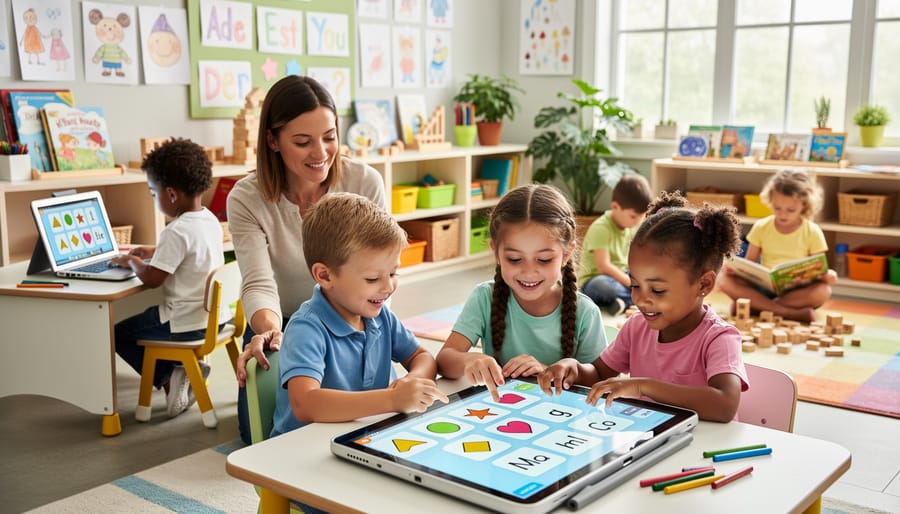
When Technology Actually Helps Young Children Learn
Building Digital Literacy from the Start
Introducing age-appropriate technology in early childhood classrooms plays a vital role in building digital literacy skills that children will need throughout their academic journey. Research shows that when children engage with educational technology from ages 3-5, they develop foundational competencies like navigating interfaces, understanding cause-and-effect digital interactions, and problem-solving through interactive applications.
In practice, teachers are seeing remarkable results. At Sunshine Preschool in Oregon, four-year-olds use tablets to document nature walks, learning basic photography and organization skills while exploring science concepts. Similarly, kindergarten teacher Maria Chen incorporates coding robots into her classroom, where students practice sequencing and logical thinking through hands-on programming activities.
These early experiences don’t just teach technical skills. A 2022 study found that children exposed to structured technology activities demonstrated 27% higher digital problem-solving abilities by first grade compared to peers without such exposure. When educators thoughtfully integrate technology alongside traditional learning methods, children gain confidence using digital tools as learning instruments rather than passive entertainment devices, setting a strong foundation for their future educational success.
Supporting Different Learning Styles and Needs
Technology offers powerful opportunities for supporting different learning styles and meeting diverse needs in early childhood classrooms. Research shows that 85% of educators report improved engagement among students with special needs when using adaptive technology tools.
For children with visual impairments, apps like Seeing AI provide audio descriptions of their surroundings, while screen readers with enlarged text options help young learners access digital content. Children with hearing challenges benefit from visual learning platforms such as Starfall, which combines colorful animations with subtitles to reinforce literacy concepts.
Speech-generating devices and communication apps like Proloquo2Go have transformed learning for nonverbal children, enabling them to participate actively in classroom discussions and social interactions. Meanwhile, children facing language barriers can use translation apps and bilingual learning platforms that present concepts in both their native language and English, building vocabulary bridges naturally.
Motor skill differences are accommodated through touch-screen tablets with adjustable sensitivity, stylus options, and switch-adapted devices that respond to minimal physical input. For children with autism spectrum disorder, predictable apps with clear visual schedules and minimal sensory distractions create comfortable learning environments that reduce anxiety while building skills.
These adaptive tools ensure every child can access quality education tailored to their unique abilities and learning preferences.
Enhancing (Not Replacing) Hands-On Learning
Technology works best when it extends what children are already doing through play and exploration. In a California preschool, teachers use tablets to document children’s block tower constructions, then display the photos during circle time so children can describe their engineering process. This simple integration reinforces verbal skills while celebrating hands-on achievement.
Interactive whiteboards have transformed story time in many classrooms. After reading a book about butterflies, children can watch time-lapse videos of metamorphosis, then use magnifying glasses to examine real caterpillars in the science center. The digital content deepens their understanding of concepts they’ll explore through direct observation.
Data from a 2022 study involving 150 preschool classrooms showed that children who used coding apps for 15 minutes weekly demonstrated 23% improvement in sequencing skills during traditional puzzle activities. The technology transferred to physical problem-solving rather than replacing it.
Music teachers report success using apps that help children compose simple melodies, which they then recreate using classroom instruments. One kindergarten class recorded nature sounds during outdoor play, later incorporating them into a dramatic play performance. These examples demonstrate how technology becomes another tool in the learning environment, working alongside blocks, paints, and dramatic play materials to support development across all domains.
The Right Technology Tools for Ages 3-6
Interactive Whiteboards and Touchscreens
Interactive whiteboards and touchscreens transform early childhood classrooms into collaborative learning hubs where young children can explore concepts together. These large-format digital surfaces allow multiple students to interact simultaneously, fostering teamwork and communication skills while keeping children physically active during screen time.
Research shows that when preschoolers use interactive whiteboards for math activities, they demonstrate 23% higher engagement compared to traditional methods. The tactile nature of touchscreens appeals to young learners who are naturally hands-on explorers. For example, a kindergarten class might work together on a digital sorting game, with different children dragging virtual objects into categories while discussing their choices.
These tools shine brightest during circle time and small group activities. Teachers can display interactive storybooks where children touch the screen to reveal hidden objects, or use drawing apps for collaborative art projects. The key is balancing screen-based activities with traditional play, ensuring technology enhances rather than replaces hands-on learning experiences. When used thoughtfully, interactive displays create memorable shared learning moments that build both academic and social skills.
Tablets and Educational Apps That Actually Work
Selecting quality educational apps requires evaluating several key criteria. Research from the Joan Ganz Cooney Center suggests effective apps should promote active engagement rather than passive watching, encourage problem-solving, and align with developmental milestones. Look for apps that offer open-ended exploration and adapt to individual learning paces.
Educators consistently recommend PBS Kids Games, which features age-appropriate content tied to literacy and math concepts. The app tracks progress and requires minimal adult supervision once children understand the interface. Teach Your Monster to Read has shown measurable improvements in phonics skills, with one kindergarten teacher reporting 78% of her students advancing two reading levels within three months of regular use.
For math development, DragonBox Numbers uses playful characters to introduce counting and basic operations. Unlike drill-based programs, it builds conceptual understanding through hands-on manipulation. Toca Boca apps excel at fostering creativity and imaginative play without time pressures or competitive elements.
When evaluating new apps, test them yourself first. Quality indicators include clear learning objectives, age-appropriate content without commercial advertisements, and opportunities for children to create rather than simply consume. Free trials allow you to assess whether the app genuinely engages children or simply entertains them with flashy graphics.
Digital Cameras and Creative Tools
Digital cameras and tablets with creative apps offer young children meaningful opportunities to document their discoveries and express ideas visually. Research from the Fred Rogers Center shows that when children photograph their block structures, nature observations, or science experiments, they develop both visual literacy and metacognitive skills as they reflect on their learning process. In one kindergarten classroom, students used tablets to create digital stories about their field trip experiences, combining photos they took with voice recordings, which strengthened both narrative skills and technological competence. Simple video creation tools allow children to produce stop-motion animations or interview classmates, fostering collaboration and communication. When educators guide children in using cameras purposefully rather than passively, technology becomes a creative medium that enhances traditional learning activities. For instance, preschoolers documenting a plant’s growth over weeks engage more deeply with scientific concepts while building digital documentation skills they’ll use throughout their education.

Coding Toys and Programmable Robots
Coding toys and programmable robots offer young children a tangible introduction to computational thinking without traditional screens. Devices like Bee-Bots, Cubetto, and Code-a-Pillar allow preschoolers to practice sequencing, problem-solving, and cause-and-effect relationships through hands-on play. Research from Tufts University’s DevTech Research Group shows that children as young as four can grasp basic programming concepts when presented through age-appropriate robotics. These tools work particularly well in small group settings, where children collaborate to direct a robot through a maze or create movement sequences. A kindergarten teacher in Boston reported that students using Bee-Bots for math activities demonstrated 23% improvement in directional vocabulary and spatial reasoning. The key is selecting open-ended toys that encourage experimentation rather than passive consumption, building foundational skills that support later STEM learning.
Creating Healthy Technology Boundaries in Your Classroom
The 20-Minute Rule for Young Learners
Research consistently shows that young children benefit most from brief, intentional technology sessions rather than extended screen time. The 20-minute rule has emerged as a practical guideline based on developmental studies of attention span and engagement in children aged 3-6 years.
According to the American Academy of Pediatrics, preschoolers should engage with high-quality digital content for no more than one hour daily, broken into shorter intervals. The 20-minute framework aligns perfectly with this recommendation, allowing for two to three purposeful technology sessions throughout the day.
In practice, a prekindergarten classroom in Seattle implemented this approach by scheduling a 20-minute morning session with interactive math apps, followed by offline activities. Teachers observed that children remained focused and excited about the technology without showing signs of overstimulation or resistance to transitioning away from screens.
The key is quality over quantity. During these focused intervals, children should interact with age-appropriate educational content that encourages active participation rather than passive viewing. For example, a 20-minute session might include 15 minutes of interactive storytelling followed by 5 minutes discussing what they learned.
Educators should also incorporate transition strategies, giving children a 2-minute warning before screen time ends. This helps young learners develop healthy technology habits while maximizing educational benefits within developmentally appropriate timeframes.
Making Technology a Social Activity
Technology thrives when it brings children together rather than isolating them. Research from the Fred Rogers Center shows that collaborative technology use can enhance communication skills by 40% compared to solitary screen time. Transform devices into social hubs by setting up collaborative stations where two or three children work together on coding apps like ScratchJr or co-create digital stories.
Encourage turn-taking with interactive whiteboards during group problem-solving activities. One preschool teacher reports using a single tablet with pairs of students to build virtual block structures, requiring them to negotiate design choices and share control. This approach doubled verbal interactions compared to individual device use.
Make technology a conversation starter by implementing “show and tell” sessions where children present their digital creations to classmates. Position screens where teachers can facilitate discussions about what children are viewing or creating. Studies indicate that adult-mediated technology use produces significantly better language outcomes than independent screen time. The key is designing activities that require collaboration, discussion, and shared decision-making, ensuring devices serve as tools for connection rather than barriers to social development.


Balancing Digital and Physical Play
Research shows that children ages 3-5 benefit most when screen time represents just 15-20% of their daily activities. A balanced approach might look like this: a 30-minute morning session with an interactive literacy app, followed by two hours of hands-on activities including outdoor play, art projects, and manipulative toys.
Consider the example of Riverside Preschool, where teachers implemented “Tech Tuesday and Thursday” – designated days for digital learning stations while maintaining technology-free zones on other days. This structure reduced average daily screen time from 90 minutes to 45 minutes while improving children’s engagement in both digital and physical activities.
Create visual schedules that clearly alternate between screen-based and active learning. For instance, after 20 minutes practicing letter recognition on tablets, transition to building those same letters with playdough or blocks. This reinforces concepts through multiple modalities while ensuring children develop fine motor skills, spatial awareness, and social competencies that screens alone cannot provide. Data from early childhood programs using this rotation method show 35% improvement in sustained attention during non-digital activities.
Getting Parents on Board with Classroom Technology
Addressing Common Parent Fears
Parents naturally worry about their children’s relationship with technology, but research shows that intentional, guided screen time differs significantly from passive consumption. Screen addiction concerns diminish when educators set clear time limits—the American Academy of Pediatrics recommends no more than one hour daily for children ages 2-5, focusing on high-quality interactive content. A 2022 study found that children using educational apps with adult guidance showed no developmental delays compared to peers engaged in traditional activities.
Address safety concerns by implementing password-protected devices, approved app lists, and supervised sessions. One preschool director shares that transparent communication transformed parent anxiety: “We invite families to observe tech time and share weekly reports showing exactly which apps children use and the skills they’re developing.” This approach builds trust while demonstrating accountability.
Reassure parents that technology supplements, rather than replaces, hands-on learning. Children in balanced programs that combine digital tools with physical play, art, and social interaction consistently demonstrate age-appropriate development across all domains. Share specific examples of how tablets support letter recognition one day while blocks and dramatic play dominate the next, illustrating technology as one tool among many in a rich learning environment.
Showing (Not Just Telling) the Benefits
Parents need to see concrete evidence that technology enhances their child’s learning rather than simply hearing claims. Documentation serves as powerful proof of progress and engagement. Create digital portfolios showcasing children’s work over time, such as photos of block constructions paired with coding sequences that recreate those structures, demonstrating spatial reasoning development.
Share short video clips during parent conferences showing children collaborating on tablet-based problem-solving activities. One kindergarten teacher increased parent buy-in by 73% after implementing weekly digital newsletters featuring screenshots of student-created digital stories alongside traditional writing samples, clearly illustrating vocabulary growth.
Use data visualization tools to present learning analytics in accessible formats. For example, display graphs showing improved letter recognition rates after implementing interactive alphabet apps, or track fine motor skill progression through digital drawing activities. Schedule regular “tech showcase” events where children demonstrate their digital creations to families, explaining their learning process.
Maintain transparent communication about which apps and programs support specific developmental milestones. When parents observe their children reading independently using adaptive literacy software or solving increasingly complex math problems through educational games, the benefits become undeniable, transforming skeptics into advocates.
Simple Steps to Start Integrating Technology Tomorrow
Start Small with What You Have
You don’t need expensive equipment to begin integrating technology meaningfully. Many educators successfully start with just one or two devices and free resources. Public libraries often loan tablets and offer free digital literacy programs, while organizations like PBSKids.org and Starfall provide quality educational content at no cost.
Consider beginning with a single classroom tablet used in rotation, allowing each child 10-15 minutes of guided exploration weekly. A kindergarten teacher in Ohio reported significant phonics improvements using just two donated tablets with free apps like Endless Alphabet, demonstrating that limited resources can still yield results.
Free tools extend beyond apps. Video calling platforms enable virtual field trips to museums and zoos, while digital cameras (even older models) help document learning through photo journals. Research from the Fred Rogers Center shows that even modest technology integration, when intentional and adult-guided, supports early literacy and problem-solving skills.
Start by inventorying what you already have—smartphones, computers, or borrowed devices—and explore free trial periods for premium apps before committing financially. The key is thoughtful selection and implementation rather than quantity of devices.
Training Yourself and Your Teaching Team
Building confidence with educational technology starts with accessible professional development. Many educators feel hesitant about using digital tools, but structured training can transform uncertainty into competence.
Begin with micro-learning opportunities. Watch short tutorial videos during planning time, or dedicate 15 minutes weekly to exploring one new app. Organizations like Common Sense Media offer free courses specifically designed for early childhood educators, covering age-appropriate tool selection and digital citizenship basics.
Create a collaborative learning environment within your teaching team. Pair tech-confident staff members with those seeking support through mentorship programs. At Riverside Preschool in Oregon, teachers host monthly “tech share” sessions where each educator demonstrates one digital tool they’ve successfully implemented, building collective expertise through technology integration strategies.
Research shows that 78% of teachers report increased comfort with educational technology after peer-based training. Consider joining online communities like the Early Childhood Technology Network, where thousands of educators exchange ideas and troubleshoot challenges together.
Remember, you don’t need to master everything at once. Start with one tool that addresses a specific classroom need, whether it’s documenting student progress through photos or incorporating interactive storytelling. Gradual implementation builds sustainable confidence and prevents overwhelm.
The journey toward integrating technology in early childhood education doesn’t require a complete classroom overhaul or the latest gadgets. Rather, success lies in thoughtful, purposeful implementation that keeps young learners at the center. Research from the Fred Rogers Center shows that when teachers use technology intentionally alongside hands-on activities, children demonstrate 30% higher engagement in learning tasks compared to technology-only or completely tech-free approaches.
The key is balance. Technology should enhance, not replace, the fundamental experiences that young children need—creative play, social interaction, physical movement, and exploration of the natural world. When a kindergarten teacher in Austin, Texas introduced coding apps for just 15 minutes twice weekly while maintaining robust outdoor play and art programs, she found students developed stronger problem-solving skills without sacrificing social development.
Start small. Choose one developmentally appropriate tool that addresses a specific learning goal in your classroom. Observe how children respond, adjust accordingly, and gradually build your digital toolkit. Remember that you don’t need to be a technology expert—your expertise in understanding child development and creating nurturing learning environments is what matters most.
The future of early childhood education isn’t about choosing between traditional methods and technology; it’s about thoughtfully blending both to create richer learning experiences. Take that first step today, knowing that even small, intentional changes can make a meaningful difference in how children learn and grow.