



Educators face a critical challenge in 2024: 73% of students expect technology-integrated learning experiences, yet many instructors struggle to identify which tools genuinely improve outcomes versus adding unnecessary complexity. The difference between transformative technology adoption and digital clutter lies in selecting tools that solve specific teaching problems rather than adopting platforms simply because they’re trendy.
Effective technology integration begins with matching tools to concrete classroom needs. Learning Management Systems like Canvas and Blackboard serve as foundational hubs for course organization and student communication, reducing administrative burden by up to 40% according to recent EDUCAUSE studies. However, the real impact comes from specialized tools addressing targeted challenges: collaborative writing platforms for group projects, polling software for real-time comprehension checks, and video annotation tools for asynchronous learning.
The most successful educators approach technology adoption strategically, implementing one or two tools per semester rather than overwhelming themselves and students with dozens of platforms. This measured approach allows time for meaningful integration and assessment of student engagement data. Research from the Online Learning Consortium shows that courses using 3-5 well-integrated tools demonstrate higher completion rates and student satisfaction scores than those using 10+ disconnected applications.
This guide categorizes essential technology tools by educational function, providing practical implementation examples from real classrooms. Whether you’re teaching your first hybrid course or refining your digital toolkit, these evidence-based recommendations help you choose tools that genuinely enhance learning outcomes while respecting your limited preparation time.
Why Higher Education Can’t Ignore Technology Anymore
The landscape of higher education has fundamentally shifted, making technology integration not just beneficial but essential for institutional survival and success. Recent data reveals that 73% of students now expect their courses to incorporate digital tools, viewing technology as a baseline requirement rather than an enhancement. Universities that fail to meet these expectations risk falling behind competitors who embrace digital transformation.
The pandemic accelerated what was already an inevitable transition. Enrollment in online programs grew by 32% between 2019 and 2022, demonstrating that remote and hybrid learning models are permanent fixtures rather than temporary solutions. Students who experienced effective digital learning environments during lockdowns now demand the same flexibility and accessibility in traditional settings. This shift has made proficiency with learning management systems, video conferencing platforms, and digital assessment tools non-negotiable skills for educators.
The competitive landscape further intensifies this urgency. Institutions leveraging AI in online learning and adaptive technologies report 28% higher student engagement rates and improved retention metrics. Universities that invest in comprehensive technology ecosystems attract top-tier faculty and students who recognize the value of modern learning environments.
Beyond competition, today’s workforce demands digitally literate graduates. Employers consistently rank technological competency among their top hiring criteria, making it imperative that higher education institutions prepare students through tech-integrated curricula. When universities incorporate collaborative platforms, data analytics tools, and multimedia resources into coursework, they directly address industry needs while enhancing learning outcomes.
The question is no longer whether to adopt educational technology, but how quickly institutions can implement effective solutions that serve both current needs and future innovation.


Learning Management Systems That Actually Work
Canvas and Blackboard: The Industry Standards
Canvas and Blackboard remain the dominant learning management systems in higher education, powering course delivery at over 70% of U.S. institutions. Both platforms offer centralized hubs where instructors manage course materials, assignments, grades, and communication in one accessible location.
Canvas stands out for its intuitive interface and mobile responsiveness, making it particularly popular among students who access coursework on smartphones. The platform’s SpeedGrader feature allows professors to provide feedback on assignments 40% faster than traditional methods, according to institutional studies. Instructors appreciate Canvas’s seamless integration with tools like Google Drive, Microsoft Teams, and video conferencing platforms.
Blackboard provides robust analytics through its Learn Ultra experience, helping educators identify struggling students early. One community college reported a 15% improvement in student retention after implementing Blackboard’s early alert system, which flags students missing assignments or scoring below thresholds.
Practical applications include organizing course content into weekly modules, hosting discussion boards that extend classroom conversations, and creating self-graded quizzes that provide immediate feedback. Both platforms support diverse learning formats—from traditional lecture courses to hybrid and fully online programs. While Canvas typically receives higher user satisfaction ratings for ease of use, Blackboard’s established presence and comprehensive features make it a reliable choice for institutions requiring extensive customization and enterprise-level support.
Moodle and Open-Source Alternatives
Budget constraints shouldn’t prevent institutions from delivering quality education technology. Moodle stands as the most widely adopted open-source learning management system globally, serving over 300 million users across 40,000 sites worldwide. This platform offers robust features comparable to commercial alternatives like Canvas or Blackboard, including assignment management, discussion forums, grade tracking, and integration capabilities with third-party tools.
Several universities have successfully implemented Moodle with impressive results. The Open University in the UK supports 170,000 students using Moodle, demonstrating its scalability for large institutions. Meanwhile, California State University’s deployment across 23 campuses saved an estimated $10 million annually compared to proprietary solutions. Smaller colleges like Asheville-Buncombe Technical Community College reported 40% cost savings while maintaining comparable functionality.
Beyond Moodle, other open-source alternatives merit consideration. BigBlueButton provides video conferencing specifically designed for online learning, featuring breakout rooms and whiteboard tools without per-user licensing fees. OpenOLAT offers sophisticated course authoring and assessment capabilities, while Sakai serves major research institutions including Duke and Michigan.
Implementation does require technical expertise and ongoing maintenance costs. Institutions should budget for server infrastructure, dedicated IT support, and faculty training. However, data shows the total cost of ownership typically remains 30-50% lower than commercial platforms over five years. The active open-source community provides extensive documentation, plugins, and peer support, making these solutions viable for institutions prioritizing affordability without sacrificing educational quality.
Interactive Tools That Keep Students Engaged
Polling and Quiz Platforms
Interactive polling and quiz platforms transform passive lectures into dynamic, participatory learning experiences while providing valuable real-time feedback on student comprehension. Three platforms stand out for their classroom effectiveness and ease of use.
Kahoot brings game-based learning to higher education, with research showing it increases student engagement by 89% compared to traditional lectures. Professors use it for pre-class knowledge checks, mid-lecture comprehension assessments, and review sessions before exams. Its competitive leaderboard format works particularly well in large lecture halls where maintaining attention proves challenging.
Poll Everywhere excels in hybrid and remote learning environments, supporting up to 25,000 simultaneous participants. Its text message response option ensures all students can participate regardless of device availability. Instructors frequently use it for quick concept checks, gathering anonymous feedback on pacing, and facilitating class discussions on controversial topics where students appreciate the anonymity.
Mentimeter offers sophisticated question types including word clouds, scales, and open-ended responses, making it ideal for seminar-style courses and graduate programs. A communications professor reported using Mentimeter’s word cloud feature to analyze student perceptions of theoretical concepts, creating visual representations that sparked deeper discussion. All three platforms integrate seamlessly with PowerPoint and Google Slides, requiring minimal technical setup time.
Virtual Whiteboards and Collaboration Spaces
Virtual whiteboards have transformed collaborative learning in higher education by providing dynamic spaces where students and instructors can brainstorm, diagram concepts, and work together in real-time, whether in-person or remote. Tools like Miro and Google Jamboard serve as digital visual learning tools that replicate and enhance traditional whiteboard experiences.
Miro offers infinite canvas space with templates designed specifically for educational activities, from mind mapping to project planning. Dr. Sarah Chen, a biology professor at Portland State University, reports that using Miro for group lab planning increased student participation by 40 percent compared to traditional methods. Students can add sticky notes, images, and drawings simultaneously, creating rich visual representations of complex concepts.
Google Jamboard integrates seamlessly with Google Workspace, making it particularly accessible for institutions already using Google Classroom. Its straightforward interface requires minimal training, allowing instructors to focus on teaching rather than technology troubleshooting.
Research from EDUCAUSE indicates that 68 percent of faculty using collaborative whiteboards report improved student engagement during synchronous sessions. These platforms excel at making abstract concepts tangible, supporting diverse learning styles, and maintaining student focus during longer class periods.
Video Creation and Screencasting Tools
Video creation has become essential for delivering engaging lectures, tutorials, and course materials. Loom stands out for its simplicity, allowing educators to record quick screen-and-webcam videos with a single click—perfect for personalized feedback on student assignments or brief concept explanations. Studies show that students retain 95% of information from video content compared to 10% from text. Screencast-O-Matic offers similar functionality with added editing capabilities, enabling instructors to trim mistakes and add annotations directly within the platform. For more polished productions, educators are turning to video editing tools like DaVinci Resolve and Camtasia, which provide professional-grade features without overwhelming beginners. These platforms support closed captioning and multi-track editing, ensuring content accessibility for all learners. Many instructors report that pre-recorded video lectures free up class time for interactive discussions and problem-solving activities, transforming the traditional classroom experience.
Communication Platforms That Connect Classrooms
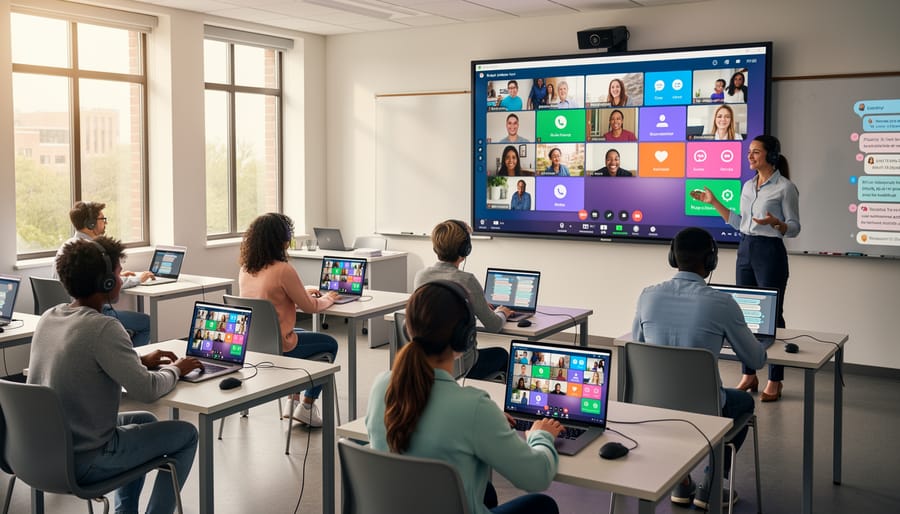
Slack and Microsoft Teams for Academic Collaboration
Slack and Microsoft Teams have transformed how students collaborate on group projects and how instructors manage course communications. These platforms centralize conversations, file sharing, and project workflows in one accessible location, reducing the email overload that often plagues academic collaboration.
For course management, instructors create dedicated channels for each class section, posting announcements, sharing resources, and hosting office hours through integrated video calling. A 2023 study from EDUCAUSE found that 67% of higher education institutions using these platforms reported improved student engagement and faster response times to student questions. The threaded conversation feature helps students follow discussions more easily than traditional email chains.
Group projects benefit significantly from these tools’ real-time collaboration capabilities. Students can create project-specific channels, share Google Docs or OneDrive files directly within conversations, and use task management integrations like Trello or Asana to track deadlines. At the University of Michigan, faculty reported that student groups using Teams completed projects 23% faster than those relying solely on email coordination.
Both platforms offer free education versions with enhanced features, including unlimited message history and expanded storage. Microsoft Teams integrates seamlessly with Office 365 tools already familiar to many institutions, while Slack’s intuitive interface and extensive app marketplace make it popular for interdisciplinary collaboration across departments.
Discussion Forums and Social Learning Tools
Academic discussion forums have evolved significantly beyond traditional learning management systems, offering dynamic spaces for peer-to-peer learning and collaborative problem-solving. Piazza stands out as a purpose-built platform specifically designed for academic Q&A, with research showing that classes using Piazza see a 25% increase in student participation compared to traditional discussion boards. The platform’s collaborative wiki-style answers allow students to build knowledge together while instructors can efficiently monitor and guide discussions without answering every question individually.
Discord, originally designed for gaming communities, has gained remarkable traction in higher education settings. A 2023 study from Stanford found that 68% of students felt more comfortable asking questions in Discord channels compared to traditional classroom settings. Professors are creating dedicated servers with topic-specific channels, office hour voice rooms, and study group spaces. The informal nature of Discord particularly benefits asynchronous learning and international student cohorts across different time zones.
Other platforms worth exploring include Slack for project-based courses, Reddit for large lecture courses seeking anonymous engagement, and Yellowdig for gamified discussions that reward student contributions with points. The key is selecting platforms that match your course size, subject matter, and student communication preferences.
Assessment and Grading Tools That Save Time
Automated Grading and Rubric Tools
Grading large classes can consume 15-20 hours weekly for instructors, but automated grading platforms are transforming this burden into manageable tasks. Gradescope leads this category by streamlining both paper-based and digital assignment grading. The platform uses AI-assisted grading that allows instructors to create reusable rubrics, reducing grading time by up to 40% according to institutional studies. Once you grade a few submissions, Gradescope suggests similar answers across other student work, maintaining consistency while accelerating the process.
Turnitin serves dual purposes: detecting plagiarism and providing detailed feedback through its Feedback Studio. With a database of over 70 billion web pages and 200 million student papers, it helps maintain academic integrity while its integrated grading tools let instructors comment directly on submissions. Research from Auburn University showed instructors saved an average of 3.5 hours per assignment using Turnitin’s rubric features.
Canvas SpeedGrader and similar LMS-integrated tools offer another streamlined approach, allowing instructors to grade assignments without leaving their course management system. These platforms typically reduce the back-and-forth of managing submissions across multiple applications, with many reporting 25-30% time savings in their grading workflows.
Plagiarism Detection and Academic Integrity Software
Academic integrity remains a cornerstone of higher education, and modern plagiarism detection software has become essential for maintaining these standards. Today’s leading platforms combine sophisticated algorithms with user-friendly interfaces to support both faculty and students in upholding honest scholarship.
Turnitin dominates the market with its extensive database of over 70 billion web pages and 200 million student papers. Research shows that institutions using Turnitin report a 35-40% decrease in similarity scores over time, suggesting its presence encourages original work. The platform now includes authorship investigation features that detect AI-generated content, addressing emerging challenges in academic writing.
Grammarly for Education offers real-time feedback that helps students understand proper citation practices before submission. A 2023 study found that students using Grammarly’s plagiarism checker were 60% more likely to correctly attribute sources compared to those without access. The tool’s educational approach transforms detection into a learning opportunity rather than merely punitive enforcement.
Copyleaks has gained traction for its multilingual capabilities, scanning content in over 100 languages—particularly valuable for international student populations. Its AI content detector boasts 99.1% accuracy in identifying machine-generated text, addressing concerns about ChatGPT and similar tools.
When implementing these solutions, institutions should frame them as learning support rather than surveillance. Providing students with checker access before final submission reduces anxiety and promotes skill development. Faculty members report that transparent policies combined with these tools create a culture of integrity where students take pride in authentic work rather than fearing detection.
Accessibility Tools That Include Every Student
Creating an inclusive learning environment means ensuring every student can access course materials and participate fully, regardless of physical or learning differences. Modern accessibility technology has transformed higher education, making classrooms more equitable than ever before.
Screen readers like JAWS and NVDA enable visually impaired students to navigate digital content through text-to-speech conversion. These tools work seamlessly with most learning management systems when instructors design courses with accessibility in mind. A 2022 study from the National Center for Education Statistics found that 19% of undergraduate students reported having a disability, underscoring the critical importance of accessible design.
Captioning tools have evolved beyond serving deaf and hard-of-hearing students. Services like Otter.ai and Microsoft Teams’ live captions provide real-time transcription during lectures, benefiting students with auditory processing differences, non-native English speakers, and those in noisy environments. At the University of Washington, implementing automatic captioning across all lecture recordings increased content engagement by 37% among all students.
Adaptive technologies like speech-to-text software (Dragon NaturallySpeaking), alternative keyboards, and text prediction tools support students with mobility impairments or learning differences such as dysgraphia. Meanwhile, platforms like Read&Write offer toolbar extensions that provide text-to-speech, dictionary support, and highlighting features directly within web browsers and documents.
When evaluating education tools, prioritize those meeting WCAG 2.1 accessibility standards. Simple practices make significant differences: providing lecture notes in advance, offering multiple format options for assignments, and ensuring all videos include captions. These accommodations often enhance learning experiences for everyone, creating a truly inclusive educational environment where all students can thrive.
Making the Transition: How to Choose the Right Tools for Your Course
Selecting the right technology tools for your course requires thoughtful consideration rather than jumping on the latest trend. Start by identifying your specific teaching challenges. Are students struggling with engagement? Do you need better ways to assess understanding? Let your pedagogical goals drive technology choices, not the other way around.
Consider three essential factors during selection. First, evaluate the learning curve for both you and your students. Dr. Maria Chen, a biology professor at State University, shares her experience: “I initially chose a sophisticated simulation platform, but spent more time troubleshooting than teaching. Switching to a simpler tool doubled my actual instruction time.” Second, assess integration capabilities with your existing systems. Tools that don’t sync with your learning management system create unnecessary friction. Third, examine support resources and community size. Platforms with robust user communities and responsive support teams save valuable time when issues arise.
Common pitfalls include selecting tools based solely on institutional mandates without considering classroom fit, adopting too many platforms simultaneously, and neglecting to pilot test before full implementation. Research from the EDUCAUSE Center for Analysis and Research reveals that 64 percent of technology adoption failures stem from insufficient planning and faculty training.
Follow this practical adoption framework: Begin with a small-scale pilot in one class section, collecting student feedback through quick surveys. Document what works and what doesn’t. Next, adjust your approach based on this data before expanding usage. Finally, connect with colleagues who use the same tools to share strategies and troubleshooting tips.
Remember that successful technology integration happens gradually. Start with one or two tools that address your most pressing needs, master them thoroughly, then expand your toolkit strategically. This measured approach prevents overwhelm while building confidence and competence in educational technology use.
The landscape of higher education continues to evolve, and technology tools offer remarkable opportunities to enrich teaching and deepen student engagement. However, it’s essential to remember that these tools exist to support your pedagogical goals, not to replace the irreplaceable human elements of education—your expertise, mentorship, and the meaningful connections you build with students.
Research from the EDUCAUSE Center for Analysis and Research shows that successful technology integration happens gradually, with educators who start small and expand their toolkit over time reporting higher confidence and better outcomes. The most effective instructors view technology as an enhancement to their teaching practice rather than a complete overhaul.
If you’re feeling overwhelmed by the options presented, begin with just one tool that addresses your most pressing challenge. Is student participation an issue? Try a simple polling platform. Need better communication? Start with a learning management system feature you haven’t explored. According to a 2023 faculty survey, 78 percent of instructors who adopted technology incrementally felt more confident in their digital teaching skills within one semester.
The transformative potential of these tools becomes evident when you give yourself permission to experiment, learn from setbacks, and celebrate small wins. Your students will appreciate your willingness to meet them in digital spaces they inhabit while maintaining the academic rigor and personal touch that define quality education. Start where you are, use what resonates with your teaching style, and build from there.