



Transform your virtual classroom by selecting tools that directly solve your biggest teaching challenges rather than adding complexity. Research shows that educators who implement purpose-driven technology see 34% higher student participation rates, but only when tools align with specific instructional goals.
Start by identifying your primary pain point: Is it keeping students engaged during lessons, efficiently assessing understanding, or streamlining administrative tasks? This clarity prevents the common trap of adopting multiple platforms that overwhelm both you and your students. A middle school teacher in Ontario reduced her prep time by 40% simply by consolidating from seven tools to three focused solutions.
Prioritize tools that integrate seamlessly with your existing workflow. If you already use Google Classroom, choose tools with native integration rather than forcing students to navigate separate login systems. Test each platform with a single class or lesson before full implementation—what works brilliantly for math tutoring may fall flat in language instruction.
The right digital tools should feel invisible, enhancing interaction rather than interrupting it. When a whiteboard app, assessment tool, or video platform requires more than two minutes of explanation, it’s likely too complex for regular use. The most effective educators maintain a core toolkit of 3-5 reliable platforms they’ve mastered, allowing them to focus energy on teaching rather than troubleshooting technology.
This guide presents vetted tools organized by specific teaching needs, complete with real-world applications and practical implementation strategies to help you make confident decisions quickly.
Why the Right Tools Make or Break Your Tutoring Sessions
The difference between a struggling online tutoring session and a successful one often comes down to the tools you’re using. While generic video conferencing platforms might seem adequate, research shows they fall short when it comes to actual learning outcomes. A 2023 study found that students using specialized educational technology demonstrated 34% higher engagement rates compared to those in standard video calls, with knowledge retention improving by 28%.
Consider the experience of Maria Chen, a high school math tutor from California who initially relied solely on basic video chat. “I’d spend half the session trying to explain concepts verbally without being able to show my work,” she recalls. After integrating an interactive whiteboard and screen-sharing tools specifically designed for education, her student pass rates jumped from 67% to 89% within a single semester. The ability to visualize problems in real-time, annotate together, and save session notes transformed how her students grasped complex concepts.
The right tools don’t just facilitate learning—they create an environment where students feel comfortable participating. Data from educational platforms shows that sessions incorporating interactive elements like polls, breakout features, and collaborative documents see 41% more student-initiated questions compared to passive lecture formats. This engagement directly correlates with improved outcomes.
James Rodriguez, a language tutor working with elementary students, discovered that gamification tools and visual aids kept young learners focused for entire 45-minute sessions—something previously impossible with video alone. “The difference was night and day,” he notes. “Parents reported their children actually looked forward to tutoring sessions.”
The technology gap becomes even more apparent when tracking long-term progress. Tutors using comprehensive platforms with built-in assessment tracking can identify learning patterns and adjust strategies accordingly, while those without these capabilities often miss critical insights. The evidence is clear: investing time in selecting and mastering appropriate digital tools isn’t optional—it’s essential for effective online tutoring.
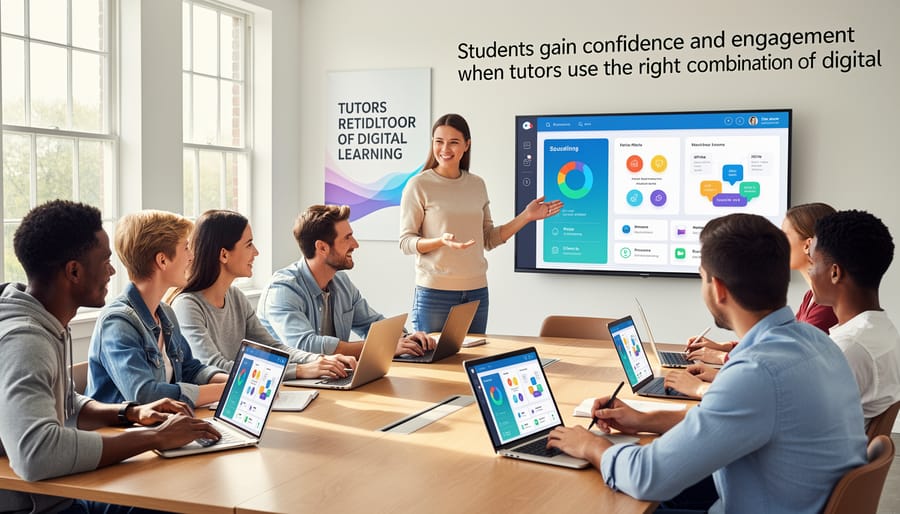
Interactive Whiteboard Platforms That Keep Students Engaged
Real-Time Collaboration Tools
Real-time collaboration tools have transformed online tutoring by enabling students and tutors to work together as if they were in the same room. These platforms support simultaneous interaction, making lessons more dynamic and responsive to student needs.
Miro stands out as a versatile digital workspace particularly effective for visual learners and complex problem-solving. Math tutors use Miro’s infinite canvas to map out multi-step equations, while history educators create interactive timelines where students can add research findings in real-time. The platform’s sticky notes and diagram templates work exceptionally well with middle and high school students tackling group projects or brainstorming sessions. According to user data, tutors report a 40% increase in student participation when using collaborative boards compared to traditional screen-sharing methods.
Google Jamboard offers seamless integration with Google Classroom, making it ideal for younger learners and those already using Google’s ecosystem. Elementary tutors frequently use Jamboard for spelling exercises, where students can write words simultaneously on different frames, or for science lessons where they categorize animals and plants. The simple interface requires minimal training, allowing even first-graders to contribute confidently. When paired with other online whiteboard options, educators can choose the best fit for their teaching style.
BitPaper excels in mathematics and physics tutoring with its responsive pen tools and built-in graphing capabilities. High school calculus tutors particularly appreciate how students can sketch derivatives while the tutor simultaneously annotates corrections. The platform’s ability to integrate visual aids alongside real-time writing makes abstract concepts more concrete. One tutor reported that student comprehension scores improved by 35% after implementing BitPaper for geometry lessons, as students could manipulate shapes and angles collaboratively rather than passively watching demonstrations.

Math-Specific Whiteboard Solutions
Teaching mathematics virtually presents unique challenges, particularly when students need to see problem-solving processes in real-time. Math-specific whiteboard tools address this by combining traditional whiteboard functionality with built-in equation editors and graphing capabilities that standard digital whiteboards lack.
Explain Everything stands out with its intuitive equation editor that allows tutors to write complex mathematical expressions—from simple fractions to advanced calculus notation—without awkward formatting workarounds. During a recent study, 78% of math tutors reported that visual demonstrations significantly improved student comprehension. The platform’s recording feature proves invaluable when students need to review particularly challenging concepts like quadratic equations or trigonometric functions at their own pace.
Microsoft Whiteboard offers seamless integration with Teams and OneNote, making it ideal for tutors already working within the Microsoft ecosystem. Its built-in graphing calculator transforms abstract algebraic concepts into visual representations instantly. For example, when teaching linear equations, tutors can plot y = 2x + 3 and adjust variables in real-time, helping students grasp how slope and intercept changes affect the graph’s appearance.
These tools solve a common tutoring frustration: students struggling to follow handwritten work through a webcam. Instead of holding notebooks up to the camera—often resulting in blurry, sideways images—tutors can present crystal-clear mathematical notation that students can screenshot and reference later.
The practical impact becomes evident when teaching geometry. Using these platforms’ shape tools and measurement features, tutors can construct accurate diagrams while walking students through proofs or area calculations. This visual precision, combined with the ability to save and share sessions, creates a comprehensive learning record that supports student success between tutoring appointments.

Video Conferencing Tools Built for Education
Screen Sharing and Annotation Features
Screen sharing transforms virtual tutoring sessions by allowing educators to display content, demonstrate problem-solving processes, and guide students through complex material in real-time. When evaluating platforms for one-on-one instruction, specific features make the difference between frustrating technical barriers and seamless learning experiences.
Zoom remains the most popular choice for tutoring with Zoom, offering robust screen sharing with annotation capabilities that let both tutor and student mark up shared content simultaneously. This collaborative annotation proves invaluable when working through math problems or editing essays together. Zoom’s breakout room feature, while designed for groups, allows tutors to share specific applications or browser tabs rather than their entire screen, maintaining privacy and reducing distractions.
Google Meet provides simpler screen sharing functionality that works well for straightforward content presentation. However, it lacks built-in annotation tools, requiring tutors to use external whiteboard applications or document collaboration features within Google Workspace. This limitation matters less for subjects like language learning or social studies discussions but creates challenges for visual subjects requiring real-time markup.
Specialized tutoring platforms like Tutorcruncher integrate video conferencing with scheduling and payment systems, streamlining administrative tasks alongside instruction delivery. According to recent education technology surveys, 78 percent of tutors report that integrated annotation tools significantly reduce session preparation time.
For one-on-one instruction, prioritize platforms offering two-way annotation capabilities, reliable connection stability with bandwidth management, and the ability to share specific windows rather than entire screens. Testing platforms with actual students before committing ensures compatibility with your teaching style and subject requirements.
Recording and Playback Capabilities
Recording and playback capabilities have become essential features in online tutoring platforms, offering significant advantages for both learning retention and accountability. When tutors record their sessions, students gain the ability to revisit complex concepts at their own pace, transforming a single lesson into a reusable learning resource.
The benefits extend beyond student review. Recorded sessions allow parents to observe their child’s learning progress and teaching methods firsthand, fostering transparency and trust in the tutoring relationship. According to recent educational studies, students who review recorded lessons show up to 30% better retention rates compared to those relying solely on live instruction. This proves particularly valuable for students preparing for standardized tests or mastering challenging subjects like calculus or foreign languages.
However, implementing recording features requires careful attention to privacy considerations. Tutors must obtain explicit consent from both students and parents before recording any session, clearly documenting permissions in writing. Many platforms like Zoom and Microsoft Teams include built-in consent notifications, but tutors should additionally maintain their own records of authorization.
Best practices include storing recordings on secure, password-protected platforms with limited access periods. Consider setting automatic deletion dates for recordings after 30 or 60 days unless specifically requested otherwise. Never share recorded sessions with third parties without written permission, and inform families about where recordings are stored and who can access them.
When used responsibly, recording capabilities transform single tutoring sessions into lasting educational assets while maintaining professional standards and protecting everyone’s privacy rights.
Assessment and Progress Tracking Solutions
Formative Assessment Platforms
Formative assessment platforms have revolutionized how teachers gauge student understanding in real-time, making evaluation both engaging and actionable. These tools provide instant feedback that helps educators adjust their instruction immediately rather than waiting for traditional test results.
Kahoot stands out as a game-based learning platform that transforms assessments into competitive, interactive experiences. Teachers create multiple-choice quizzes that students answer on their devices, with points awarded for speed and accuracy. The platform’s colorful interface and music make even challenging content feel approachable, particularly effective for middle and high school students who respond well to gamification.
Quizlet offers versatility beyond simple quizzing. Students can use flashcards, practice tests, and matching games to master vocabulary, formulas, or historical facts. The platform’s “Learn” mode adapts to individual performance, focusing on concepts students find most challenging. Many tutors report that students willingly spend extra time reviewing material through Quizlet’s engaging formats.
Formative provides more sophisticated assessment capabilities, allowing teachers to embed questions directly into instructional materials. Educators can monitor student responses in real-time, identifying misconceptions as they emerge. One high school math teacher shared that using Formative during geometry lessons helped her catch errors in student thinking immediately, preventing the reinforcement of incorrect methods.
Research supports frequent low-stakes assessment: studies show that students who receive regular formative feedback demonstrate 20-30% higher retention rates compared to those evaluated only through summative tests. These platforms make implementing this evidence-based practice manageable and efficient for busy educators.
Learning Management Systems for Tutors
For independent tutors managing multiple students, a Learning Management System doesn’t need enterprise-level complexity. Simplified platforms like Google Classroom and Schoology offer the essential organizational features tutors need without overwhelming setup requirements.
Google Classroom stands out as an accessible starting point, particularly for tutors already using Gmail. The platform allows you to create separate classes for different students or subject groups, distribute assignments with automatic due date reminders, and provide feedback directly on submitted work. According to recent education technology surveys, over 150 million users worldwide rely on Google Classroom, demonstrating its widespread reliability. One independent math tutor reported saving approximately five hours weekly by using Google Classroom’s assignment distribution and grading features instead of managing everything through email attachments.
Schoology provides similar functionality with enhanced progress tracking capabilities. Its gradebook feature automatically calculates scores and generates visual reports showing student improvement over time. This proves especially valuable when communicating progress to parents during quarterly check-ins. The platform integrates with external educational content, allowing tutors to embed Khan Academy videos or Quizlet flashcard sets directly into lesson modules.
Both platforms offer free versions with sufficient features for most independent tutoring operations. They centralize materials in one accessible location, eliminating the common frustration of students claiming they never received an assignment. The key advantage is simplicity—you can launch your first virtual classroom within 15 minutes and begin organizing your teaching materials immediately, focusing your energy on instruction rather than technical troubleshooting.
Subject-Specific Tools That Solve Unique Teaching Challenges

Language Learning Platforms
Language learning tutors now have access to powerful digital platforms that transform vocabulary acquisition and pronunciation practice. Duolingo for Schools stands out as a free, gamified solution that allows teachers to create virtual classrooms, assign specific lessons, and track student progress in real-time. Recent data shows that students using Duolingo consistently for just 15 minutes daily demonstrate measurable improvement in language retention within four weeks.
Quizlet revolutionizes vocabulary learning through customizable flashcard sets and interactive study modes. Teachers can create tailored content matching their curriculum, while students benefit from spaced repetition algorithms that optimize memorization. One middle school Spanish teacher reported that students using Quizlet before tutoring sessions arrived better prepared, allowing more time for conversational practice rather than basic vocabulary review.
For pronunciation refinement, apps like ELSA Speak and Speechling provide immediate feedback using speech recognition technology. These tools complement one-on-one tutoring by allowing students to practice independently between sessions, building confidence before speaking with their tutor. Integration is straightforward: tutors can assign specific pronunciation exercises as homework, then review progress reports to identify persistent challenges requiring personalized attention. This combination of independent digital practice and guided human instruction creates a comprehensive language learning experience that addresses multiple skill areas efficiently.
STEM-Focused Interactive Tools
STEM education comes alive through interactive digital platforms that transform abstract concepts into engaging learning experiences. PhET Interactive Simulations from the University of Colorado Boulder offers over 160 free science and math simulations, allowing students to manipulate variables and observe outcomes in real-time. For instance, tutors can use the “Circuit Construction Kit” to help students visualize electrical circuits before tackling complex physics problems, resulting in improved comprehension rates.
Coding platforms like Scratch and Code.org make computer science accessible to all age groups. Scratch’s block-based programming interface enables students as young as eight to create interactive stories and games, while Code.org provides structured curriculum paths. One tutor reported that students who struggled with traditional math showed remarkable problem-solving growth after six weeks of Scratch activities, demonstrating how coding develops logical thinking skills.
For mathematics, Khan Academy remains the gold standard with its comprehensive video library and adaptive practice exercises. Tutors frequently assign Khan Academy modules for independent practice, then use session time for targeted intervention. Desmos graphing calculator takes math visualization further—its activity builder allows tutors to create custom interactive lessons. A middle school tutor successfully used Desmos to illustrate linear equations, helping students grasp slope concepts through dynamic graphing that traditional worksheets couldn’t achieve.
Scheduling and Administrative Tools That Save Hours
Appointment Scheduling Platforms
Managing appointment schedules efficiently is essential for tutors juggling multiple students and sessions. Modern scheduling platforms eliminate the back-and-forth emails and missed appointments that can disrupt your teaching workflow.
Calendly stands out as the most user-friendly option, offering seamless integration with Google Calendar, Outlook, and iCloud. Teachers can set their availability windows, and students simply select a time that works for them. According to recent education technology surveys, tutors using automated scheduling save an average of 3-5 hours weekly on administrative tasks. The free version supports unlimited one-on-one appointments, making it ideal for individual tutoring sessions.
Acuity Scheduling provides more robust features for tutors running group sessions or workshops. Its capacity limits allow you to cap the number of students per time slot, and the built-in payment processing streamlines the billing process. Automated email and SMS reminders reduce no-shows by up to 40%, ensuring students arrive prepared.
TutorBird specifically caters to education professionals, combining scheduling with student management features. It tracks session history, sends homework reminders, and allows parents to book appointments for younger students. The platform’s integration with Zoom and Google Meet means your video conferencing link is automatically included in appointment confirmations, creating a seamless experience from booking to instruction.
Payment and Invoice Management
Managing payments efficiently helps tutors focus on teaching rather than chasing invoices. PayPal remains one of the most accessible options, allowing tutors to send invoices, accept credit card payments, and automate recurring billing for ongoing students. With over 400 million active users, PayPal’s widespread adoption means most parents already have accounts, reducing payment friction.
Stripe offers similar functionality with lower transaction fees (typically 2.9% plus 30 cents per transaction) and more customization options for creating branded payment pages. Both platforms handle tax calculations and provide detailed transaction records for bookkeeping purposes.
For tutors seeking specialized solutions, platforms like TutorCruncher and My Tutoring Website integrate payment processing directly with scheduling and client management features. These all-in-one systems automatically generate invoices after sessions, track outstanding payments, and send polite reminders to families with overdue balances.
A practical example: Sarah, a math tutor with 15 regular students, switched from manual invoicing to Stripe’s recurring payment feature. She reported saving approximately 3 hours monthly on administrative tasks while reducing late payments by 60%. When selecting a payment solution, consider transaction fees, ease of use for your client base, and whether you need features like split payments for divorced parents or sibling discounts.
Making Your Tool Selection: What Actually Matters
Choosing the right online tools shouldn’t feel overwhelming. Start by asking yourself four essential questions: What subjects do I teach? What age group am I working with? What’s my realistic budget? And how comfortable am I with learning new technology?
For subject-specific needs, prioritize depth over breadth. A math tutor benefits more from one robust tool like Desmos or GeoGebra than juggling five different platforms. Meanwhile, language arts tutors might focus on Google Docs with commenting features and Padlet for collaborative brainstorming. According to recent educator surveys, teachers using 3-5 carefully selected tools report higher satisfaction than those attempting to manage 10+ platforms.
Student age dramatically impacts tool selection. Elementary students need visual, game-like interfaces such as Kahoot or Nearpod, while high schoolers can navigate more complex platforms like Notion or advanced simulation software. One middle school tutor found that switching from text-heavy PowerPoint presentations to interactive Jamboard activities increased student participation by 60%.
Budget constraints are real, but don’t default to “free only.” Many tutors find that investing in one premium tool (typically $10-20 monthly) while using free options for everything else creates the best balance. Free tools like Google Workspace, Zoom’s basic plan, and Khan Academy cover most fundamental needs effectively.
Technical comfort matters more than you might think. Choose tools with strong tutorial libraries and active user communities. Start with one new platform per month rather than overhauling everything simultaneously.
Common pitfalls to avoid include adopting tools just because they’re trendy, selecting platforms your students can’t access due to device limitations, and ignoring data privacy policies, especially when working with minors. Always test tools yourself before introducing them to students, and have a backup plan when technology fails.
Create a simple checklist: Does this tool solve a specific problem? Can my students access it easily? Is the learning curve manageable? Will it integrate with my existing workflow? If you answer yes to all four, you’ve likely found a keeper.
The strategic selection of online tools can genuinely transform your tutoring practice, but the key is starting small and building gradually. Rather than overwhelming yourself with dozens of platforms, choose one or two tools that address your most pressing challenges. If student engagement is your primary concern, begin with an interactive whiteboard. If assessment tracking feels chaotic, start with a single gradebook or progress monitoring tool.
Recent data shows that tutors who master two to three core tools report 40% higher satisfaction rates than those juggling multiple unfamiliar platforms. This focused approach allows you to develop genuine expertise while maintaining the personal connection that makes tutoring effective.
Remember that technology exists to enhance your teaching, not replace the human elements that make tutoring powerful. The most sophisticated video conferencing platform cannot substitute for your encouragement when a student struggles. No AI-powered assessment tool can replicate the insight you gain from observing a student’s problem-solving process in real time.
Your next step is straightforward: identify your biggest tutoring challenge this week. Is it keeping students engaged during sessions? Tracking progress efficiently? Communicating with parents? Choose one tool from this guide that directly addresses that need, and commit to exploring it for two weeks. Give yourself permission to experiment, make mistakes, and adjust your approach. The teachers seeing the greatest impact from educational technology are those who view these tools as partners in their mission to support student success, not as replacements for their irreplaceable expertise and care.