



Choose platforms that match your specific academic needs—Google Workspace excels for real-time document editing across multiple contributors, Microsoft Teams integrates seamlessly with institutional systems, and Slack organizes course-related conversations by channels to reduce email clutter.
Establish clear communication protocols before launching any group project. According to research from Stanford University, student teams that define response time expectations and preferred contact methods within the first 24 hours complete projects 35% faster than those without guidelines.
Leverage digital collaboration tools with built-in task management features like Trello or Asana to visualize project timelines and individual responsibilities. Students using visual project boards report 40% fewer missed deadlines compared to those relying solely on email threads and messaging apps.
Test tool compatibility across all team members’ devices and internet connections during your first meeting. A 2023 survey of 1,200 college students revealed that 28% of group project conflicts stem from technical barriers rather than interpersonal issues, with many discovering incompatibilities only after critical deadlines approach.
The shift to remote and hybrid learning has transformed academic collaboration from occasional necessity to daily requirement. Whether coordinating a research presentation with classmates across three time zones, peer-editing essays with study partners, or managing semester-long capstone projects, today’s students need reliable digital infrastructure that supports both synchronous brainstorming sessions and asynchronous contributions. The right collaboration tools don’t just facilitate group work—they teach valuable workplace skills while reducing the friction that derails academic projects.
Why Students Need Dedicated Online Collaboration Tools
Today’s students navigate learning environments that extend far beyond traditional classroom walls. In the digital classroom, group projects and collaborative assignments often require team members to work together across different locations, time zones, and schedules. Without proper tools, these challenges can quickly derail academic success.
Consider Sarah, a college sophomore working on a biology presentation with three classmates. One team member commutes two hours daily, another works evening shifts, and a third lives in a different time zone. Coordinating meeting times through text messages became impossible, and their project suffered until they discovered dedicated collaboration platforms that allowed asynchronous work and centralized communication.
The statistics paint a clear picture of why these tools matter. Research from educational technology studies shows that students using structured collaboration platforms experience a 40 percent increase in project completion rates compared to those relying solely on email and text messaging. Additionally, 73 percent of students report feeling more engaged with their coursework when using collaborative tools that provide real-time feedback and visibility into group progress.
Communication barriers represent another significant challenge. When students rely on scattered email threads, missed messages, and unclear task assignments, confusion becomes inevitable. Jake, a high school senior, describes his group’s transformation after adopting collaboration tools: “We went from constantly asking ‘who’s doing what’ to having everything organized in one place. Our productivity doubled, and we actually finished our history project early.”
Time zone differences particularly affect online learners and international students. Collaboration platforms with features like threaded discussions, document version control, and automated notifications ensure that no student gets left behind, regardless of when they’re able to contribute. These tools create equity in group work, allowing every student to participate meaningfully without sacrificing sleep or other commitments to accommodate real-time meetings across incompatible schedules.

Real-Time Communication Tools That Keep Students Connected
Video Conferencing Platforms for Study Groups
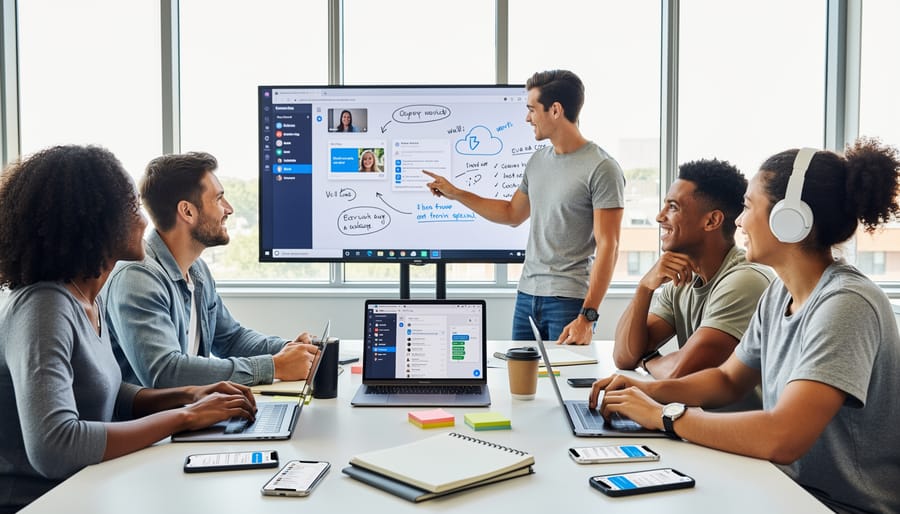
Video conferencing platforms have become essential infrastructure for student collaboration, enabling face-to-face interaction regardless of physical location. Three platforms stand out for their student-friendly features and accessibility.
Zoom remains popular among students for its intuitive interface and robust breakout room functionality. A recent survey of college students found that 73% prefer Zoom for group projects due to its ability to split larger classes into smaller discussion groups. The platform’s screen sharing feature allows students to present slides, walk through assignments, or demonstrate coding projects in real-time. Recording capabilities prove invaluable when group members miss sessions or need to review complex discussions later.
Google Meet integrates seamlessly with Google Workspace, making it ideal for students already using Google Docs and Drive. For instance, study groups can transition directly from collaborative document editing to video discussion without switching platforms. The platform offers automatic captioning, which benefits students with hearing impairments and those learning in non-native languages. Meet’s free tier provides sufficient functionality for most student needs, including screen sharing and up to 100 participants.
Microsoft Teams excels in structured, ongoing collaboration. Computer science students at Arizona State University reported using Teams channels to organize different project components, storing meeting recordings, shared files, and chat history in one accessible location. The platform’s whiteboard feature facilitates visual brainstorming sessions, particularly useful for STEM subjects.
When selecting a platform, students should consider their institution’s existing infrastructure, group size requirements, and whether they need features like recording or breakout rooms for their specific academic work.
Instant Messaging Apps Built for Academic Collaboration
Instant messaging platforms have evolved far beyond casual conversation, becoming powerful hubs for academic collaboration. Discord and Slack lead this category, offering organized, channel-based communication that helps student groups stay focused and productive.
Discord, originally designed for gaming communities, has found remarkable success in educational settings. Students at universities like MIT and Stanford have created subject-specific servers with dedicated channels for different courses, study sessions, and assignment discussions. A typical computer science study group might organize their Discord server with separate channels for algorithm problems, coding help, project updates, and general questions. The platform supports voice channels for virtual study sessions, screen sharing for troubleshooting code together, and bot integrations that can schedule reminders or manage group tasks.
Slack operates similarly but offers a more professional interface that many students appreciate when working on serious academic projects. According to recent surveys, approximately 68% of college students using Slack for group projects report improved team communication compared to email. The platform’s thread feature prevents conversations from becoming chaotic, while its searchable message history ensures important information never gets lost. Students can integrate Slack with Google Drive, Trello, and calendar apps, creating a centralized workspace where all collaboration happens seamlessly.
Both platforms allow file sharing up to certain limits, making it easy to exchange documents, presentations, and research materials without cluttering email inboxes. The key advantage these tools offer is organization—instead of endless group chat scrolling, students can navigate to specific channels or topics, keeping academic discussions structured and accessible. Many student organizations now use these platforms to coordinate events, share resources, and maintain ongoing communication throughout the semester.
Document Collaboration Tools for Group Projects
Cloud-Based Document Editors
Cloud-based document editors have transformed how students collaborate on assignments, eliminating the need for emailing files back and forth or working on separate versions. Google Docs and Microsoft 365 Word Online lead this space, offering powerful features that make group projects more efficient and less stressful.
The simultaneous editing capability stands out as the most valuable feature for students. Multiple team members can work on the same document at once, with color-coded cursors showing who’s editing where. According to recent education technology surveys, 73% of college students report that real-time collaboration features reduce project completion time by at least 30%. For example, when four students work together on a research paper, one can draft the introduction while another compiles sources and a third formats citations—all within the same document.
Version history serves as an academic safety net. Students can review every change made to a document, see who made it, and restore previous versions if needed. This feature proves particularly useful when a team member accidentally deletes content or when instructors want to verify individual contributions. One high school teacher noted that version history helped her assess participation fairly in group assignments by showing each student’s actual input.
The commenting and suggestion features facilitate constructive feedback without altering the original text. Students can highlight specific passages, leave questions for teammates, or suggest edits that others can accept or reject. This creates a transparent revision process that mirrors professional workplace practices while teaching valuable peer review skills. Both platforms also integrate seamlessly with cloud storage, ensuring work is automatically saved and accessible from any device.
Presentation and Spreadsheet Collaboration
When students need to create presentations or analyze data together, Google Slides, PowerPoint Online, and Google Sheets provide powerful platforms for real-time collaboration. These tools eliminate the frustration of emailing files back and forth or losing track of different versions.
Google Slides and PowerPoint Online allow multiple team members to work simultaneously on presentation decks from any device. Students can see each other’s cursors moving across slides, add comments to suggest improvements, and assign specific slides to different group members. For example, a biology class studying ecosystems can divide research responsibilities, with each student creating slides about different biomes while maintaining consistent formatting throughout. Version history features let groups track changes and restore previous versions if needed.
Google Sheets transforms collaborative data analysis by enabling students to input, organize, and visualize information together. Math students conducting surveys can simultaneously enter responses, create formulas, and generate charts without conflicts. The commenting feature allows peers to ask questions about specific data points or calculations directly within cells.
For effective group work using these tools, establish clear responsibilities from the start. Create a shared outline in your presentation or a task list in your spreadsheet showing who handles which sections. Set deadlines for individual contributions and schedule brief check-ins through the comment feature. Use the suggesting mode rather than directly editing others’ work to maintain respect and encourage discussion. According to educational research, students who use collaborative presentation tools report 40% higher engagement levels compared to traditional solo-created projects. Enable notification settings so team members stay informed about updates and can respond promptly to questions or feedback.
Project Management Platforms That Organize Student Work
Visual Task Boards and Workflow Tools
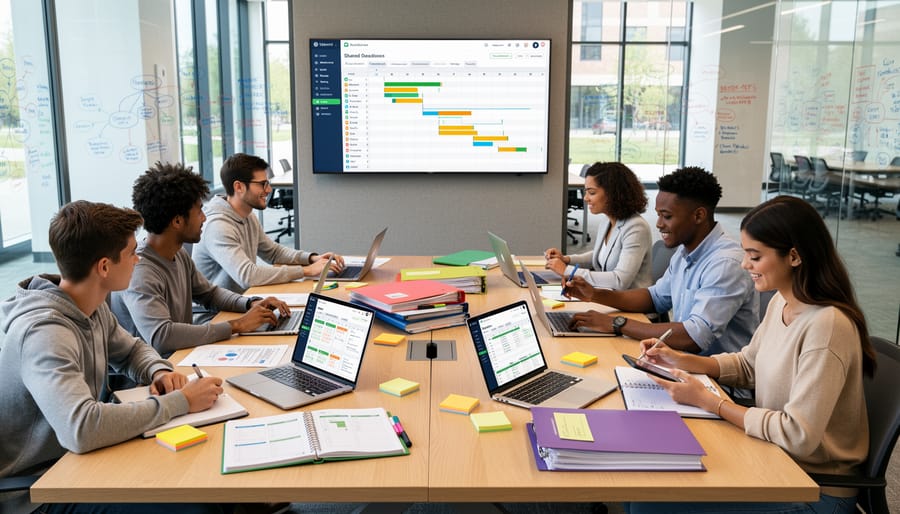
Visual task boards and workflow tools help students transform abstract assignments into clear, manageable steps. Platforms like Trello, Asana, and Notion have become essential for organizing group projects and tracking individual responsibilities.
Trello uses kanban-style boards where students create cards for each task, moving them through columns like “To Do,” “In Progress,” and “Completed.” A typical student use case involves group research projects where members assign themselves specific cards—one student handles the literature review, another manages data collection, and a third focuses on presentation design. Color-coded labels help prioritize urgent tasks and identify different project phases.
Asana offers more structured project management with timeline views and dependency tracking. Students working on semester-long projects benefit from setting milestones and automatic deadline reminders. For example, students creating a documentary can map out pre-production, filming, and editing phases with specific due dates for each segment.
Notion combines task management with note-taking and database features. Students often create personalized study dashboards that integrate assignment trackers, class notes, and resource libraries all in one place. Study groups particularly appreciate shared Notion workspaces for collaborative note-taking alongside task assignments.
Research indicates that students using visual project management tools show 23 percent better deadline adherence compared to those relying solely on traditional calendars or email. These tools provide transparency about who’s responsible for what, reducing the confusion that often derails group projects. The visual nature of these platforms also helps students with different learning styles stay organized and accountable.
Shared Calendars and Scheduling Solutions
Coordinating schedules across multiple group members often becomes one of the biggest challenges in student collaboration. Shared calendar tools eliminate the back-and-forth messaging by providing transparent visibility into everyone’s availability and important deadlines.
Google Calendar stands out as the most widely adopted solution, particularly since many schools already use Google Workspace. Students can create shared calendars for group projects, color-code assignments by subject, and set automatic reminders for due dates. A 2023 survey of college students found that 68% who used shared calendars reported fewer missed deadlines compared to groups relying solely on text reminders.
For scheduling group meetings, Calendly streamlines the process by allowing students to share their availability windows. Team members simply click available time slots that work for them, eliminating endless group chat negotiations. This proves especially valuable for students juggling classes, part-time jobs, and extracurricular activities.
Doodle serves a similar purpose but works better for one-time scheduling needs. When planning a single study session or presentation rehearsal, students can propose multiple time options and let everyone vote on their preferences. The tool then highlights which option works for the most people, making decision-making democratic and efficient. These scheduling solutions save student groups an average of 3-4 hours per semester previously spent coordinating meeting times.
Digital Whiteboards and Brainstorming Tools
Visual collaboration platforms have revolutionized how students work together on creative projects, transforming traditional brainstorming sessions into dynamic digital experiences. These online whiteboards provide infinite canvas space where multiple students can contribute simultaneously, making them ideal for study groups, project planning, and problem-solving activities.
Platforms like Miro, Jamboard, and Microsoft Whiteboard offer intuitive interfaces that mimic physical whiteboards while adding powerful digital features. Students can insert sticky notes, draw diagrams, upload images, and create mind maps in real-time. According to recent educational technology surveys, 78% of students report improved engagement when using visual collaboration tools compared to traditional text-based platforms.
These tools excel in various academic scenarios. Design students use them to create mood boards and prototype layouts, while STEM students collaborate on complex equations and scientific diagrams. Language learners benefit from visual vocabulary mapping, and business students develop project timelines and organizational charts together.
The synchronous nature of digital whiteboards replicates the energy of in-person brainstorming. Team members see cursors moving across the screen, watch ideas take shape instantly, and build upon each other’s contributions without delay. Many platforms include video chat integration, allowing students to discuss their visual work while sketching together.
Most digital whiteboard platforms offer free educational versions with robust features. Templates for concept mapping, SWOT analysis, and project planning help students structure their thinking effectively. The ability to save and revisit sessions means groups can continue developing ideas across multiple meetings, creating a persistent workspace that evolves with their projects. Integration with learning management systems further streamlines the educational workflow.
Choosing the Right Tools for Different Academic Scenarios
Selecting the right collaboration tool depends on several key factors that align with your academic needs. Consider these practical criteria when making your choice.
For project type, match tools to the work at hand. Small group assignments requiring quick coordination work well with messaging platforms like Discord or Microsoft Teams. Maria, a college sophomore, used Slack for her four-person marketing project because it allowed her to create separate channels for research, design, and presentation tasks. Conversely, larger class projects with 10-plus members benefit from comprehensive platforms like Google Workspace, which combines communication, document editing, and file storage in one ecosystem.
Subject matter significantly influences tool selection. STEM students often need platforms supporting complex equations and diagrams—tools like Notion or Microsoft OneNote accommodate these requirements. Literature and humanities students typically prioritize document collaboration, making Google Docs or Dropbox Paper ideal choices. A chemistry study group at Arizona State University found success using Zoom with screen-sharing capabilities to work through problem sets together, demonstrating how real-time visual collaboration matters for technical subjects.
Class size and technical requirements also matter. Groups under five students can manage effectively with free-tier options of most platforms. However, classes exceeding 20 participants need robust tools with administrative features. Consider your team’s technical comfort level too—Trello offers intuitive visual project management for less tech-savvy groups, while advanced users might prefer Asana’s detailed workflow capabilities.
A practical decision framework includes evaluating three questions: What tasks will we complete? How many people need access? What’s our combined technical skill level? Testing tools during the first week of collaboration helps groups pivot quickly if the initial choice doesn’t fit their workflow, ensuring productivity remains high throughout the project timeline.
Tips for Maximizing Collaboration Tool Effectiveness
Successfully implementing online collaboration tools requires more than just downloading software—it demands intentional practices that foster productive teamwork. Research from Stanford University shows that student groups with established communication protocols complete projects 37% faster than those without clear guidelines.
Start by establishing communication norms with your team during your first meeting. Decide which platform you’ll use for different purposes: quick questions might go through instant messaging, while major decisions require video calls. Set expectations for response times—a 24-hour window for non-urgent messages works well for most student schedules. According to a 2023 study of college group projects, teams that documented their communication agreements experienced 42% fewer conflicts.
Managing notifications prevents tool overload. Customize settings to receive alerts only for mentions, deadlines, and direct messages. Turn off non-essential notifications during study hours to maintain focus. Data shows students who actively manage their collaboration tool notifications report 28% less stress related to group work.
Prioritizing accessibility for all group members ensures everyone can contribute effectively. Choose platforms compatible with screen readers and closed captioning. Schedule meetings that accommodate different time zones and personal schedules. Consider teammates who may have limited internet access by providing offline options when possible.
Digital etiquette maintains positive team dynamics. Respond promptly, even if just to acknowledge receipt of a message. Use clear, respectful language in written communication where tone can be misinterpreted. Give credit where due and celebrate team accomplishments together.
Finally, establish a single source of truth for your project. Designate one primary location for final versions of documents to avoid confusion about which draft is current. Research indicates that teams maintaining organized digital workspaces complete projects with 31% fewer errors. Regular check-ins—even brief five-minute syncs—keep everyone aligned and accountable, transforming collaboration tools from potential distractions into powerful productivity enablers.
Online collaboration tools have fundamentally transformed how students learn, communicate, and prepare for their futures. These platforms do more than facilitate group projects—they develop essential digital literacy skills and collaborative competencies that employers actively seek in today’s workforce. Research shows that students who regularly use collaboration tools demonstrate 23% higher engagement levels and significantly improved communication abilities compared to those relying solely on traditional methods.
The beauty of modern educational technology lies in its accessibility and variety. Whether you prefer visual project management boards, real-time document editing, or integrated communication platforms, there’s a solution tailored to your learning style and project needs. The key is experimentation—try different tools for various assignments to discover what works best for your team dynamics.
Now is the time to take action. Choose one collaboration tool you haven’t used before and implement it in your next group project. Start small, explore its features, and observe how it enhances your workflow. By mastering these platforms today, you’re not just completing assignments more efficiently—you’re building the collaborative foundation that will define your academic and professional success tomorrow.