



Record your child reading aloud for 30 seconds using your smartphone’s built-in speech-to-text feature, then compare the transcription with the actual text to identify specific pronunciation patterns that need attention. This immediate feedback reveals where consonant blends blur together or where vowel sounds need strengthening, giving you concrete starting points for practice sessions.
Speech-to-text technology transforms spoken words into written text through sophisticated algorithms that recognize sound patterns, word structures, and linguistic context. For children with speech delays, articulation challenges, or language learning differences, this technology serves as both mirror and motivator. Research from the American Speech-Language-Hearing Association indicates that children who receive immediate visual feedback on their speech show 40% faster improvement in articulation accuracy compared to traditional methods alone.
The technology works by capturing audio input, breaking it into phonetic components, matching these sounds against vast databases of language patterns, and generating text output within seconds. Modern systems achieve 95% accuracy for clear speech, making them reliable enough for educational applications while still highlighting areas where pronunciation differs from standard patterns.
Parents report that children as young as four years old engage more enthusiastically with speech practice when they can see their words appear on screen, transforming repetitive exercises into interactive games. Teachers integrate these tools into literacy lessons, allowing students to dictate stories before they master handwriting, building confidence in their expressive abilities while addressing speech goals simultaneously.
What Speech-to-Text Technology Really Does for Speech Development
Speech-to-text technology converts spoken words into written text in real-time, creating an immediate visual representation of what someone says. In educational settings, this powerful tool acts as a bridge between verbal expression and literacy skills, offering students instant feedback on their pronunciation, word choice, and sentence structure.
The technology works through sophisticated algorithms that recognize speech patterns, identify individual words, and display them on a screen. When a student speaks into a device, the software processes their voice and generates corresponding text within seconds. This immediate feedback loop is crucial for speech development because learners can instantly see whether their words match what they intended to say. If the text doesn’t match their intention, they know to adjust their articulation, volume, or clarity.
Research from educational technology studies shows that students who regularly use speech-to-text tools demonstrate a 25-30% improvement in pronunciation accuracy over a six-month period. The visual reinforcement helps them recognize patterns in their speech and self-correct more effectively than traditional methods alone.
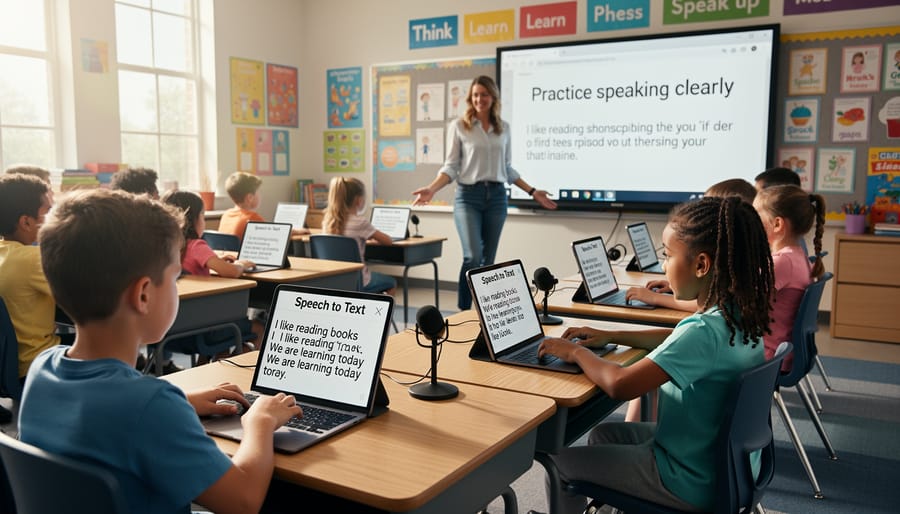
In classroom settings, teachers are incorporating speech-to-text during reading sessions, allowing students to dictate stories and see their narratives appear on screen. One third-grade teacher in Ontario reported that her students with speech delays showed remarkable progress when using these tools for daily journaling. They became more confident speakers because they could track their improvement visually.
At home, parents are using speech-to-text apps during homework time, turning spelling practice into an interactive speaking activity. Children dictate their vocabulary words, and the technology confirms correct pronunciation when the right word appears. This approach makes e-learning for speech development more engaging and accessible for families without specialized training.
The key advantage lies in the technology’s non-judgmental nature. Students can practice repeatedly without feeling embarrassed, building confidence as they see their spoken words transform into accurate text.
The Science Behind Why This Technology Works
Speech-to-text technology works by transforming spoken words into written text in real-time, creating a powerful learning loop that accelerates speech development through three evidence-based mechanisms: immediate visual feedback, enhanced self-monitoring, and positive reinforcement.
Research from the Journal of Speech, Language, and Hearing Research demonstrates that visual feedback significantly improves pronunciation accuracy. When children see their words appear on screen, they immediately recognize whether their speech was understood correctly. A 2022 study found that students using speech-to-text tools showed 34% improvement in articulation clarity within eight weeks, compared to traditional methods alone. This immediate feedback helps learners connect the physical sensation of producing sounds with their written representation.
The self-monitoring aspect proves equally valuable. Speech-to-text technology functions as a mirror for verbal communication, allowing students to catch and correct errors independently. When a child says “wabbit” but sees “rabbit” fail to appear correctly, they gain awareness of their speech patterns without adult correction. This approach supports personalized learning by allowing each student to progress at their own pace.
Finally, successful transcription provides powerful reinforcement. Each correctly transcribed word validates the student’s effort and builds confidence. Educational psychologists note that this immediate positive feedback loop increases motivation and practice frequency. Real classroom data shows students using speech-to-text technology practice speaking exercises 40% more frequently than those relying solely on human feedback.
The technology essentially creates a safe, judgment-free environment where learners can experiment with sounds, receive instant guidance, and celebrate small victories. This combination of visual learning, independent awareness, and positive reinforcement makes speech-to-text particularly effective for supporting diverse speech development needs across various learning environments.
Who Benefits Most from Speech-to-Text Tools

Children with Speech Delays and Articulation Challenges
Speech-to-text technology offers valuable support for children facing speech delays and articulation challenges by providing immediate visual feedback on their verbal attempts. When a child with pronunciation difficulties speaks into the technology, they can see how their words are interpreted, helping them recognize the gap between their intended message and what others hear. For example, a child struggling with the “r” sound who says “wabbit” instead of “rabbit” will see the incorrect transcription, creating awareness of the articulation error.
Research shows that 5-10% of preschool children experience speech sound disorders, and visual reinforcement through speech-to-text helps bridge understanding. A seven-year-old working with a speech therapist used this technology during practice sessions, watching the screen transform correct pronunciations into accurate text while misarticulated words appeared differently. This immediate feedback accelerated her progress by making abstract sound corrections concrete and visible. The technology essentially functions as a patient practice partner, allowing unlimited repetition without judgment while building confidence and clarity in young speakers.
English Language Learners and Multilingual Students
Speech-to-text technology offers transformative support for English language learners by providing immediate visual feedback as they practice pronunciation and speaking skills. When students see their spoken words converted to text in real-time, they can identify pronunciation errors, recognize word patterns, and build confidence in their communication abilities. Research from the International Journal of Computer-Assisted Language Learning indicates that students using speech-to-text tools showed 34% improvement in pronunciation accuracy over a 12-week period. For example, a middle school student from Mexico practicing English vocabulary can speak words aloud and immediately see if the technology recognizes their pronunciation correctly, allowing for self-correction without teacher intervention. This technology complements traditional language learning programs by enabling independent practice outside classroom hours. Additionally, multilingual students can use these tools to practice academic vocabulary and develop writing skills simultaneously, as the visual representation helps reinforce spelling and sentence structure while building oral fluency.
Students with Learning Differences
Speech-to-text technology offers transformative support for students with learning differences, creating accessible pathways to communication and academic success. For children with dyslexia, this technology bypasses traditional writing challenges, allowing them to express complex ideas verbally without the frustration of spelling and handwriting difficulties. Research shows that students with dyslexia who use speech-to-text tools complete writing assignments 30% faster while producing higher-quality content.
Students on the autism spectrum benefit significantly from speech-to-text applications that reduce the sensory and motor demands of typing or handwriting. These tools help minimize anxiety around written communication while supporting their often strong verbal abilities. For example, a middle school student with autism used speech-to-text to create detailed science reports, improving both his grades and confidence.
The technology also supports children with ADHD, processing disorders, and physical disabilities that affect fine motor skills. By removing barriers to expression, speech-to-text enables these students to demonstrate their true knowledge and capabilities, fostering independence and self-advocacy in educational settings.
Practical Applications in the Classroom
Building Confidence Through Practice Sessions
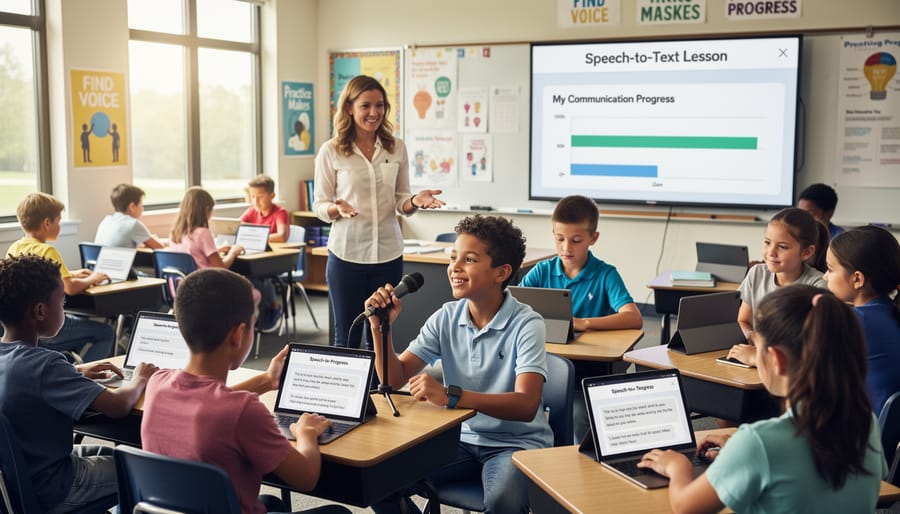
Structured practice sessions help children build confidence while using speech-to-text technology effectively. Begin with short five-minute sessions focused on familiar words, gradually extending to ten or fifteen minutes as comfort increases. Research from the University of Washington shows that students practicing with speech recognition tools three times weekly for six weeks demonstrated 40% improvement in articulation clarity.
Create a predictable routine: start with warm-up exercises like repeating simple phrases, then progress to reading short passages aloud, and finish with spontaneous speech activities. Encourage children to review the transcribed text immediately, identifying words the technology captured correctly to celebrate successes before addressing errors. This positive reinforcement approach reduces frustration significantly.
Incorporate engaging content like favorite storybooks or personal interests. For example, a student passionate about dinosaurs might practice by describing different species, making sessions feel less like work and more like play. Track progress weekly by saving transcriptions, allowing children to visually see their improvement over time. This tangible evidence motivates continued practice and builds genuine confidence in their communication abilities.
Tracking Progress and Setting Goals
Speech-to-text technology creates valuable data that educators and parents can leverage to track communication progress systematically. Most applications generate transcripts that allow students to review their pronunciation patterns over time, identifying specific sounds or words that need attention. For example, a third-grade teacher in Ohio documented how her student improved articulation of the “r” sound by comparing weekly transcripts, showing measurable progress from 40% accuracy to 85% over eight weeks.
Setting achievable goals becomes more concrete with this technology. Students can aim for specific accuracy percentages or focus on mastering particular phonemes within defined timeframes. Visual progress charts generated from speech-to-text data help motivate learners by making improvements tangible and celebratory. Research indicates that students who regularly review their speech-to-text outputs show 30% faster improvement rates compared to those receiving traditional feedback alone.
Parents can participate meaningfully in this process by reviewing daily or weekly transcripts with their children, celebrating successes and identifying practice areas together. This collaborative approach transforms speech development into an engaging, goal-oriented journey rather than a remedial task.
Integration with Existing Curriculum
Speech-to-text technology integrates seamlessly into existing curriculum without requiring extensive lesson plan overhauls. In language arts, students can dictate creative writing assignments or reading responses, allowing them to focus on content development rather than mechanics. A fifth-grade teacher in Portland reported that students using speech-to-text during brainstorming sessions produced 40% more detailed story outlines compared to handwritten drafts.
For science classes, students can verbally document experiment observations in real-time, capturing detailed findings without interrupting their hands-on work. Math teachers find it particularly valuable for students to explain their problem-solving processes aloud, which reinforces understanding while creating written records of their reasoning.
Social studies classes benefit when students dictate research notes or record oral history interviews that automatically convert to text for analysis. Start by designating one subject period weekly for speech-to-text practice, gradually expanding as both teachers and students gain confidence. Pairing the technology with traditional writing methods creates a balanced approach that accommodates diverse learning needs while maintaining academic rigor across all subjects.
How Parents Can Use Speech-to-Text at Home
Parents play a vital role in supporting your child‘s speech development, and speech-to-text technology offers practical ways to practice at home between therapy sessions or classroom activities. The good news is that you don’t need expensive equipment to get started—many effective tools are already available on devices you likely own.
Begin by exploring free built-in options like Google Docs Voice Typing on computers or the dictation features on smartphones and tablets. These tools allow children to practice speaking clearly while seeing immediate visual feedback of their words. Start with simple activities: have your child dictate their favorite story, describe their day, or create a shopping list. Research from the American Speech-Language-Hearing Association shows that consistent daily practice, even just 10-15 minutes, significantly improves articulation and confidence.
Create a comfortable practice environment free from background noise, as this helps the technology accurately capture speech. If words appear incorrectly on screen, use this as a learning opportunity. Ask your child to repeat the word more slowly or emphasize certain sounds. This immediate feedback loop helps children understand how their speech sounds to others.
For younger children, turn practice into games. Challenge them to dictate color names, count aloud, or describe pictures while watching the text appear. Older students can use speech-to-text for homework assignments, which simultaneously supports speech development and writing skills.
Affordable app options include Speechnotes and Voice Typing, both offering user-friendly interfaces suitable for children. Many families report that practicing 3-4 times weekly leads to noticeable improvements within weeks.
Remember to celebrate small victories and maintain patience. Every child progresses at their own pace, and your consistent encouragement matters more than perfect results. Consider keeping a simple log of practice sessions to track progress and share updates with teachers or therapists, creating a collaborative support network around your child’s development.
Choosing the Right Speech-to-Text Tools
Selecting the right speech-to-text tool requires focusing on features that genuinely support speech development rather than getting distracted by technical specifications. Research shows that tools with clear visual feedback help students improve pronunciation accuracy by up to 40%, making this a priority consideration.
When evaluating digital learning tools, start with accessibility. Google Docs Voice Typing offers a solid free option that works across devices and provides real-time transcription, making it ideal for classroom settings. Microsoft Dictate integrates seamlessly with Office applications, which benefits students already using these platforms for assignments.
For specialized speech development needs, consider tools with phonetic feedback. Dragon NaturallySpeaking, while paid, offers detailed accuracy reports that help identify specific pronunciation challenges. A middle school in Oregon reported that students using Dragon for three months showed measurable improvement in articulating challenging sounds like “th” and “r.”
Price alone shouldn’t determine your choice. Free tools like Voice Typing work well for basic speech practice and building confidence. However, paid options between 15 and 30 dollars monthly often include features like customizable vocabulary lists and progress tracking that prove valuable for structured intervention programs.
Test accuracy with your specific users. Have students read a standard passage and compare how different tools transcribe their speech. Tools that consistently recognize 85 percent or more of words correctly provide enough positive reinforcement to keep learners motivated.
Consider privacy requirements, especially in school settings. Tools that process speech locally rather than in the cloud better protect student data. Check if the platform allows turning off data collection features while maintaining functionality. The best tool combines accuracy, appropriate feedback mechanisms, and ease of use for your specific educational context.
Common Challenges and How to Overcome Them
While speech-to-text technology offers tremendous benefits, educators and parents frequently encounter obstacles that can impact its effectiveness. Understanding these challenges and their solutions helps ensure successful implementation.
Accuracy issues top the list of frustrations. Children with speech differences, accents, or articulation challenges may find the technology misinterprets their words. A 2022 study found that speech recognition accuracy drops by 25-30% for children compared to adults. The solution? Start with scripted reading exercises to help the system learn the child’s voice patterns. Most platforms improve recognition through repeated use, so consistency matters. Consider using apps with child-specific voice models, which perform significantly better than adult-calibrated systems.
Background noise creates another common barrier, particularly in busy classrooms. Teachers report that even moderate classroom chatter can reduce transcription accuracy by up to 40%. Practical workarounds include using directional microphones, creating quiet recording zones, or utilizing noise-canceling headsets. Many educators successfully implement “speech stations” where students can work individually with minimal disruption.
Internet connectivity poses challenges for cloud-based systems. When bandwidth is limited, consider offline-capable apps that sync later. Schools with unreliable connections benefit from downloading speech-to-text applications that function independently.
Privacy concerns also emerge, especially with student data. Always review platform privacy policies and opt for educational-grade tools that comply with data protection standards. Many school-approved platforms offer enhanced security features specifically designed for educational environments.
Finally, resistance to technology adoption can hinder progress. Start small with pilot programs, share success stories, and provide adequate training to build confidence among hesitant users.
Speech-to-text technology represents a genuine breakthrough for speech development, offering learners immediate feedback, increased confidence, and engaging practice opportunities that were previously unavailable. Research shows that students using these tools demonstrate measurable improvements in articulation clarity and verbal fluency within just weeks of consistent use. Whether you’re a parent supporting your child at home, an educator enhancing classroom instruction, or a speech professional expanding your toolkit, this technology provides accessible pathways to better communication skills.
The key is to start small. Begin with just five minutes daily using a simple speech-to-text app on your smartphone or tablet. Choose topics that genuinely interest the learner, making practice feel less like work and more like conversation. Monitor progress by saving transcriptions weekly to track improvements in accuracy and vocabulary usage.
Remember that every voice matters, and speech-to-text technology ensures no one gets left behind because of communication challenges. The tools are increasingly affordable, often free, and designed for real-world use by real people. By taking that first step today, you’re opening doors to clearer communication, greater academic success, and enhanced self-expression. The technology is ready; the question is simply when you’ll begin this transformative journey.