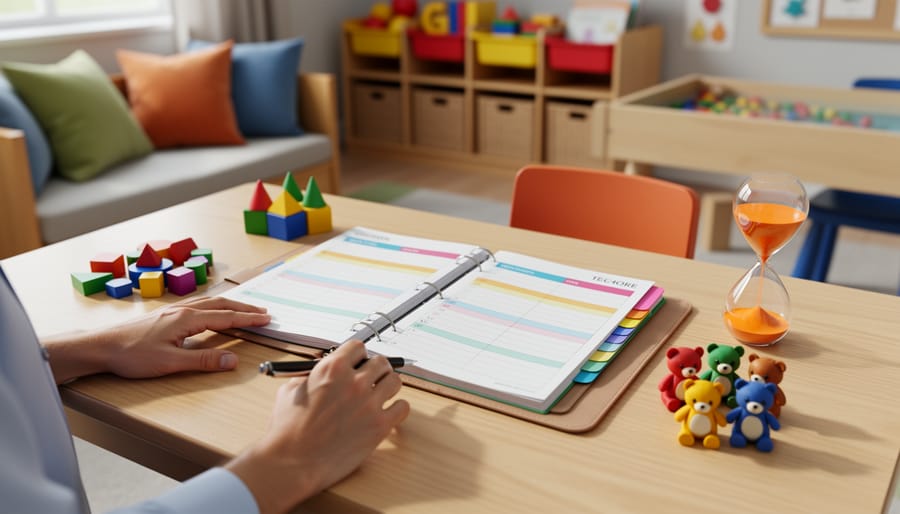



Managing 20 young learners while tracking individual developmental milestones, planning hands-on activities, and maintaining daily parent communication creates a planning challenge unlike any other grade level. Research from the National Association for the Education of Young Children shows that kindergarten teachers spend an average of 12 hours per week on lesson planning and documentation, yet most generic teacher planners ignore the specific demands of early childhood education.
A specialized kindergarten teacher planner needs to accommodate centers-based rotation schedules, not traditional subject-period blocks. It must provide space to document fine motor skill development alongside phonemic awareness progress. You’re not simply planning what content to cover. You’re orchestrating multiple simultaneous learning stations, tracking 20 different developmental trajectories, and communicating daily with families who want specific details about their child’s social and academic growth.
The right planner becomes your command center for managing transition times, snack schedules, bathroom routines, and the dozen other non-academic elements that consume kindergarten teaching time. It should include visual planning sections for dramatic play themes, sensory table rotations, and outdoor learning extensions. Teachers report that planners designed for older grades waste valuable page space on features like traditional grade books while offering nothing for documenting anecdotal observations or parent conference notes.
Choosing and implementing the right planning system directly impacts your ability to meet state standards while honoring developmentally appropriate practice. This guide examines the must-have features that actually support kindergarten teaching realities.
What Makes a Kindergarten Teacher Planner Different
While many best teacher planners work well for upper elementary or secondary teachers, kindergarten classrooms require fundamentally different planning structures. The distinction begins with how young learners spend their time: kindergarteners don’t follow rigid subject blocks. Instead, they rotate through learning centers, engage in thematic units, and need frequent transitions between activities.
A kindergarten-specific planner reflects these realities through flexible scheduling frameworks. Rather than traditional period-by-period grids, these planners typically offer space for morning routines, center rotations, whole-group instruction, outdoor play, rest time, and closing circles. This mirrors how play-based learning approaches actually function in early childhood classrooms.
Developmental tracking features set kindergarten planners apart significantly. Teachers need to monitor where each child stands on foundational skills like letter recognition, number sense, social-emotional regulation, and fine motor development. Quality kindergarten planners include assessment grids aligned with early learning standards observation checklists, and space to note individualized support strategies. A first-grade planner won’t typically dedicate this much space to such granular developmental documentation.
The visual design differs too. Kindergarten teachers juggle 20-25 students who each arrive with vastly different skill levels and learning needs. Effective planners incorporate class roster sections with quick-reference spots for noting reading levels, behavioral supports, and parent communication logs. Many include sticker-friendly spaces or colorful tabs because kindergarten teachers coordinate numerous hands-on materials daily.
Parent communication components receive more prominent placement in kindergarten planners. Weekly newsletter templates, conference preparation pages, and home-connection activity ideas acknowledge that family partnerships matter tremendously for five and six-year-olds. One kindergarten teacher in Ohio noted that her specialized planner’s parent contact log helped her document 40% more family touchpoints compared to using a generic planning system.
The spacing and layout accommodate real kindergarten planning needs: more room for describing activities rather than simply listing standards, areas for noting which manipulatives or picture books support each lesson, and reflection sections focused on student engagement rather than content coverage alone.
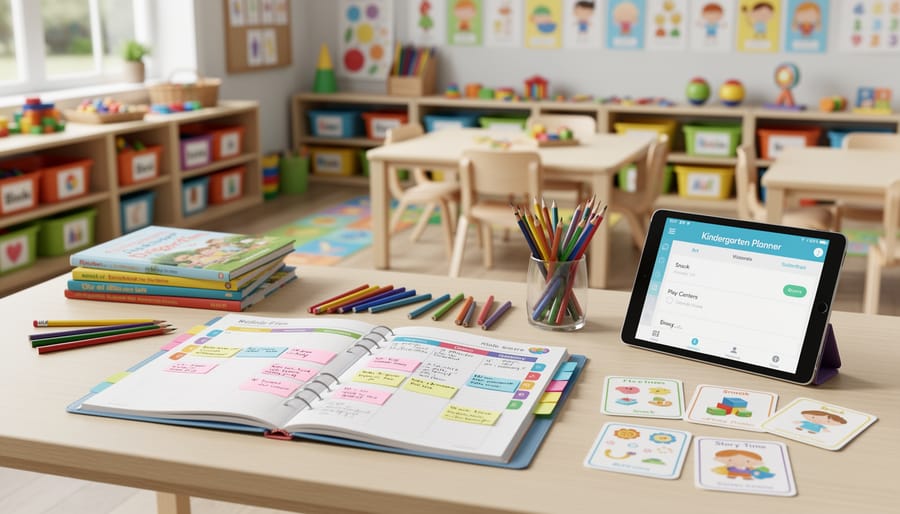
Essential Sections Every Kindergarten Planner Needs
Daily and Weekly Planning Layouts
Kindergarten schedules rarely fit into neat 45-minute subject blocks. Your planning pages need to reflect the reality of centers, rotations, and transitions that define your teaching day.
The most effective kindergarten planners use time-block layouts rather than traditional subject grids. Instead of rows labeled “Math” and “Reading,” look for hourly or half-hour increments. This lets you map out Morning Meeting from 8:15-8:45, followed by literacy centers from 8:45-9:30, then outdoor play. Research from the National Association for the Education of Young Children shows that kindergartners learn best through 15-20 minute activity rotations, so your planner should accommodate this natural rhythm.
A helpful layout includes three columns: whole group, small group, and individual. During your 9:00-9:45 literacy block, you might write “letter formation” under whole group, list three rotation stations under small group (listening center, word building, teacher table), and note which students need one-on-one assessment under individual. This visual organization helps you see who’s getting what instruction at a glance.
Weekly planning pages work better than daily for kindergarten because you’ll repeat many activities across the week. Monday’s pattern blocks become Tuesday’s counting bears, but the learning objective stays consistent. Save space for specials like art, music, and PE, which interrupt your rotation schedule.
The bottom third of your page should remain blank for notes. When Emma finally writes her name independently on Wednesday, you need somewhere to document it immediately. Flexible white space turns your planner into both a teaching tool and an assessment record.
Assessment and Observation Tracking
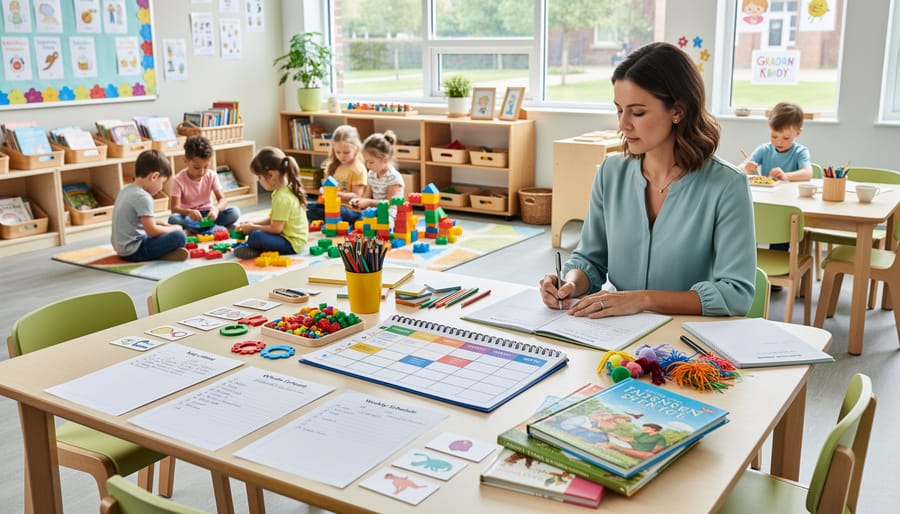
Documenting student progress requires more than checkmarks on a chart. Effective kindergarten teacher planners include dedicated spaces for anecdotal records where you can capture meaningful moments throughout the day. A student’s breakthrough in letter recognition during morning circle time or their first successful conflict resolution at the block center tells a story that standardized assessments miss.
Research shows that teachers who document observations regularly are 40% more likely to identify learning gaps early. Your planner should feature dated observation logs organized by student name or developmental domain. Many teachers find success using sticky notes throughout the day, then transferring observations to their planner during prep time.
Skill mastery tracking works best with visual progress grids. Consider using a checklist format for literacy benchmarks, number sense, fine motor skills, and social-emotional development. Color-coding helps you spot patterns quickly. For example, highlighting students who haven’t mastered scissors skills by November signals the need for targeted small-group practice.
Portfolio documentation deserves planner space too. Schedule monthly checkpoints to review work samples and update family communication about growth areas. This systematic approach to supporting student development ensures no child falls through the cracks while providing concrete evidence for parent conferences and IEP meetings.
Resource and Material Organization
Keeping track of classroom materials becomes manageable with dedicated resource organization pages in your planner. Most kindergarten teachers report spending 3-5 hours per week searching for misplaced manipulatives or realizing mid-lesson they’re missing critical supplies. A well-designed materials section prevents these disruptions.
Start by creating inventory lists for each learning center. For example, your math center inventory might include 30 counting bears, 4 ten-frames, 2 number lines, and 15 pattern blocks. Update these lists quarterly, noting items that need replacement. Many teachers use a simple checkbox system to track which materials go out for each week’s activities.
The book tracking feature proves invaluable during themed units. If you’re teaching a community helpers unit, list specific titles like “Officer Buckle and Gloria” or “Clothesline Clues to Jobs People Do” alongside the dates you plan to read them. This prevents accidentally repeating books and helps during library trips.
Consider adding a materials request section where you note items to purchase or gather from home. One teacher saved $200 annually by tracking egg cartons, buttons, and cardboard tubes parents could donate instead of buying commercial manipulatives.
Digital vs. Paper Planners: What Works Best for Kindergarten
The debate between digital and paper planners isn’t one-size-fits-all, especially for kindergarten teachers who face unique classroom challenges. Your choice depends on how you work, what technology is available, and honestly, what you’ll actually use consistently.
Paper planners offer immediate accessibility. When you’re managing 20 five-year-olds, you can’t always unlock a device, wait for an app to load, or worry about battery life. A physical planner sits open on your desk, ready for quick notes about Emma’s breakthrough with letter recognition or a reminder to call Jacob’s parents. Many kindergarten teachers report that writing things down helps them remember better. There’s research backing this too. A 2021 study in Psychological Science found that handwriting engages memory pathways differently than typing, which matters when you’re tracking developmental milestones for multiple children.
Digital planners shine in different ways. Digital tools for teachers have evolved significantly, offering features paper simply cannot match. You can duplicate lesson plans across weeks, set recurring reminders for assessments, and search instantly through months of notes. Google Classroom integration means your digital planner connects directly with parent communication and student progress tracking.
- Paper planners work immediately without technical issues or internet requirements.
- Digital planners allow quick searching, copying, and sharing of lesson plans and notes.
- Paper planners survive spills, drops, and the chaos of kindergarten environments better.
- Digital planners automatically backup your work and sync across multiple devices.
- Paper planners cannot be backed up and are lost forever if damaged or misplaced.
- Digital planners require device access, which isn’t always practical during active classroom moments.
- Paper planners take up physical space and can’t be easily shared with administrators.
- Digital planners have learning curves and may need troubleshooting during busy school days.
The hybrid approach works well for many kindergarten teachers. Keep a paper planner for daily classroom notes and quick observations, then transfer key information to a digital system weekly for long-term storage and analysis. This method captured the attention in a 2023 survey by Education Week, where 43% of elementary teachers reported using both formats to maximize benefits.
Consider your school’s technology infrastructure too. If your district provides reliable tablets or laptops with good planning apps, digital makes more sense. But if you’re in a school where devices are scarce or WiFi is unreliable, paper wins by default.
How Real Kindergarten Teachers Use Their Planners
Experienced kindergarten teachers have developed workflows that transform their planners from simple calendars into command centers for their classrooms. Take Sarah Martinez, a veteran kindergarten teacher in Portland, who color-codes her weekly spreads by learning domain: blue for literacy activities, green for math centers, yellow for social-emotional learning, and pink for parent communication. This visual system lets her spot curriculum gaps at a glance and ensures balanced instruction throughout the week.
Many teachers use the Sunday night planning ritual to set up their week. Jennifer Chen spends about 45 minutes reviewing her planner, pulling materials for center rotations, and writing quick sticky notes for her teaching assistant. She keeps her planner open on her desk during instruction, jotting down observational notes directly onto student pages when she notices developmental milestones or areas needing support. These real-time observations later inform her progress reports and parent conferences.
The integration between digital and paper planners varies widely. Some teachers maintain a master digital calendar for school-wide events and field trips but rely exclusively on paper planners for daily lesson details and student notes. Others photograph their weekly spreads and share them with classroom aides through messaging apps, creating a simple communication loop without expensive software.
Time-blocking has proven particularly effective for kindergarten schedules. Teachers often dedicate specific planner sections to their non-negotiables: morning meeting routines, center rotations, outdoor time, and rest periods. Lisa Thompson from Austin discovered that pre-planning her transition activities in her planner reduced classroom chaos by 30 percent. She now keeps a “transition ideas” page in the back of her planner, referencing it when planning her weekly flow.
The most successful planner users build in reflection time. Every Friday afternoon, many teachers spend 10 minutes reviewing what worked and what flopped that week. They mark successful activities with stars or highlight them for future reference. Failed experiments get crossed out with brief notes explaining why, creating a personalized teaching database that grows more valuable each year.
Parent communication logs within planners serve double duty. Teachers document conversations, concerns, and positive updates, which provides both accountability and historical reference. During parent-teacher conferences, these notes become invaluable for painting a complete picture of each child’s growth trajectory throughout the school year.
Setting Up Your Planner at the Start of the Year
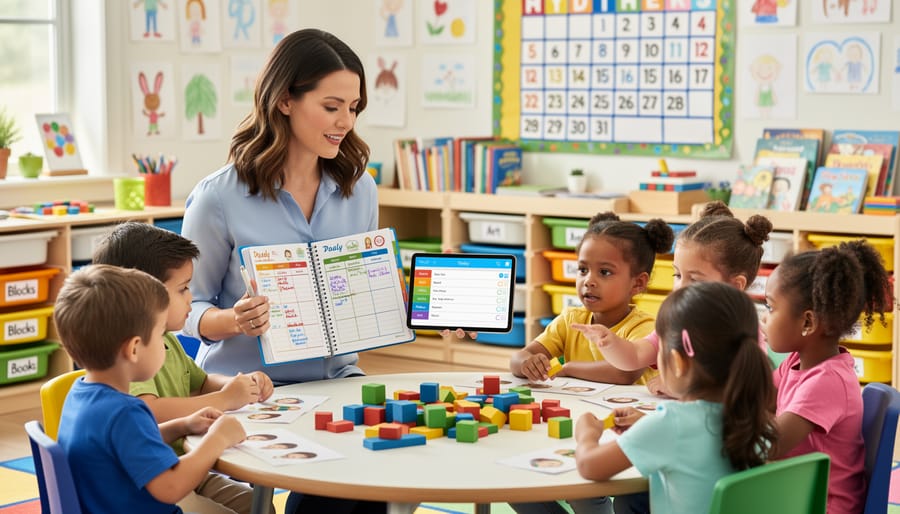
Taking the time to set up your planner properly in August can transform how efficiently you operate throughout the year. Many kindergarten teachers report spending just 2-3 hours on initial setup saves them 15-20 minutes weekly because essential information lives right where they need it.
Start with a systematic approach to building your planner foundation:
- Transfer all district calendar dates, including early dismissals, professional development days, and holiday breaks. Mark parent-teacher conference windows and school-wide events like field day or winter concerts. These anchor dates guide your entire instructional calendar.
- Create dedicated pages for your student roster with key information. Include parent contact details, transportation notes, and space for documenting allergies or special accommodations. Update this section as new students enroll mid-year.
- Set up a learning standards reference section specific to your state requirements. List the kindergarten benchmarks for literacy, math, and social-emotional development you’ll address. Teachers who maintain this quick-reference guide spend 40% less time searching for standards during lesson planning.
- Organize your thematic unit overview across the months. Block out when you’ll teach units like community helpers, seasons, or fairy tales. This bird’s-eye view prevents last-minute scrambling for materials and helps you coordinate with grade-level colleagues.
After establishing these core sections, add personal touches that match your teaching style. Some teachers include a birthday calendar with small celebration ideas. Others dedicate pages to tracking classroom library rotations or sensory table themes.
The key to how to use planners effectively lies in front-loading information you’ll reference repeatedly. Teachers using digital planners should bookmark these reference sections for one-tap access. Physical planner users benefit from color-coded tabs marking frequently accessed pages.
Consider photographing your classroom layout and supply locations to paste in the reference section. This helps substitute teachers and assists you in maintaining organizational systems when the school year gets hectic.
Common Planning Mistakes to Avoid
Even well-intentioned planning habits can backfire in kindergarten classrooms. One of the most common traps teachers fall into is over-planning every minute of the day. Research from the National Association for the Education of Young Children shows that kindergarteners need significant flexibility in their schedules to accommodate varying attention spans and unexpected teaching moments. When you script activities down to five-minute increments, you create stress rather than structure.
Take Sarah, a second-year kindergarten teacher in Ohio, who spent three hours every Sunday planning elaborate themed activities for each day. By Wednesday, she’d abandoned most of her plans because her students needed more time on foundational skills. She eventually learned to plan “anchor activities” with built-in extension options, cutting her planning time by half while improving outcomes.
Another pitfall is treating your planner as a display piece rather than a working tool. Adding elaborate decorations and color-coding systems might look impressive on social media, but if maintaining your system takes longer than the actual planning, something’s wrong. Experienced teachers recommend starting simple: choose two or three functional elements that serve your teaching style before adding aesthetic touches.
Many kindergarten teachers also make the mistake of planning in isolation. Your planner should connect to assessment data and student progress, not exist separately from it. If you’re writing lesson plans without reviewing recent observations or tracking sheets, you’re missing opportunities to target specific developmental needs.
The rigidity trap catches teachers too. Kindergarteners get sick, fire drills happen, and spontaneous learning opportunities arise. A survey of 200 kindergarten teachers found that 73% had to significantly modify their daily plans at least three times per week. Build buffer time into your schedule and keep backup activities ready. Your planner should guide you, not confine you.
Choosing the Right Planner for Your Teaching Style
Selecting the right planner requires honest reflection about how you actually work in your classroom, not how you wish you worked. A planner that doesn’t align with your daily routines will gather dust in a drawer by October.
Start by examining your school’s required documentation. Some districts mandate specific formats for lesson plans, assessment records, or attendance tracking. If your administration requires detailed standards alignment for every activity, you’ll need a planner with ample space for notation. Conversely, if your school uses digital gradebooks and attendance systems, you can choose a planner that focuses more on instructional planning and less on record-keeping.
Your teaching approach matters significantly. Teachers who follow emergent curriculum or project-based learning benefit from flexible weekly spreads that allow for last-minute adjustments. Those following structured literacy programs or set curriculum maps need planners with detailed daily breakdowns and space for scripted lessons. One kindergarten teacher in Texas shared that switching from a rigid hourly planner to a flexible block-based system reduced her planning stress by half because it matched her center-based rotation schedule.
| Planner Type | Best For | Approximate Cost |
|---|---|---|
| Comprehensive Bound Planners | Teachers wanting all-in-one solutions with pre-printed features | $25-$45 |
| Customizable Binder Systems | Those who need flexibility to add/remove sections throughout the year | $30-$60 |
| Digital Apps | Tech-savvy teachers who prefer cloud access and searchable records | $0-$15/month |
| Hybrid Options | Teachers who want digital convenience with paper backup | $20-$40 plus app fees |
Budget considerations extend beyond the initial purchase. Digital planners require device access and sometimes subscription fees, while paper planners need replacement annually. Calculate the total yearly cost, including any accessories like stickers, dividers, or storage.
Consider how you process information. Visual thinkers thrive with color-coded systems and graphic layouts. Linear processors prefer simple list formats. Test your preference by downloading free printable templates before investing in an expensive system. Most teachers find their ideal planner by year three of teaching, so don’t pressure yourself to find perfection immediately.
Choosing the right kindergarten teacher planner transforms how you approach each school day. Teachers who switch from generic planners to kindergarten-specific tools report spending 30% less time on administrative tasks and experience significantly lower stress levels during peak times like report card season and parent-teacher conferences. The difference lies in features designed around your actual workflow: spaces for center rotations, developmental milestone tracking, and visual schedules that align with how five and six-year-olds learn best.
Take a moment to evaluate your current planning system. Does it accommodate play-based learning blocks? Can you easily track individual progress without creating separate spreadsheets? If you’re using sticky notes to supplement your planner or find yourself rewriting the same information multiple times, you’re working too hard. A well-designed kindergarten planner should simplify documentation while helping you stay responsive to student needs.
The investment in a specialized planner pays dividends throughout the year. You’ll spend less time searching for information and more time refining instruction based on the patterns you can actually see in your organized records. Your students benefit from more intentional lesson planning, and you reclaim precious mental energy for the creative, engaging teaching that drew you to kindergarten in the first place.