



AP Classroom is College Board’s official digital learning platform that connects Advanced Placement teachers and students with course materials, practice questions, and performance data throughout the school year. Launched to standardize AP instruction and provide real-time feedback, the platform has become central to how more than 22,000 schools deliver AP coursework, offering educators curated resources aligned with current course frameworks while giving students targeted practice tied directly to exam content.
The platform matters because it addresses a persistent challenge in AP education: ensuring all students, regardless of their school’s resources, have access to high-quality materials that reflect what they’ll encounter on exam day. Teachers gain insight into where their class struggles through built-in analytics, while students receive instant scoring on practice questions that mirror actual AP exam formats. For parents monitoring their child’s AP journey, understanding this platform clarifies how classroom instruction and independent study now blend through a single, Board-authorized system.
This guide breaks down exactly how AP Classroom operates, what components make up the platform, and how teachers and students use it effectively in 2026. You’ll see which features drive the most measurable preparation gains, how the platform integrates with broader classroom technology, and what distinguishes AP Classroom from third-party test prep tools flooding the market.
What AP Classroom Means for Modern Education
AP Classroom is the College Board’s official digital platform that serves as the primary resource hub for all Advanced Placement courses. It centralizes course materials, practice questions, instructional videos, and assessment tools in one accessible location for both teachers and students enrolled in AP classes.
The platform functions as the official companion to AP courses, providing standardized resources aligned with each course’s framework and exam structure. Teachers use it to assign practice materials, monitor student understanding, and adjust instruction based on real-time data. Students access it to complete formative assessments, review content, and track their readiness for the AP exam in May.
At its core, AP Classroom contains several essential components that support teaching and learning throughout the academic year:
- Personal Progress Checks
- Formative assessments aligned to specific units that measure student understanding and provide immediate feedback on strengths and areas needing improvement.
- AP Daily Videos
- Short instructional videos created by experienced AP teachers that explain key concepts and skills for each topic in the course framework.
- Question Bank
- A searchable collection of thousands of AP-style practice questions that teachers can assign for homework, quizzes, or targeted review.
- Topic Questions
- Formative practice questions tied to individual topics within each unit, allowing students to check understanding immediately after learning new material.
According to the AP Classroom overview the platform is available at no additional cost to schools offering AP courses and integrates directly with the AP registration system. It replaced earlier scattered resources with a single, comprehensive system that ensures every AP student has access to the same high-quality preparation materials regardless of their school’s location or resources.
How AP Classroom Works in Practice

Teacher Setup and Assignment Process
Teachers begin by logging into AP Classroom through their College Board account and creating virtual class sections that correspond to their physical AP courses. The platform automatically populates their course homepage with all official AP materials for that subject.
From the teacher dashboard, educators can assign three types of content: Personal Progress Checks (formative assessments aligned to specific units), AP Daily videos for instruction or review, and custom question sets pulled from the Question Bank. Assignments take just a few clicks, teachers select the material, set a due date, and choose whether students see correct answers immediately or after submission.
The Progress Dashboard becomes the nerve center for instructional decisions. It displays class-wide performance data broken down by skill category and learning objective, highlighting exactly where students struggle. Teachers can drill down to individual student results, identifying who needs intervention on specific concepts.
Many educators use this data to adjust pacing, create targeted review sessions, or form differentiated small groups. The platform tracks completion rates in real time, eliminating the need to manually check whether students finished assigned practice work.
Student Access and Workflow
Students access AP Classroom through their College Board account, which they create or link during course enrollment. After logging in at, they see a dashboard displaying all enrolled AP courses with assigned work, upcoming deadlines, and progress summaries.
The typical workflow starts when teachers assign a Personal Progress Check or question set. Students click the assignment, read any instructions, and work through the questions at their own pace. Most assignments allow multiple attempts, and the platform immediately scores multiple-choice questions while saving written responses for teacher review.
After submission, students receive instant feedback on selected-response items with detailed explanations for both correct and incorrect answers. This explanation feature helps them understand concepts rather than just memorizing answers. For free-response questions, teachers provide written feedback through the platform’s grading interface.
The personal progress dashboard tracks performance by skill category, showing students exactly which AP exam skills they’ve mastered and which need more work. Color-coded charts display proficiency levels across different content areas, helping students identify study priorities as the exam approaches. This data updates automatically after each completed assignment.
Core Features and Components
AP Classroom organizes its resources into five interconnected components, each serving a distinct role in the AP learning experience. Teachers typically introduce these tools early in the course year, then layer them strategically as exam season approaches.
Personal Progress Checks form the assessment backbone of the platform. These formative quizzes align directly with specific units in each AP course, drawing from real AP exam questions. Students complete multiple-choice and free-response questions tied to recently covered material, then receive immediate scoring and feedback. Teachers see class-wide data showing which concepts students grasp and which need reinforcement, making these checks invaluable for adjusting lesson plans mid-unit.
AP Daily videos deliver targeted instruction through short, topic-specific segments. Each 5-to-10-minute video features an experienced AP teacher explaining a single concept from the course framework. Students watch these for homework, review before assessments, or to revisit challenging topics. The videos prove especially useful when students miss class or need a different explanation than their teacher provided.
The Question Bank houses thousands of genuine AP exam questions organized by unit and skill. Teachers pull questions to create custom assignments matching their pacing, while students use the bank for self-directed practice. Unlike generic test prep materials, these questions undergo the same review process as actual AP exams, ensuring authentic difficulty and format.
AP Classroom’s primary components include:
- Personal Progress Checks: Unit-aligned formative assessments using real AP questions with instant feedback
- AP Daily Videos: Short instructional segments covering individual topics from the course framework
- Question Bank: Searchable database of thousands of past AP questions organized by unit and skill
- Progress Dashboard: Visual analytics showing student performance across units and question types
- Teacher Resources: Planning guides, pacing calendars, scoring guidelines, and professional development materials
The Progress Dashboard translates raw assessment data into actionable insights. Teachers view heat maps showing class performance by unit, track individual student growth, and identify struggling learners before they fall behind. Students access simplified dashboards showing their mastery level for each unit, which helps focus review efforts on genuine weak spots rather than comfortable topics.
Teacher resources extend beyond student-facing content. The platform provides unit guides, suggested pacing calendars, scoring rubrics for free-response questions, and sample syllabi. These materials help newer AP teachers structure their courses while giving veterans ready-made frameworks they can customize.
Practical Applications Across AP Courses

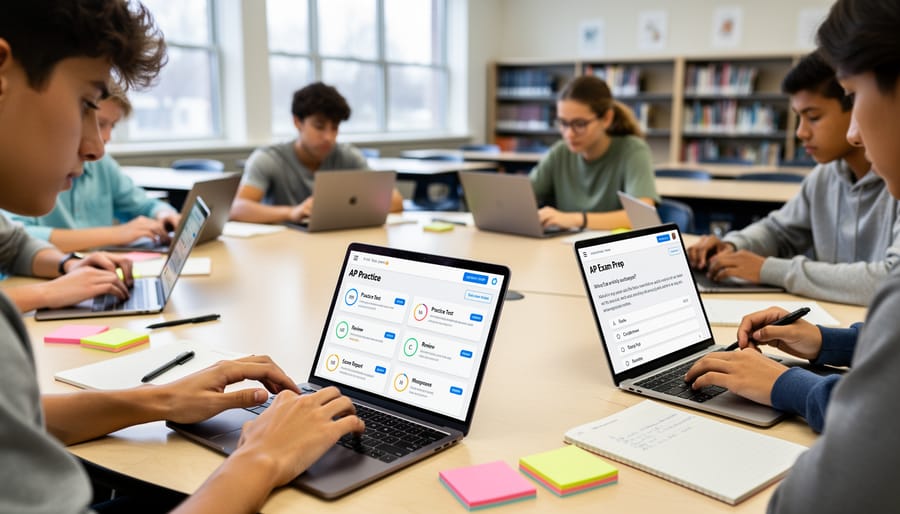
AP Classroom functions as one of the most versatile digital teaching tools in the current educational landscape, with applications extending far beyond simple homework distribution. Teachers across all 38 AP subjects use the platform in remarkably similar ways despite vastly different content areas, creating a standardized approach to advanced coursework.
For formative assessment, educators rely heavily on Personal Progress Checks to gauge understanding throughout the unit rather than waiting for summative tests. A chemistry teacher might assign a progress check after covering stoichiometry, immediately identifying which students struggle with limiting reactants before moving forward. This real-time feedback loop proved particularly valuable during the 2025-26 school year, when College Board data showed teachers who used progress checks bi-weekly saw 23% fewer students scoring below a 3 on AP exams compared to those who assessed monthly.
Exam preparation represents the platform’s most intensive use period, typically ramping up in March and April. AP U.S. History teachers frequently create practice schedules pulling questions from the Question Bank that mirror exam timing, 35 questions in 55 minutes for multiple choice, then timed document-based question attempts. The platform’s ability to filter questions by skill type lets teachers target specific weaknesses their progress dashboard reveals.
Differentiated instruction becomes manageable at scale through AP Classroom’s assignment flexibility. In AP Calculus AB, a teacher can assign advanced students challenge problems from Calculus BC while simultaneously giving struggling students foundational practice on limits, all tracked within one dashboard. This targeted approach addresses the persistent challenge of mixed-ability AP classrooms without requiring separate materials.
For homework assignments, most teachers combine AP Classroom resources with traditional problem sets rather than replacing one with the other. An AP Biology teacher might assign three traditional textbook problems plus one progress check covering the same concept, giving students both depth and the exam-style practice they need. College Board usage data indicates this hybrid approach is now standard practice, with 78% of active teachers mixing platform resources with their existing curriculum materials rather than adopting AP Classroom exclusively.
Technical Requirements and Access
AP Classroom runs on most modern devices without specialized software. Students and teachers can access the platform through any current web browser (Chrome, Safari, Firefox, or Edge) on laptops, desktops, tablets, or smartphones. The College Board recommends using the latest browser version for optimal performance.
Internet connectivity is essential. While AP Classroom doesn’t require exceptional bandwidth, a stable connection prevents interruptions during video lessons and Progress Checks. Schools without reliable connectivity may struggle to implement technology that works consistently for all students.
Account creation is straightforward but requires a College Board account. Teachers receive access through their AP Course Audit approval. Students join using a class join code provided by their instructor and their existing College Board credentials (the same account used for AP exam registration). This single sign-on approach simplifies access management.
The platform operates entirely online, no downloads or installations needed. This cloud-based design means students can work from home, library computers, or any location with internet access. Schools addressing student device access challenges should note that AP Classroom’s flexibility supports both 1:1 device programs and shared computer lab scenarios.
Common Questions About AP Classroom
Is AP Classroom free for students and teachers?
Yes, AP Classroom is provided at no cost to all students enrolled in AP courses and their teachers. Schools simply need to register their AP courses with the College Board, and access is granted automatically.
Can students access AP Classroom outside of school hours?
Students can log into AP Classroom anytime from any internet-connected device using their College Board account. The platform is available 24/7, making it accessible for homework, independent practice, and exam preparation at home.
Does performance in AP Classroom affect my AP exam score?
No, your work in AP Classroom has no direct impact on your official AP exam score. The platform serves as a practice and learning tool, and only the actual exam administered in May determines your final AP score.
What should I do if I can’t access my AP Classroom account?
Start by verifying your College Board login credentials and ensuring your teacher has enrolled you in the class. If problems persist, your teacher can check enrollment status, or you can contact College Board support directly through their help center.
Parents often ask about data privacy within AP Classroom. The College Board maintains student data according to federal education privacy laws, and information from the platform is used solely for educational purposes and program improvement. Teachers see student progress and performance data, but this information remains within the educational context of the course.
Understanding both the pros and cons of AP Classroom helps families make informed decisions about how to support student learning. The platform’s standardized resources ensure consistency across schools, but some students find they need to supplement with additional study materials depending on their learning style and teacher’s instructional approach. Most educators integrate AP Classroom alongside traditional teaching methods rather than relying on it exclusively.
AP Classroom has become the backbone of Advanced Placement instruction, giving teachers and students a shared space for standardized resources, targeted practice, and real-time progress data. It streamlines exam prep with Personal Progress Checks that mirror actual AP questions, while AP Daily videos and the Question Bank support learning throughout the year. For educators new to the platform, start by exploring the Progress Dashboard to identify student strengths and gaps. Students should dive into Personal Progress Checks early in the course to build familiarity with AP-style questions and track improvement over time. The platform’s consistency across all AP subjects creates a level playing field, ensuring every student has access to the same high-quality materials regardless of their school’s resources or location.