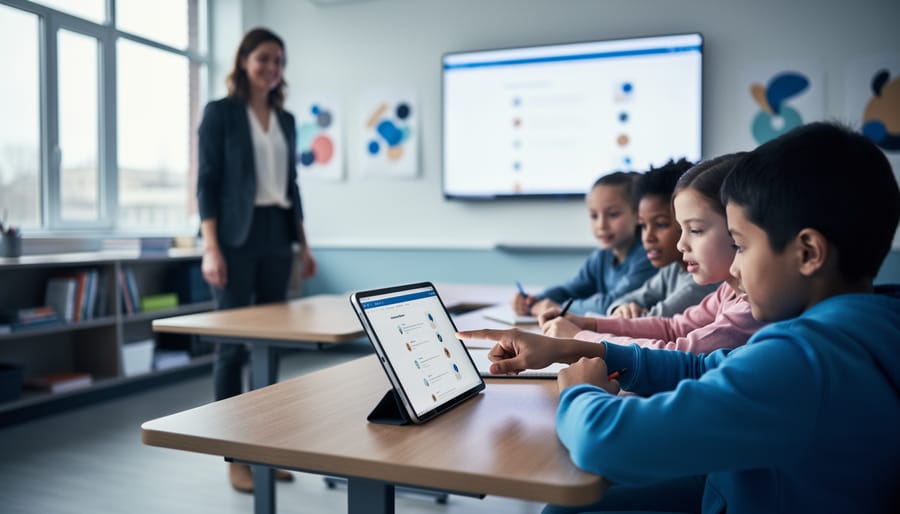



Start with one high-impact tool that solves a specific classroom challenge rather than adopting multiple platforms simultaneously. A 2023 study from the Education Technology Research Institute found that teachers who implemented single-purpose technology solutions saw 43% higher student engagement rates compared to those attempting comprehensive digital overhauls. For example, a middle school math teacher in Oregon increased problem-solving participation from 62% to 89% by introducing just one collaborative whiteboard app before expanding to other tools.
Align technology choices with clear learning objectives instead of selecting tools based on novelty or popularity. Research from Stanford’s Education Department reveals that 68% of failed technology integration attempts occurred because educators chose platforms without connecting them to measurable outcomes. When a Texas high school explicitly mapped their learning management system features to state standards, student assignment completion rates improved by 34% within one semester.
Build implementation around existing classroom routines rather than creating entirely new workflows. Teachers who integrated technology into established practices reported 2.3 times less resistance from students and required 40% less training time, according to Educational Technology Quarterly. A elementary teacher in Michigan successfully incorporated digital reading assessments by replacing paper exit tickets with tablet-based responses, maintaining her classroom structure while gaining real-time data insights.
Address infrastructure limitations proactively by testing connectivity, device availability, and technical support systems before full-scale rollout. Schools that conducted pilot programs with small student groups identified and resolved 76% of potential obstacles before they disrupted learning.
The Real Problem With Classroom Technology
Despite billions spent on educational technology, schools continue to struggle with effective implementation. The issue isn’t about having enough devices—it’s about how those devices are actually used. A 2022 study by the National Center for Education Statistics found that while 94% of classrooms have access to digital devices, only 38% of teachers use them daily for instructional purposes beyond basic tasks like attendance or grading.
Consider the case of Los Angeles Unified School District’s $1.3 billion iPad initiative in 2013. The district distributed tablets to every student with ambitious goals for personalized learning. However, the program was suspended within two years due to inadequate teacher training, limited curriculum integration, and technical problems. Students had devices, but teachers lacked the support needed to transform their instructional practices. The tablets often sat unused or became distractions rather than learning tools.
Similar patterns emerge nationwide. Research from the Center for Digital Education reveals that expensive smartboards frequently function as nothing more than projection screens, and one-to-one laptop programs often result in devices being used primarily for word processing and internet searches—tasks that don’t require significant investment in technology in the classroom.
The fundamental problem lies in the implementation approach. Schools typically focus on purchasing hardware first, then attempt to figure out pedagogical applications afterward. This backward strategy ignores a crucial reality: technology should serve learning objectives, not define them. Without comprehensive professional development, ongoing technical support, and clear pedagogical frameworks, even the most advanced devices become underutilized assets.
Data from EdTech Evidence Exchange shows that 65% of teachers report feeling unprepared to integrate technology effectively, while 72% cite lack of time for planning tech-integrated lessons as a major barrier. The gap between device availability and meaningful implementation continues to widen, leaving educators frustrated and students missing opportunities for enhanced learning experiences that justify the substantial financial investment.
What Successful Technology Integration Actually Looks Like

Beyond the Digital Worksheet
Simply handing students a digital device doesn’t guarantee transformed learning. The critical distinction lies between substitution and transformation. Substitution occurs when technology merely replaces traditional methods without changing the learning experience—typing an essay instead of handwriting it, for example. While tablets in the classroom offer convenience, their true value emerges through transformation.
Transformation happens when technology enables previously impossible learning experiences. Consider a history class: substitution means reading a digital textbook instead of a printed one. Transformation means students creating documentary videos, collaborating with peers globally on historical research, or exploring ancient civilizations through virtual reality tours. Research from the University of Michigan shows that transformative technology use increases student engagement by 67% compared to substitution approaches.
The key question educators should ask: Does this technology fundamentally change how students learn, create, or demonstrate understanding? If students could accomplish the same task equally well with paper and pencil, you’re likely in substitution territory. True integration requires reimagining assignments to leverage technology’s unique capabilities for deeper learning.
The Teacher’s Role in Tech-Enhanced Learning
Despite the influx of digital tools, teachers remain the most critical factor in successful technology integration. Rather than replacing educators, technology amplifies their ability to personalize instruction and meet diverse student needs.
Effective facilitation starts with thoughtful planning. Teachers who succeed with technology typically begin by identifying specific learning objectives before selecting appropriate tools. For example, a middle school science teacher might use virtual lab simulations not simply because they’re engaging, but because they allow students to safely explore chemical reactions that would be impossible in a traditional classroom setting.
The teacher’s role shifts from information delivery to learning architect. This means curating digital resources, designing collaborative activities, and providing targeted feedback through technology platforms. One elementary teacher reported using adaptive reading software during small group time, which freed her to work directly with struggling readers while other students received personalized practice at their level.
Research from the National Education Association indicates that teachers who receive ongoing professional development in technology integration see 30% higher student engagement rates. This training helps educators become comfortable troubleshooting technical issues and modeling digital citizenship.
Successful teachers also establish clear expectations for technology use. They create classroom routines that blend digital and analog activities, ensuring technology serves learning goals rather than becoming a distraction. For instance, implementing device-free discussion periods after online research helps students process and synthesize information collaboratively.
Ultimately, technology works best when teachers use it as a tool for deeper connection with students, not as a replacement for human interaction and guidance.
Essential Technology Solutions That Actually Work

Interactive Display Solutions
Interactive display solutions have revolutionized classroom collaboration, transforming passive learning into dynamic, hands-on experiences. Modern interactive whiteboards and touch-enabled panels allow multiple students to work simultaneously on the same surface, promoting teamwork and engagement.
In practice, teachers use these tools to annotate lessons in real-time, display student work instantly, and integrate multimedia content seamlessly. For example, a middle school science teacher in Oregon reported a 35% increase in student participation after implementing interactive panels for group problem-solving activities. Students could drag molecular structures, manipulate equations, and visualize complex concepts together.
Interactive projectors offer flexible alternatives for budget-conscious schools, turning any wall into a collaborative workspace. These systems typically include screen-recording capabilities, enabling teachers to save and share lessons for absent students or future review. Many solutions now integrate with learning management systems, allowing teachers to pull up student assignments, provide immediate feedback, and track participation metrics. The key to success lies in proper teacher training and establishing clear protocols for student interaction, ensuring technology enhances rather than disrupts the learning flow.
Student Response and Assessment Tools
Student response and assessment tools have transformed how teachers gauge understanding in real-time, moving beyond traditional hand-raising to capture data from every student simultaneously. Digital clickers and polling applications like Kahoot, Mentimeter, and Poll Everywhere enable educators to pose questions during instruction and receive instant feedback, revealing which concepts need clarification before moving forward.
Research from the University of Colorado demonstrates that classrooms using clicker technology showed a 15% improvement in student engagement compared to traditional questioning methods. These tools work particularly well during lectures to break up content delivery and check comprehension at critical junctures.
Formative assessment platforms such as Socrative, Nearpod, and Google Forms provide deeper insights by tracking student progress over time. Teachers can identify struggling learners immediately and adjust instruction accordingly. For example, a middle school math teacher in Oregon used exit ticket polls through Socrative and discovered 60% of her class misunderstood fraction division, prompting her to reteach the concept the next day rather than proceeding to multiplication.
The key advantage lies in anonymity options that encourage participation from reluctant students while generating actionable data. When implementing these tools, start with simple multiple-choice questions to build comfort before advancing to open-ended responses.
Learning Management Systems That Support Your Workflow
Learning Management Systems (LMS) offer educators a centralized hub for organizing course materials, tracking student progress, and maintaining communication—all without adding unnecessary complexity to daily workflows. Platforms like Google Classroom, Canvas, and Schoology integrate seamlessly with existing tools, allowing teachers to distribute assignments, provide feedback, and monitor engagement from a single interface.
Research from the Educause Center for Analysis and Research found that 99% of institutions use an LMS, with 72% of instructors reporting improved course organization. The key to success lies in starting small: begin by digitizing one aspect of your workflow, such as assignment submission or grade tracking, before expanding to additional features.
Modern LMS platforms support differentiated instruction by enabling teachers to create customized learning paths for diverse student needs. They also facilitate parent communication through progress reports and announcement features, reducing time spent on individual updates. When paired with collaborative learning tools, an LMS becomes the foundation for a truly integrated digital classroom ecosystem that enhances rather than complicates teaching.
Adaptive Learning Software
Adaptive learning software revolutionizes classroom instruction by tailoring content to each student’s unique needs and pace. These platforms use algorithms to assess student performance in real-time, automatically adjusting difficulty levels and providing targeted support where needed. For example, programs like DreamBox Learning and Khan Academy analyze student responses to math problems, offering additional practice on struggling concepts while advancing students who demonstrate mastery. Research from the RAND Corporation shows that students using adaptive math programs demonstrated 30% greater learning gains compared to traditional instruction methods. Teachers benefit from comprehensive dashboards that display individual progress data, enabling them to identify learning gaps quickly and intervene strategically. This data-driven approach allows educators to move beyond one-size-fits-all lessons, instead focusing their attention on students who need extra support while allowing advanced learners to progress independently. Schools implementing adaptive learning tools report improved student engagement and more efficient use of instructional time, making differentiation practical even in large classrooms.
Your Step-by-Step Integration Plan
Start With Your Learning Goals, Not the Technology
The most successful technology integration begins with a simple question: What do my students need to learn? Rather than selecting the latest app or device and building lessons around it, effective educators identify specific learning objectives first, then choose tools that support those goals.
Start by examining your curriculum and pinpointing areas where students struggle or where engagement drops. Are students having difficulty visualizing complex scientific concepts? Do they need more opportunities for collaborative problem-solving? Perhaps they require additional practice with immediate feedback. These instructional challenges should drive your technology decisions.
For example, a middle school math teacher noticed students weren’t grasping fraction concepts through traditional worksheets. Instead of introducing tablets for the sake of using technology, she identified the specific need for visual, interactive representation. She then selected a digital manipulatives program that allowed students to physically manipulate fraction bars on screen, leading to a 35% improvement in assessment scores.
This approach prevents the common pitfall of technology for technology’s sake. When tools align with clear learning outcomes, you can measure their impact effectively and ensure every digital resource serves a genuine educational purpose. Document your instructional needs before browsing app stores, and you’ll make choices that truly enhance learning rather than simply adding novelty to your classroom.
Build Teacher Confidence Through Gradual Implementation
Successful technology integration begins with building teacher confidence through manageable, incremental steps rather than overwhelming educators with complex systems. Research from the International Society for Technology in Education shows that 73% of teachers who received structured, gradual training reported higher confidence levels and sustained technology use in their classrooms.
Start with targeted professional development that focuses on one tool or strategy at a time. For example, introduce Google Classroom for assignment distribution before advancing to interactive platforms like Nearpod or Kahoot. This approach allows teachers to master basics and experience early wins that build momentum.
Peer mentoring programs create powerful support networks. Pair tech-confident teachers with those seeking guidance, enabling organic knowledge sharing during lunch periods or planning time. Lincoln Elementary in Ohio implemented a “Tech Buddy” system that increased classroom technology adoption by 58% within one semester.
Create opportunities for quick wins by selecting user-friendly tools with immediate classroom impact. Simple applications like Padlet for brainstorming or Quizizz for formative assessment provide visible results within days, not months. When teachers see students engage enthusiastically and learning data improves, confidence grows naturally.
Schedule regular check-ins during the first 90 days to address concerns, celebrate successes, and adjust implementation plans. This ongoing support transforms technology integration from a daunting requirement into an achievable, rewarding professional growth experience.

Create Sustainable Systems and Support
Successful technology integration requires infrastructure that extends beyond the initial implementation phase. Schools need dedicated technical support teams or clear points of contact for troubleshooting common issues. A study by the Consortium for School Networking found that schools with established help desk systems reported 40% fewer classroom disruptions related to technology failures.
Create tiered support protocols that empower teachers to resolve basic issues independently while providing access to IT specialists for complex problems. Document common troubleshooting steps in easily accessible formats, such as quick-reference guides or video tutorials. For example, Central Valley Middle School developed a simple flowchart for addressing connectivity issues that reduced support tickets by 35% in one semester.
Ongoing professional development is essential for sustaining technology integration efforts. Schedule quarterly training sessions that introduce new features, share best practices, and allow teachers to collaborate on innovative approaches. Consider establishing teacher-led technology committees that identify needs and champion new tools among colleagues.
Budget allocation for equipment maintenance, software licenses, and regular upgrades ensures technology remains functional and relevant. Schools that dedicate at least 15% of their technology budget to ongoing support and training see significantly higher adoption rates and more consistent classroom use.
Solving Common Technology Integration Challenges
When You Have Limited Devices or Budget
Limited resources shouldn’t prevent effective technology integration. According to a 2022 study by the Consortium for School Networking, 78% of schools successfully implement technology despite budget constraints by using creative strategies.
Start with rotation stations, where small groups cycle through technology-enhanced activities while others complete non-digital tasks. For example, one elementary teacher in rural Ohio used three donated tablets to rotate 24 students through literacy stations, seeing a 35% improvement in reading comprehension over one semester.
BYOD (Bring Your Own Device) policies leverage students’ personal smartphones or tablets for research, collaborative projects, and educational apps. Establish clear usage guidelines and provide alternative activities for students without devices to ensure equity.
Consider free or low-cost tools like Google Workspace for Education, which offers collaborative platforms requiring minimal hardware. Partner with local businesses for device donations or apply for technology grants through organizations like DonorsChoose.
Implement device storage solutions to protect shared devices and extend their lifespan, maximizing your investment. Shared device carts allow multiple classrooms to access technology throughout the day.
One-device demonstrations can also prove effective—project your screen while modeling digital skills, then have students practice concepts through hands-on activities. This approach maintains engagement while stretching limited resources across your entire classroom.
Managing the Digital Divide
The digital divide remains a significant barrier to effective classroom technology integration, with recent studies showing that approximately 15-20% of students lack reliable internet access at home. Addressing this disparity requires proactive planning and creative solutions from educators and administrators.
Start by conducting a technology access audit to identify which students face connectivity or device challenges. Many schools have successfully implemented device lending programs, offering laptops or tablets for home use. For internet access issues, consider partnering with local libraries, community centers, or internet service providers who offer discounted programs for low-income families.
Digital literacy gaps present another challenge. Not all students arrive with equal technology skills, regardless of device access. Build foundational digital literacy lessons into your curriculum, teaching basic skills like file management, online safety, and appropriate digital communication. Peer mentoring programs where tech-savvy students support classmates have proven effective in closing these gaps.
Consider offline alternatives when possible. Downloadable resources, USB drives with pre-loaded content, and hybrid assignments that don’t require constant connectivity ensure all students can participate meaningfully. Schools in rural districts have found success with mobile hotspot lending programs and scheduled computer lab time for students without home access.
Remember that equity in technology integration means every student can engage with learning tools effectively, not just that every student has a device.
Keeping Students Focused and On-Task
Technology-rich classrooms require intentional management strategies to maintain student engagement. Establishing clear expectations before device distribution proves essential—students should understand exactly what platforms they’ll access and when devices should be closed. Research from the University of Michigan shows that classrooms using visual timers and task lists experience 42% fewer off-task incidents during technology activities.
Physical classroom setup matters significantly. Arranging desks in a U-shape or rows allows teachers to monitor screens while circulating. Many successful educators implement the “screen at 45 degrees” rule, ensuring monitors remain partially visible from multiple vantage points.
Consider implementing structured technology breaks. One middle school in Portland found that brief, scheduled device-down moments every 15 minutes improved task completion rates by 38%. During these intervals, students process information, ask questions, or transition between activities.
Leverage technology itself for accountability. Digital classroom management tools like monitoring software provide real-time visibility into student screens, while collaborative platforms create natural peer accountability. Teachers report that sharing student work publicly through projection reduces off-task behavior, as students recognize their contributions are valued and visible.
Measuring What Matters: Is Your Technology Working?
Evaluating technology integration requires looking beyond standardized test scores to capture the full picture of student learning and engagement. Research from the International Society for Technology in Education shows that effective technology use correlates with increased student motivation, collaboration, and critical thinking—outcomes that traditional assessments often miss.
Start by tracking student engagement metrics. Observe how students interact with technology during lessons: Are they actively participating or passively consuming content? Use simple observation checklists that note behaviors like peer collaboration, time on task, and problem-solving attempts. For example, a middle school teacher in Oregon documented that after implementing collaborative digital tools, student-to-student interactions during projects increased by 65% over one semester.
Monitor participation patterns through technology itself. Learning management systems and educational apps provide analytics showing login frequency, assignment completion rates, and time spent on various activities. Compare this data before and after technology integration to identify meaningful changes.
Create student feedback loops through brief surveys or exit tickets asking specific questions: “Did today’s technology help you understand the concept better?” or “How did the digital tool support your learning?” Students often provide honest insights about what works and what doesn’t.
Consider learning quality indicators such as the depth of student work, creativity in projects, and ability to apply concepts in new contexts. One elementary teacher found that digital storytelling tools helped students produce more detailed narratives with richer vocabulary compared to traditional paper assignments.
Document collaboration and communication improvements. Track how technology facilitates peer feedback, group problem-solving, and connections beyond the classroom walls. These qualitative observations, combined with quantitative data, provide a comprehensive view of technology’s true impact on student learning.
Successful technology integration isn’t measured by the number of devices in your classroom—it’s defined by how thoughtfully you implement them to enhance learning. The most effective digital transformations happen when educators prioritize pedagogical goals over technological novelty, ensuring every tool serves a clear educational purpose.
Start small and build gradually. Choose one technology that addresses a specific challenge you face, whether it’s increasing student engagement, differentiating instruction, or providing immediate feedback. A recent study found that teachers who adopted technology incrementally reported 40% higher confidence levels and better student outcomes than those who attempted wholesale changes overnight.
Focus on sustainability by investing time in professional development and collaborating with colleagues who can share insights and troubleshooting strategies. Remember that even simple tools, when used intentionally, can transform learning experiences more effectively than expensive equipment used sporadically.
The path forward requires patience, reflection, and a commitment to putting student learning first. Every educator has the capacity to integrate technology meaningfully—your journey begins with a single intentional step. Embrace the process, celebrate small victories, and trust that thoughtful implementation today builds the foundation for tomorrow’s educational excellence.