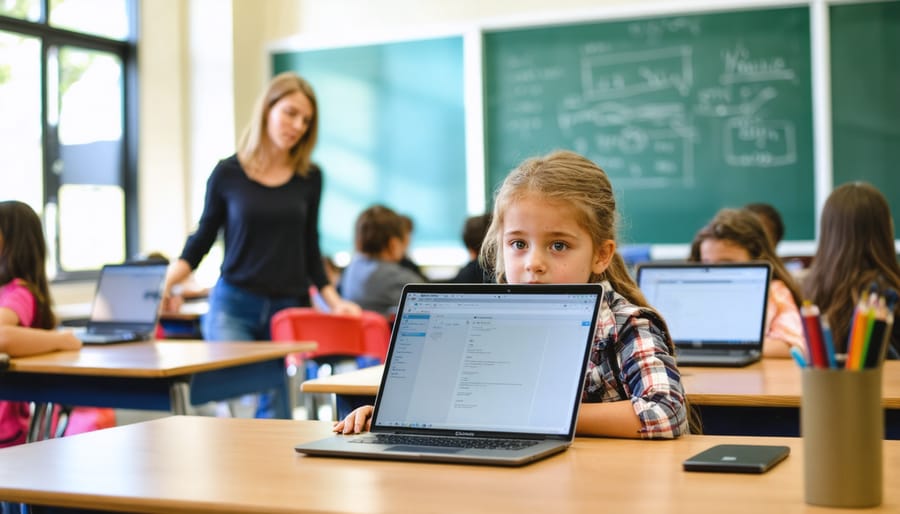



One-to-one technology in schools—where every student receives a personal device for learning—has transformed from an ambitious concept into a practical reality in districts nationwide. Recent data shows that 65% of U.S. school districts now implement some form of 1:1 program, fundamentally reshaping how students access information, collaborate with peers, and demonstrate mastery of skills.
This model places laptops, tablets, or Chromebooks directly into students’ hands, creating constant access to digital resources, educational apps, and online learning platforms. Rather than sharing computer lab time or rotating through limited devices, each learner maintains their own device throughout the school year and often takes it home.
The shift carries significant implications. Teachers report increased student engagement when lessons incorporate interactive simulations and immediate feedback tools. Students develop digital literacy skills essential for college and career readiness. Parents gain real-time visibility into academic progress through learning management systems.
However, successful implementation requires more than simply distributing devices. Schools must address infrastructure demands, establish clear acceptable use policies, provide ongoing professional development for educators, and ensure equitable access for all students regardless of socioeconomic status. Technical support structures, content filtering, and device management systems become critical operational considerations.
Understanding both the transformative potential and practical challenges of 1:1 technology helps stakeholders make informed decisions about program adoption, sustainability, and effectiveness in meeting 21st-century learning goals.
What 1:1 Technology Really Means in Today’s Classroom

The Evolution From Computer Labs to Personal Devices
The landscape of educational technology has transformed dramatically over the past two decades. In the early 2000s, most schools relied on centralized computer labs where students would visit once or twice weekly for technology instruction. This model limited access and integration of digital tools into daily learning activities.
The shift toward 1:1 programs began gaining momentum around 2010, when the introduction of affordable tablets in the classroom and improved wireless infrastructure made personal device programs feasible. According to the National Center for Education Statistics, the ratio of students to instructional computers dropped from 5.3:1 in 2008 to 1.4:1 by 2016, representing a significant investment in educational technology.
By 2020, approximately 65% of U.S. school districts had implemented some form of 1:1 initiative. The COVID-19 pandemic accelerated this adoption dramatically, with many districts fast-tracking device distribution to enable remote learning. Today, one-to-one computing has become standard practice in many schools, fundamentally changing how teachers deliver instruction and how students engage with educational content throughout their entire school day.
The Real Benefits Teachers and Students Experience
Personalized Learning at Every Student’s Pace
One-to-one technology transforms traditional classrooms into digital classroom environments where each student can learn at their optimal pace. Individual devices enable teachers to assign different activities simultaneously, meeting diverse learning needs within a single classroom.
Adaptive learning platforms like Khan Academy and IXL automatically adjust content difficulty based on student performance. When a student struggles with fractions, the software provides additional practice problems and alternative explanations. Conversely, advanced learners access challenging material without waiting for classmates. Research from the RAND Corporation found that students using adaptive math software showed significantly higher growth compared to traditional instruction methods.
Teachers can also use learning management systems to create customized learning paths. For example, while one group watches an instructional video on their tablets, another completes interactive exercises, and a third receives one-on-one support. A fifth-grade teacher in Oregon reported that this approach increased her math proficiency rates by 23 percent in one academic year.
Real-time data dashboards help educators identify learning gaps immediately, allowing timely interventions rather than discovering struggles weeks later through traditional assessments. This responsive approach ensures no student falls behind unnoticed.

Preparing Students for a Digital Workforce
Daily exposure to educational technology through 1:1 programs equips students with essential skills for tomorrow’s workplace. According to the World Economic Forum, digital literacy now ranks among the top competencies employers seek across all industries. When students use devices for research, collaboration, and problem-solving every day, they naturally develop proficiency with cloud-based tools, digital communication platforms, and data management systems that mirror professional environments.
Consider how students in 1:1 classrooms routinely create multimedia presentations, troubleshoot technical issues independently, and navigate various software applications. These experiences build technical confidence and adaptability. A recent study by Project Tomorrow found that 87% of students in 1:1 programs felt better prepared to use technology for future careers compared to their peers without consistent device access.
Beyond basic computer skills, students learn critical digital citizenship practices including online safety, ethical information use, and professional digital communication. They also develop soft skills like self-directed learning and time management through personalized technology-based assignments. Teachers can enhance career readiness by incorporating industry-standard tools and real-world scenarios into lessons, ensuring students graduate with practical competencies that translate directly to college and career success in an increasingly digital economy.
Enhanced Collaboration and Communication
One-to-one technology transforms classroom dynamics by creating seamless communication channels among all stakeholders. Students can collaborate in real-time using online collaboration tools, sharing documents, providing peer feedback, and working on group projects regardless of physical location. Research from Project Tomorrow found that 74% of students with personal devices reported increased engagement in collaborative activities.
Teachers benefit from immediate feedback loops, using digital platforms to provide timely, personalized responses to student work. Apps like Google Classroom and Microsoft Teams enable educators to track progress, identify learning gaps, and offer targeted support efficiently. One middle school in Oregon reported a 40% increase in meaningful teacher-student interactions after implementing 1:1 devices.
Parent communication also strengthens significantly. Digital platforms allow families to access real-time updates on assignments, grades, and classroom activities, fostering transparency and involvement. A 2022 study showed schools with 1:1 programs experienced 35% higher parent engagement rates. These devices essentially create connected learning communities where students, teachers, and families work together seamlessly, breaking down traditional communication barriers and supporting student success from multiple angles.

The Challenges Schools Must Navigate
Funding and Equity Concerns
Implementing 1:1 technology programs presents significant financial challenges for schools, particularly those serving low-income communities. The initial investment typically ranges from $200 to $1,000 per device, with ongoing costs for maintenance, repairs, software licenses, and infrastructure upgrades. This creates a digital divide where affluent districts can provide cutting-edge devices while under-resourced schools struggle to participate.
Research from the Pew Research Center shows that 15-20% of school-age children lack adequate internet access at home, making device-only programs insufficient. Schools must address both hardware and connectivity gaps to ensure equitable learning opportunities.
Creative funding solutions have emerged nationwide. Many districts leverage E-Rate programs for internet subsidies, pursue corporate partnerships with technology companies, and implement phased rollouts that prioritize high-need students first. Some successful approaches include device insurance programs where families pay small annual fees, bring-your-own-device policies that reduce costs, and community partnerships providing Wi-Fi hotspots for students without home internet.
Grant opportunities through federal programs like Title I funding and state technology initiatives have helped bridge gaps. Districts in Colorado and Maine have successfully implemented statewide 1:1 programs by combining multiple funding streams and negotiating bulk purchasing agreements that significantly reduce per-device costs while ensuring every student has equal access to digital learning tools.
Screen Time and Health Considerations
While 1:1 technology programs offer significant educational benefits, concerns about screen time and physical health deserve thoughtful consideration. Research from the American Academy of Pediatrics indicates that the quality of screen time matters more than quantity, with educational use showing different impacts than passive entertainment.
Eye strain remains a valid concern, with studies showing that 50-90% of people who work at computers experience symptoms like dry eyes and headaches. Schools implementing 1:1 programs can mitigate these risks through the 20-20-20 rule: every 20 minutes, students look at something 20 feet away for 20 seconds. Many districts also incorporate device-free learning activities and outdoor breaks throughout the day.
Physical health considerations include posture and sedentary behavior. Successful programs balance digital and hands-on learning, ensuring students aren’t seated for extended periods. Some schools use adjustable desks, incorporate movement breaks, and teach proper ergonomics.
Parents can support healthy technology use by establishing clear boundaries at home, encouraging outdoor activities, and monitoring total daily screen exposure. Schools like Mooresville Graded School District in North Carolina demonstrate that with intentional planning and balanced implementation, 1:1 programs can enhance learning while maintaining student wellbeing through structured breaks and varied instructional methods.
Managing Distractions and Digital Citizenship
While 1:1 technology programs offer tremendous learning opportunities, the reality is that off-task behavior remains a genuine concern. Research from the University of Nebraska-Lincoln found that students with laptops in class spent approximately 40% of class time using devices for non-academic purposes. However, this challenge shouldn’t derail implementation efforts—instead, it calls for proactive digital citizenship education.
Successful schools address distractions by establishing clear acceptable use policies from day one, teaching students the why behind responsible device use rather than simply enforcing rules. For example, schools implementing scheduled “device-down” periods during direct instruction report improved focus, while still maintaining technology access when appropriate.
Building a culture of digital responsibility involves teaching students about digital footprints, online etiquette, cyberbullying prevention, and information literacy. Many educators incorporate lessons on media balance, helping students recognize when technology enhances learning versus when it becomes a distraction. Parent partnerships prove essential here—consistent expectations between school and home reinforce responsible habits. Schools like Mooresville Graded School District demonstrate that when students understand they’re trusted with technology as a learning tool, most rise to the occasion, developing self-regulation skills that serve them well beyond the classroom.
Making 1:1 Technology Work: Practical Implementation Strategies
Choosing the Right Devices and Infrastructure
Selecting appropriate devices requires careful consideration of educational goals, budget constraints, and student needs. While laptops offer versatility for older students, Chromebooks have become increasingly popular due to their affordability and ease of management, with districts reporting 30-40% cost savings compared to traditional laptops. Tablets work well for younger learners focusing on touch-based applications.
Infrastructure planning is equally critical. Ensure your WiFi network can support simultaneous device usage—experts recommend bandwidth of at least 1 Mbps per student for basic activities. Conduct a comprehensive network assessment before implementation to identify dead zones and capacity limitations.
Technical support structures must scale with your program. Schools typically need one technician per 500 devices, though this varies based on device type and user experience. Establish clear protocols for troubleshooting and repairs to minimize instructional disruption.
Device management systems streamline operations significantly. Mobile Device Management (MDM) software allows administrators to remotely configure settings, push applications, and monitor usage across hundreds of devices. Additionally, invest in secure laptop storage and charging solutions to protect your technology investment and ensure devices remain powered throughout the school day. Proper infrastructure planning ultimately determines program sustainability and effectiveness.
Training Teachers for Technology Integration
Successful 1:1 technology implementation hinges on comprehensive teacher training and continuous professional development. Research from the Consortium for School Networking reveals that programs with robust teacher support see 35% higher technology integration rates compared to those with minimal training.
Effective professional development should extend beyond basic device operation to include pedagogical strategies for technology-enhanced instruction. Teachers need hands-on practice with classroom management tools, digital assessment platforms, and collaborative software before introducing them to students. A multi-tiered approach works best: initial intensive training before rollout, followed by ongoing workshops, peer mentoring, and just-in-time support when challenges arise.
Building teacher confidence is equally important. Many educators initially feel overwhelmed by new technology, but structured support systems can transform hesitant teachers into confident innovators. For example, Lincoln Elementary School established “tech champions” on each grade level—teachers who received advanced training and provided daily support to colleagues. This peer-coaching model reduced technical frustrations and increased technology use by 50% within six months.
District-level support must include dedicated instructional technology coaches who can observe classrooms, model effective practices, and troubleshoot issues. When teachers feel supported rather than evaluated, they’re more willing to experiment with new tools and develop creative applications that enhance student learning.
Setting Clear Policies and Expectations
Successful 1:1 technology programs require clear guidelines from the outset. An Acceptable Use Policy (AUP) should outline appropriate device usage, digital citizenship expectations, and consequences for misuse. Research from the Consortium for School Networking shows that schools with well-communicated AUPs experience 40% fewer technology-related discipline issues.
Home access considerations are equally important. Establish clear expectations about whether devices travel home, how students should handle technical issues outside school hours, and what support resources are available to families. Many districts create simple one-page guides for parents explaining WiFi requirements, charging responsibilities, and emergency contact procedures.
Device care protocols should specify storage procedures, cleaning requirements, and damage reporting processes. For example, Lincoln Middle School in Oregon reduced device damage by 65% after implementing a simple routine: students photograph their device condition at the start of each semester and store devices in numbered charging carts overnight.
Consistent classroom routines help minimize disruptions. Successful teachers establish clear signals for when devices should be open or closed, create designated “tech-free” discussion times, and use the same login procedures daily. These predictable patterns help students focus on learning rather than logistics, making technology feel like a natural extension of the classroom environment.
Success Stories: Schools Getting 1:1 Right
Real-world examples demonstrate that successful 1:1 technology implementation is achievable across all grade levels when schools approach it strategically.
At Mooresville Graded School District in North Carolina, a comprehensive K-12 initiative transformed student outcomes. After implementing their 1:1 laptop program, the district saw graduation rates climb to 91%, significantly above the state average. More impressively, proficiency scores increased across all subject areas, with the district ranking among the top performing in the state despite serving a diverse population where 40% of students qualify for free or reduced lunch. Their success stemmed from intensive teacher training, a clear digital curriculum vision, and strong administrative support.
Middle school success stories include Forsyth County Schools in Georgia, where sixth through eighth graders received Chromebooks along with structured digital citizenship training. Within two years, the district reported a 15% increase in standardized test scores and notable improvements in student engagement. Teachers observed that struggling students particularly benefited from personalized learning apps and the ability to revisit instructional videos at their own pace. The key lesson learned was the importance of balanced implementation, using devices to enhance rather than replace traditional teaching methods.
At the elementary level, Maine’s Auburn School Department found creative ways to make 1:1 technology work for younger learners. Their iPad program for grades 3-5 focused on creativity and collaboration tools rather than just content consumption. Student writing scores improved by 22% as children became more willing to draft and revise work digitally. Teachers emphasized that success required clear device management protocols and explicit instruction in responsible technology use.
These schools share common success factors: committed leadership, ongoing professional development for teachers, parental involvement, and regular program evaluation. Their experiences prove that when implemented thoughtfully, 1:1 programs can significantly enhance learning outcomes while preparing students for an increasingly digital world.
As we’ve explored throughout this article, 1:1 technology in schools represents a powerful tool for transforming education, but it’s essential to remember that devices alone don’t guarantee improved learning outcomes. Research from the U.S. Department of Education consistently shows that successful implementation depends on how thoughtfully technology integrates with curriculum, pedagogy, and support systems. Schools like Mooresville Graded School District in North Carolina demonstrate this principle, achieving remarkable gains not simply by distributing devices, but by coupling technology with comprehensive teacher training and clear learning objectives.
Moving forward, educators and administrators should approach 1:1 programs with realistic expectations and a commitment to ongoing evaluation. The most effective implementations prioritize student learning goals over flashy technology, ensure equitable access for all students, and provide sustained professional development for teachers. As artificial intelligence, adaptive learning platforms, and immersive technologies continue to evolve, the future of classroom technology looks promising. However, the human elements of education—meaningful relationships, critical thinking, and creativity—remain irreplaceable. By embracing 1:1 technology as one component of a broader educational strategy, schools can prepare students for a digital world while maintaining the core mission of fostering engaged, thoughtful learners ready for tomorrow’s challenges.