



Sales decks win — or lose — deals long before your rep hits Share. Buyers jump from live demos to late-night re-reads, so you need files that stay editable, brand-safe, and trackable after send.
We’ve spent three months combing product docs, funding notes, and user threads, then stress-testing every finalist. The five tools below fix different bottlenecks — from native PowerPoint creation to interactive, trackable leave-behinds — so you can choose the right sales-presentation software without guesswork.
Data, prices, and features are current as of July 29, 2026, for U.S. B2B sales teams. For deeper workflow tips, check out the Definitive Guide to Inside Sales.
How we compared the best sales-presentation software
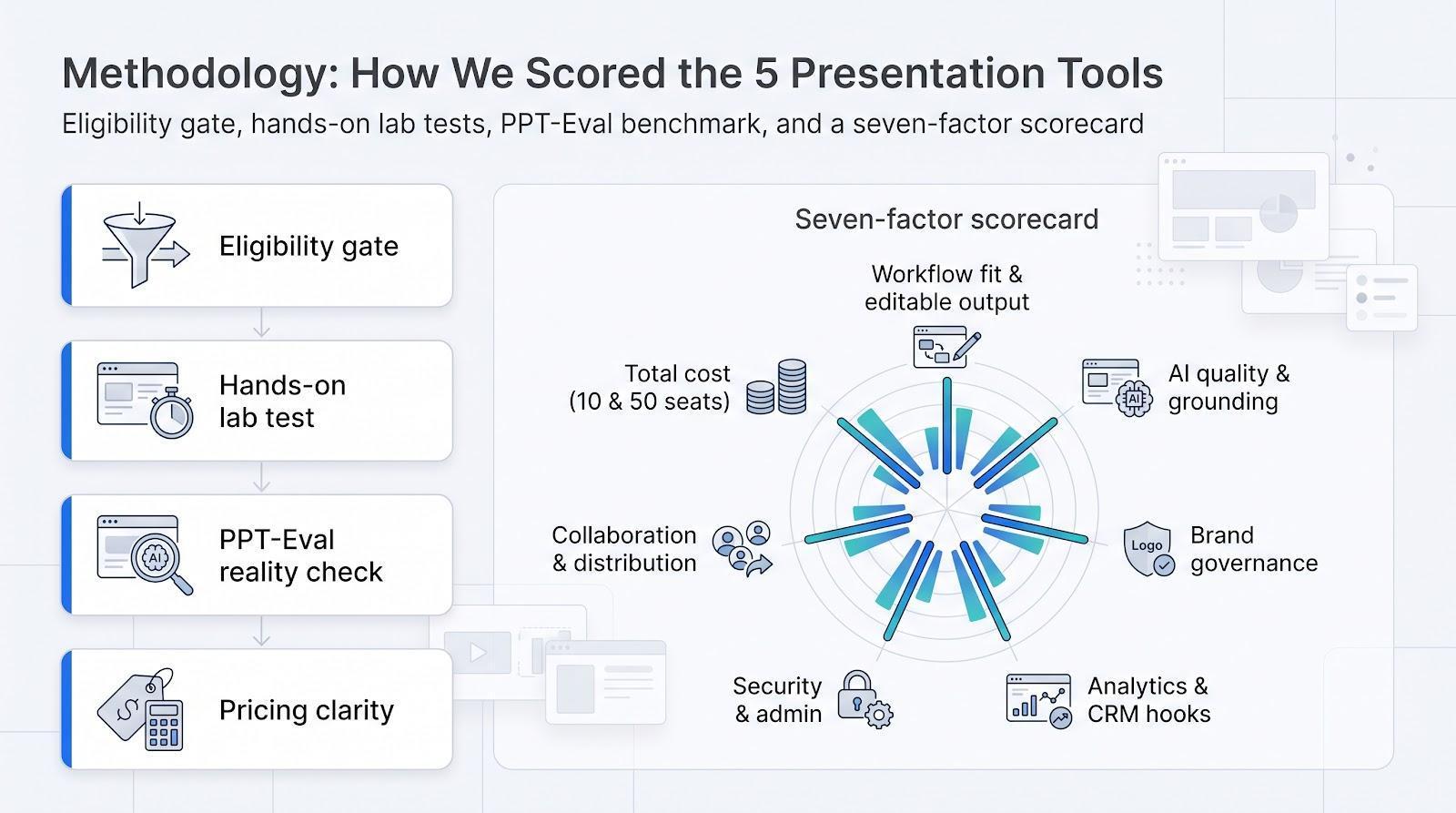
Eligibility gate
A product had to (1) create or edit decks with AI, (2) offer a team licence, and (3) publish current security and pricing details. Proposal suites, file-sharing apps, and dormant side projects bowed out early.
Seven-factor scorecard
- Workflow fit and editable output
- AI quality and factual grounding
- Brand-governance controls
- Sales analytics and CRM hooks
- Security and administration
- Collaboration and distribution
- Total cost at 10 and 50 seats
Weights follow a 100-point rubric, with workflow fit and AI quality carrying the most points.
Hands-on benchmark
Each finalist received the same source pack: a discovery transcript, product one-pager, ROI CSV, and a locked corporate template. We timed the ride to a deck a rep could send, logged brand or factual errors, and checked what stayed editable after export.
Reality check
To gauge where today’s AI stumbles, we referenced the June 2026 PPT-Eval benchmark. Frontier agents solved only 45 percent of 120 PowerPoint tasks, with a 57 percent average partial score, which shows why human QA still matters.
Pricing clarity
We used public U.S. list prices—no promo rates or hidden enterprise gates—and flagged any feature locked behind a higher tier.
The result: a comparison rooted in real sales friction—speed to an approved deck, brand safety, buyer insight, and the dollars you’ll spend to get there. The next section condenses those findings into an at-a-glance table before we dive into each category winner.
The best sales-presentation tools at a glance
Pressed for time? Start with the grid below. It shows where each platform shines, and where you will hit limits, using the questions sellers ask most:
- Does it work in my native slide program?
- Can I track who opened the deck?
- Will our security team approve it?
- What is the starter cost for ten reps on an annual contract?
|
Tool |
Best for |
Native environment |
Buyer analytics |
CRM / API |
Core security cert |
Annual team price (10 seats)* |
Primary trade-off |
|
Plus AI |
Native PowerPoint & Google Slides |
Both |
— |
Presentation Agent API |
SOC 2 Type II |
$3,600 |
No built-in viewer tracking |
|
Microsoft Copilot |
All-in on Microsoft 365 |
PowerPoint |
— |
Microsoft Graph |
Inherits M365 & Purview |
$2,520† |
Requires paid Microsoft 365 licence |
|
Gamma |
Fast web-native drafts |
Web app |
✓ |
Generate API |
SOC 2 Type II |
$2,400 |
PPTX export often needs fixes |
|
Locked-brand design automation |
Web + PPT add-in |
✓ |
Salesforce & REST API |
SOC 2 Type II |
$4,800 |
Guardrails limit micro edits |
|
|
Storydoc |
Interactive, trackable leave-behinds |
Web app |
✓ |
No-code CRM hooks |
ISO 27001 |
$1,900‡ |
Not native to PPT or Slides |
- Public U.S. list prices checked July 29, 2026; all figures assume annual billing for ten seats.† Copilot price sits on top of an existing Microsoft 365 Business or Enterprise plan.‡ Storydoc shows an individual rate; verify business-tier pricing for analytics and SSO.
Need native PowerPoint? Focus on Plus AI or Copilot. Need slide-level engagement data? Start with Gamma, , or Storydoc. The deep dives ahead unpack how each tool handles branding, automation, and post-send insight.
Plus AI: Best for native PowerPoint and Google Slides workflows
If you want an AI presentation generator inside PowerPoint or Google Slides, Plus AI is the clearest native-workflow option. The main gap is post-send analytics, so add a separate tracker if you need viewer insight.
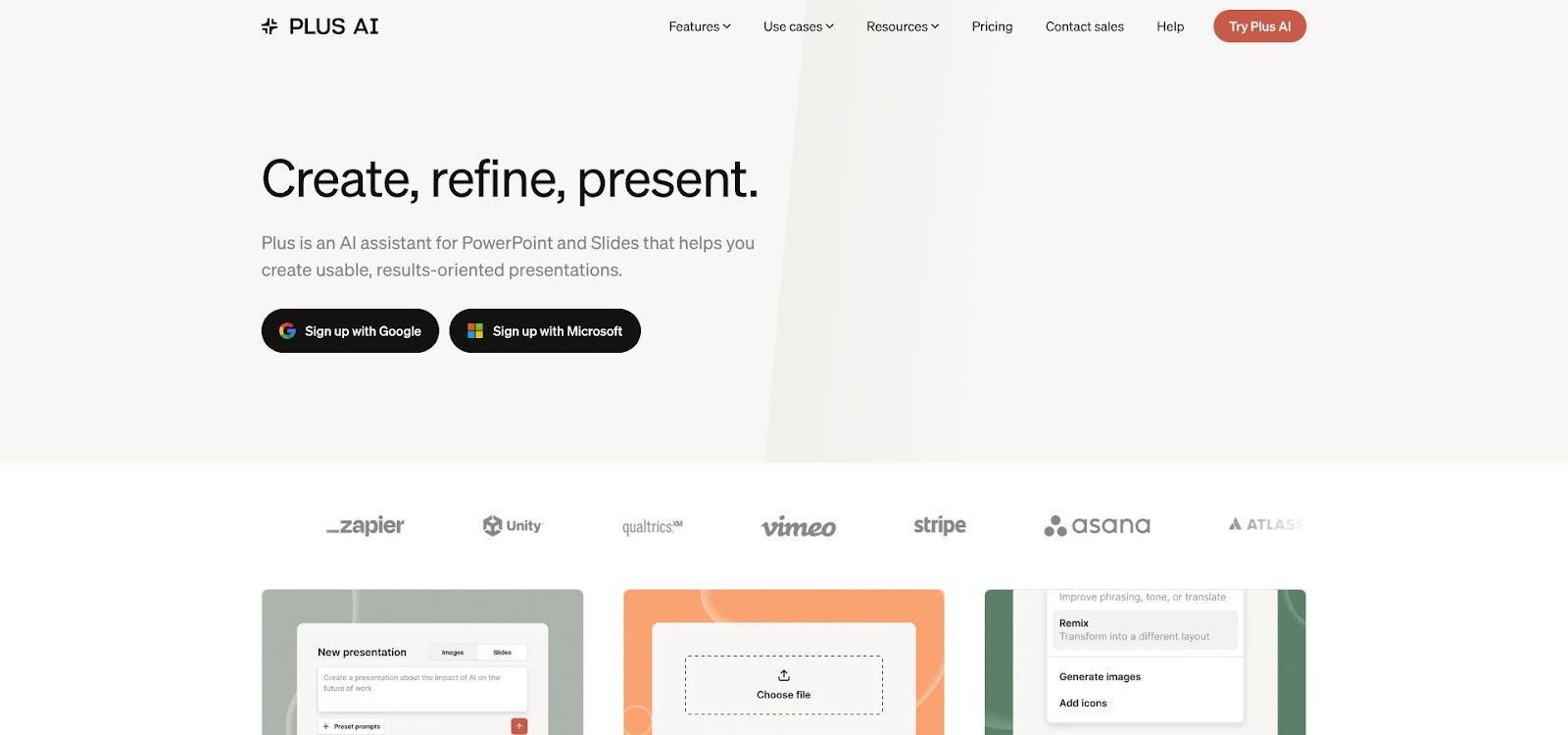
Plus AI PowerPoint and Google Slides Add-in Interface Screenshot.
Why Plus AI made the list
- Lives where your reps already work. Install a lightweight add-in, open the familiar ribbon, and draft or edit slides without exporting files or learning a new canvas. Every deck stays a fully editable PPTX or Slides file, so last-minute speaker-note tweaks and brand reviews happen in place.
- Proven adoption. The Google Workspace Marketplace lists more than 1 million installs, 800 reviews, and a 4.6 rating for the Slides add-on.
- Workflow automation, not gimmicks. With the Presentation Agent API, ops teams generate or refresh decks from a CRM export, spreadsheet, or scheduled job, which ends copy-paste Fridays.
- Cross-suite flexibility. Companies running both Microsoft 365 and Google Workspace avoid duplicate templates or retraining; the same add-in works in either suite.
Limitations to note: Plus AI omits built-in viewer analytics and locks advanced template conversion behind the Enterprise tier. If you need slide-level engagement data or white-glove template work, budget for an extra platform or upgrade.
Microsoft Copilot in PowerPoint: Best for Microsoft 365 enterprises
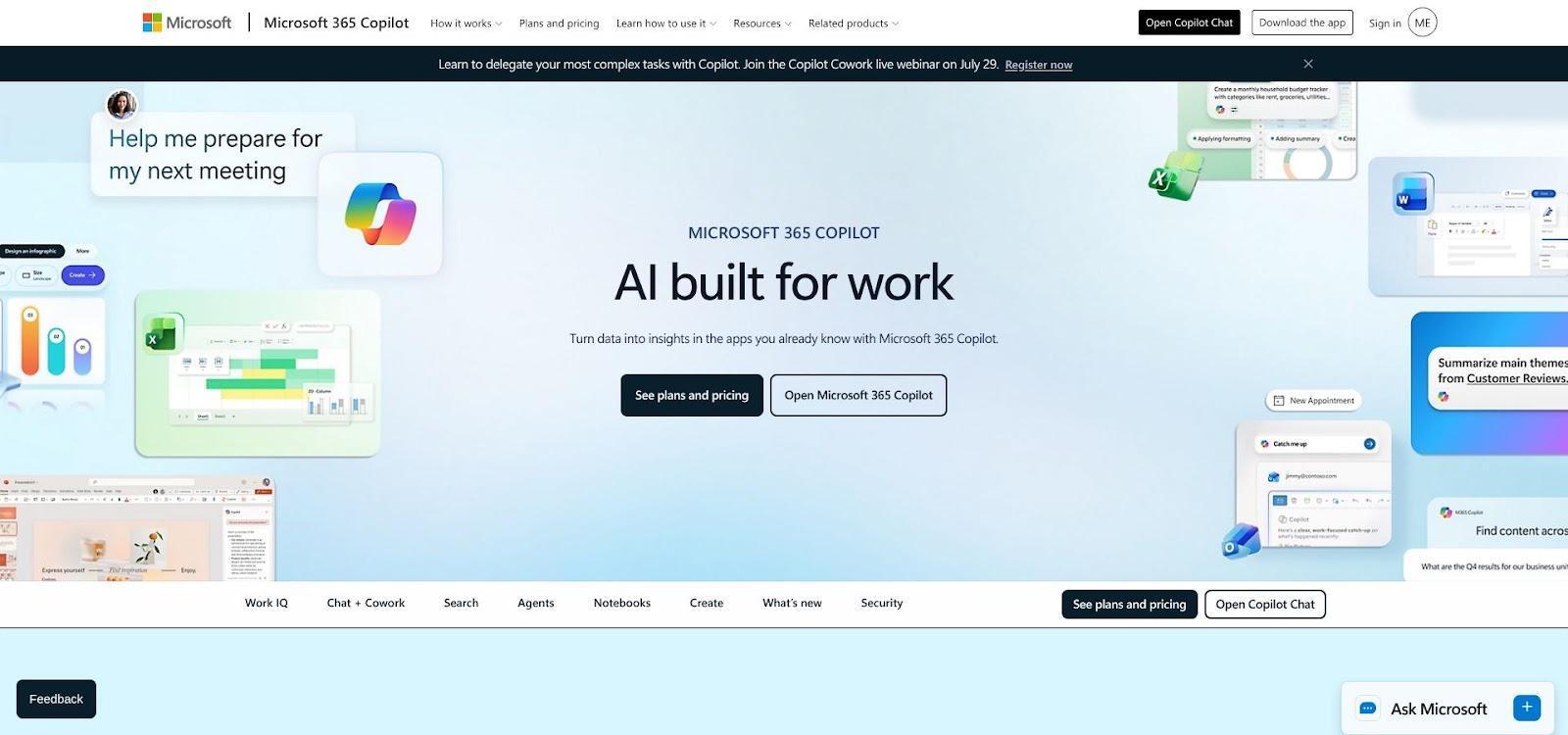
Microsoft Copilot in PowerPoint Sidebar Experience.
Why Copilot made the list
Copilot’s super power is location. If you already run on Microsoft 365, the AI lives inside PowerPoint. Open a deck, pop the Copilot pane, and ask it to tighten a narrative, add industry stats, or build a fresh slide from a Word brief—no exports and no copy-paste gymnastics.
Because Copilot draws from the Microsoft Graph, it can ground slides in approved SharePoint files, Teams chat notes, and corporate templates. The Brand Kits feature (rolled out July 2026) locks fonts, colours, and logos so rogue gradients never reach an exec review.
Pricing appears at $30 per user per month for Enterprise and $21 for Business with annual billing. These SKUs sit on top of an existing Microsoft 365 plan, so budget for both layers. The upside: you inherit Purview DLP, audit logs, and the admin console IT already trusts.
Trade-offs to note
- No built-in buyer-engagement analytics or export heat maps
- Microsoft-only stack; Google Workspace users need a different tool
- Brand Kits and some advanced features require specific licence tiers
If you work in a Microsoft-first organisation and value template fidelity plus enterprise governance over post-send analytics, Copilot is the fastest “do nothing new” upgrade you can buy.
Gamma: Best for rapid, web-native sales decks
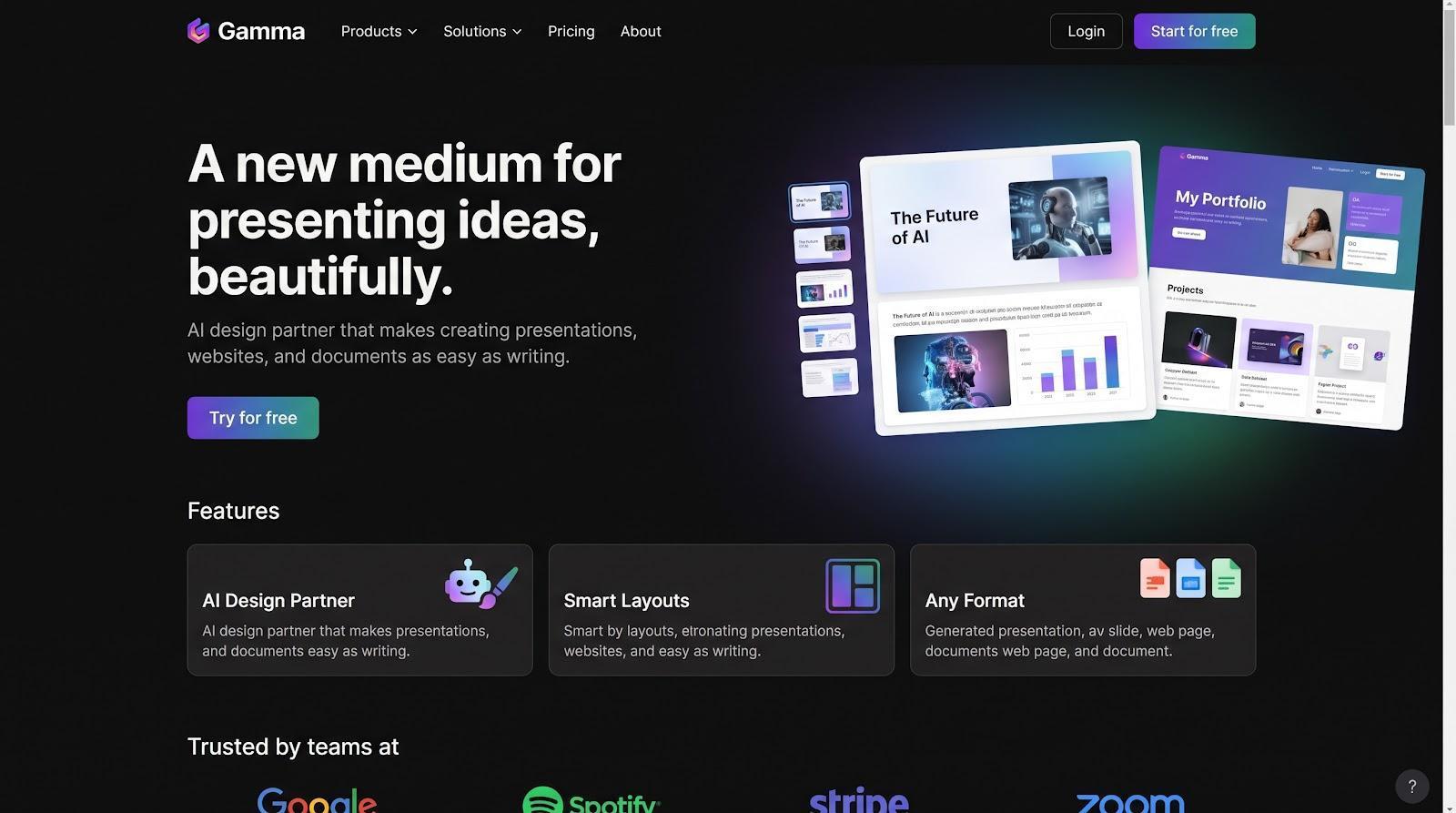
Gamma Web-native Sales Deck Editor Interface.
Why Gamma made the list
Gamma is built for speed. Paste a messy brainstorm or call transcript into the prompt box and, in under a minute, you get a scroll-friendly deck that feels more like a polished web page than a static slide. Every element, from text blocks and video to charts, snaps into responsive layouts automatically.
That web DNA unlocks effortless sharing: your reps send one link, buyers open on any device, and slide-level analytics start logging instantly. According to TechCrunch, Gamma now serves 70 million users and surpassed $100 million in ARR after its $68 million Series B in November 2025.
Need a traditional file? Export to PowerPoint or Google Slides, then fine-tune locally. Complex master layouts may need a light touch-up, but you gain lightning-fast iteration during early deal stages.
For hyper-personalised pitches, the Generate API lets ops teams build decks programmatically from CRM data or product feeds. Full analytics and API access unlock on the Pro or Business plans, and the Help Center notes that analytics cannot be exported.
Key limitations
- Offline editing is limited; you rely on the web editor for precise tweaks
- Exported PPTX may require manual font or footer fixes
- Analytics stay inside Gamma unless you call the API or copy numbers manually
If raw speed and link-based engagement matter more than pixel-perfect PowerPoint masters, Gamma is the quickest path from prompt to prospect.
Beautiful.ai: Best for automated design and brand consistency
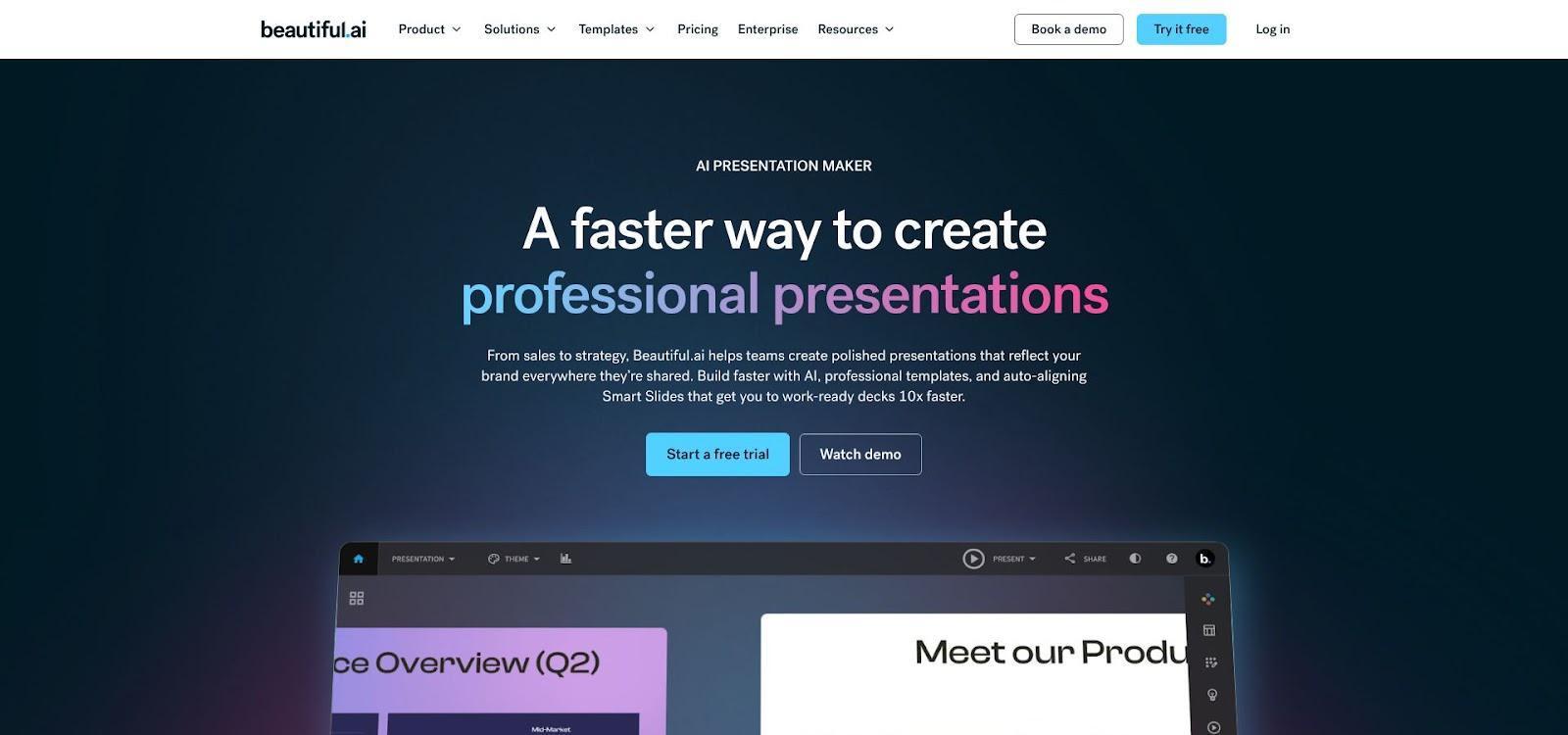
Smart Slides Branded Template Editor.
Why Beautiful.ai made the list
’s Smart Slides realign text, images, and charts as you type, so your sellers spend minutes, not hours, on layout. Reviewers on G2 rate the experience 4.7 out of 5 across 190 reviews.
Brand leaders can lock colours, fonts, and even entire slides. Set the template once and every new deck follows the rules, which prevents stretched logos and rogue gradients. Complex structures such as multi-step funnels or ROI calculators stay on grid.
Sales teams see what happens after send. Viewer analytics track who opened the deck, slide dwell time, and call-to-action clicks. A native Salesforce integration (available on Team and Enterprise plans) syncs that engagement data back to the opportunity record.
Click Download PPTX to get an editable file; fonts, colours, and basic animations stay intact, although advanced motion effects may flatten. Team plans include password protection and SSO, and Enterprise adds SOC 2 Type II, SCIM, and audit logs.
Pricing starts at $40 per user per month (annual billing) on Team. Analytics, Salesforce, and SSO require that Team tier, and SCIM plus audit logs require Enterprise.
Key limitations
- Smart Slide guardrails restrict pixel-perfect tweaks
- Some animations and media flatten on export
- Offline PowerPoint editing still needs a final human polish
Enablement leaders often find the hours saved on design outweigh the higher seat price, provided the guardrails match the brand’s flexibility needs.
Storydoc: Best for interactive, trackable sales leave-behinds
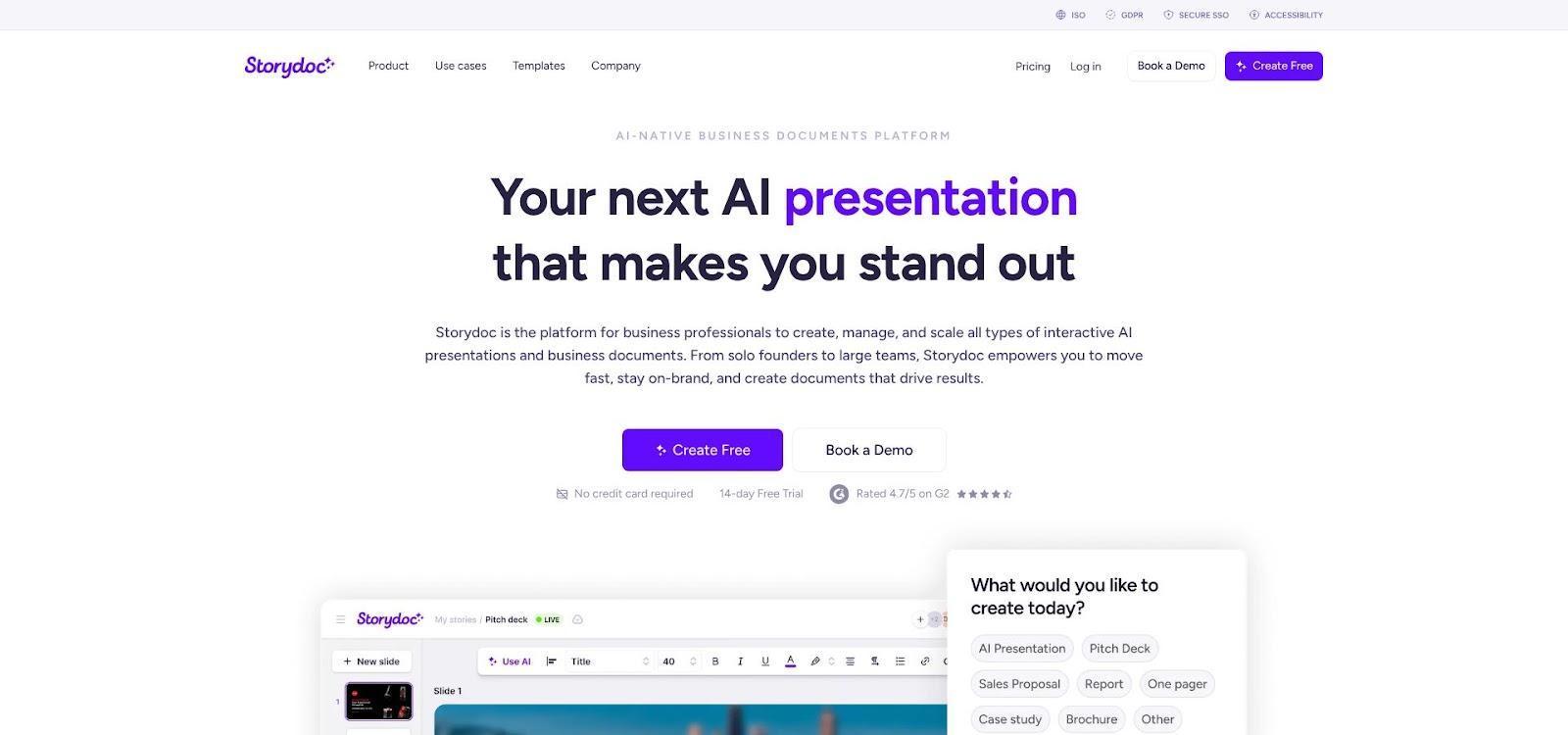
Storydoc Interactive Sales Leave-behind Microsite Example.
Why Storydoc made the list
Deals often progress after the meeting, when champions forward your deck to a silent buying committee. Storydoc turns that hand-off into an interactive microsite: prospects scroll animated sections, reveal ROI calculators, book meetings from an embedded calendar, and even sign forms without leaving the page. Every click syncs back to your CRM, so reps see who engaged and which section sparked interest.
Mobile responsiveness is built in, which is critical when executives skim collateral on a phone between flights. Because each presentation lives on a live link, you can update pricing tables or compliance language after you hit send, removing version-control headaches.
Storydoc is not a PowerPoint editor, and that is intentional. If your brand team needs master-slide fidelity, look elsewhere. But when post-send engagement outranks pixel-perfect PPTX, the numbers are compelling: Capterra lists a $19 starter price, ISO 27001 compliance, and SSO support on business tiers, with an overall 4.8 out of 5 rating (six reviews as of July 2026).
Key limitations
- Native PPTX export is PDF-style; you will maintain two assets if PowerPoint is mandatory
- Deep analytics, SSO, and ISO security unlock only on business plans; confirm pricing before purchase
- Proprietary format means offline editing requires a separate file
For complex, multi-stakeholder sales cycles where link analytics beat file attachments, Storydoc behaves less like a slide tool and more like a lightweight digital sales room.
Side-by-side comparison of the five tools
Big-picture summaries are handy, but nothing beats a feature grid. Zero in on the column that matches your non-negotiable, then check the notes below for hidden gotchas.
|
Feature |
Plus AI |
Microsoft Copilot |
Gamma |
Storydoc |
|
|
Native PowerPoint |
✅ Add-in |
✅ Built-in |
⚠️ PPTX export needs polish |
⚠️ Editable export |
❌ |
|
Native Google Slides |
✅ Add-in |
❌ |
⚠️ Export |
⚠️ Editable export |
❌ |
|
Editable PPTX (lab test) |
100 percent objects live |
100 percent |
≈ 85 percent |
≈ 90 percent |
N/A |
|
Corporate-template fidelity |
Import and lock masters |
Brand Kits |
Limited |
Locked Smart Slides |
Style presets |
|
Buyer analytics |
— |
— |
Slide and scroll heat maps |
Viewer heat maps plus Salesforce |
Section, form and CTA data |
|
Automation / API |
Presentation Agent API |
Microsoft Graph |
Generate API |
REST beta |
No-code zaps |
|
SSO / SCIM |
SSO on Team, SCIM on Ent |
Native M365 |
SSO on Business |
SSO and SCIM on Ent |
SSO on Business |
|
Security cert |
SOC 2 Type II |
Inherits M365 posture |
SOC 2 Type II |
SOC 2 Type II |
ISO 27001 |
|
List price, 10 seats / yr* |
$3,600 |
$2,520† |
$2,400 |
$4,800 |
$1,900‡ |
|
Primary trade-off |
No built-in analytics |
Microsoft-only world |
Export clean-up |
Guardrail flexibility |
Not PPT-native |
- Public U.S. list prices checked July 29 2026; annual billing assumed.† Copilot price sits on top of a paid Microsoft 365 Business or Enterprise plan.‡ Storydoc number reflects an individual rate; verify business-tier pricing for analytics, SSO, and ISO security.
How to read this grid
Start with the feature you cannot compromise on. If editable PowerPoint is mandatory, Plus AI or Copilot rise to the top. Need engagement data? Head to Gamma, , or Storydoc. ⚠️ flags mean “works but often needs a final human pass.” Costs are ballpark; add API usage, minimum seats, or onboarding to find true total cost of ownership.
Buying checklist for sales and enablement leaders
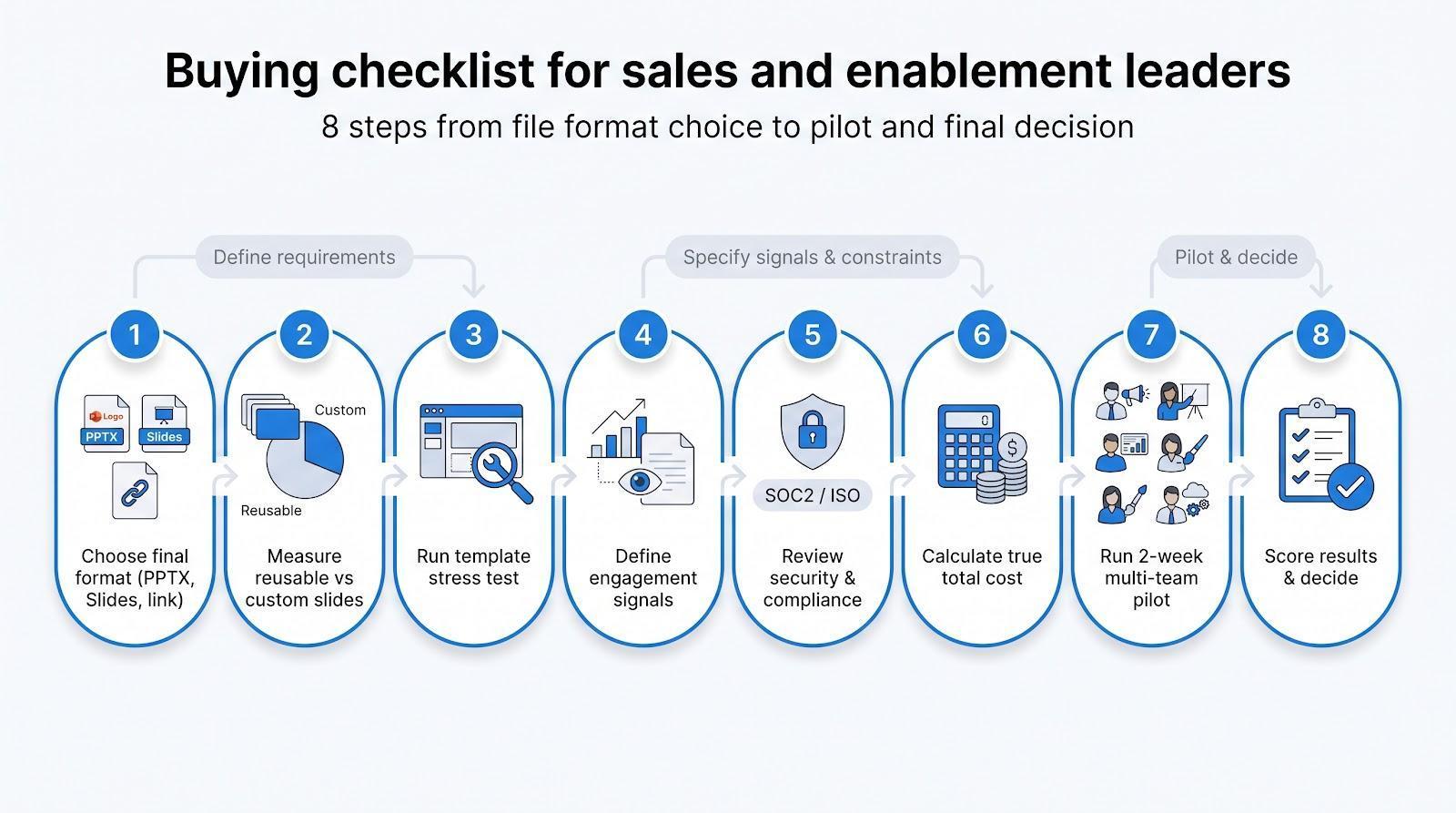
- Decide where the final file must live. If the buyer expects an editable .pptx, your shortlist shrinks to Plus AI or Copilot. Need link analytics? Shift to Gamma, , or Storydoc.
- Audit reusable versus custom slides. Tag a flagship deck as standard, personalised, or review-required. If at least 70 percent is repeatable, automation pays off quickly.
- Stress-test your template. Import the master file, generate a deck, then export and open Slide Master view. If fonts, footers, or slide numbers break, fail fast.
- Define the exact engagement signals. “Open alert” may be enough for small deals; multi-stakeholder cycles need slide-level dwell time and CRM sync.
- Verify security early. Ask for a one-page summary: SOC 2 or ISO 27001 status, SSO or SCIM tier, data-retention window, and whether your content trains future models.
- Calculate total cost. Start with list price, then add prerequisite licences, SSO or SCIM upgrades, API credits, and onboarding. A simple spreadsheet prevents sticker shock later.
- Run a two-week pilot with every stakeholder. Measure (a) time to usable draft, (b) brand corrections, and (c) buyer-view alerts. Drop any tool that misses two of the three.
- Score and decide. Package the metrics on one page, share in Slack, and make a go/no-go call while the test is fresh.
1. Decide where the final presentation must live
Ask this first: what file format will the buyer open?
- Editable PowerPoint (.pptx). If leadership insists on native PowerPoint, choose a tool that keeps 100 percent of objects editable. Lab tests show Plus AI (add-in) and Copilot (built-in) meet that bar, while Gamma (about 85 percent editability) and (about 90 percent) need a cleanup pass.
- Google Slides. When your organisation is Workspace-first, Plus AI exports clean Slides files. Gamma and work with a quick polish, and Copilot is Microsoft-only.
- Live link with analytics. If engagement data outweighs file ownership, a web-native option such as Gamma or Storydoc wins, offering heat maps and call-to-action clicks in exchange for leaving the PowerPoint comfort zone.
Make this call before any pilot. It prevents weeks of testing the wrong platform and keeps sales, brand, and IT aligned from day one.
2. Measure reusable versus account-specific content
Audit one flagship deck. Tag each slide as standard (never changes), personalised (logo, industry stat), or review-required (legal, pricing). Many B2B teams find that about 70 percent of slides sit in the standard bucket, which is prime territory for automation.
Match those tags to tool tiers:
- Locked templates. Plus AI and let you freeze standard slides so reps cannot derail branding.
- Data-driven personalisation. Gamma and Storydoc pull logos, names, and ROI numbers from a CRM or CSV at send time, which is ideal when you send dozens of near-identical decks a day.
If every pitch is a bespoke build by a solutions engineer, flexible editors matter more than automation. Know your ratio before you shop.
3. Test actual template support
- Import the master file. Load your real template, including background images, slide numbers, legal footers, and any watermark.
- Generate a draft. Create or import a deck, then check whether title, agenda, and chart slides inherit your colours and layouts.
- Export, then inspect Slide Master. Open the PPTX or Slides export and ask:
- Do named layouts survive?
- Are corporate fonts substituted?
- Can you still ungroup and recolour icons?
- Stress-test locks. Add a text box and resize an image. If brand locks crumble, the tool fails governance.
- Time the review. Hand the file to your brand team. If they cannot approve it in five minutes or less, move on.
Quick scorecard from hands-on checks:
|
Tool |
Master fidelity |
Common hiccup |
|
Plus AI |
✅ |
— |
|
Copilot |
✅ |
— |
|
⚠️ Animations flatten |
||
|
Gamma |
⚠️ Footers reset |
|
|
Storydoc |
N/A (web-native) |
If two or more critical elements break, no amount of AI speed will save the deck later in the process.
4. Define required sales intelligence
List the exact engagement signals your reps act on:
- Open alert only. Slide-level heat maps may be overkill if a simple “deck opened” ping triggers follow-up. Gamma and cover this on paid plans.
- Slide dwell time and persona mapping. Storydoc logs section views and can create a CRM task when someone reopens the ROI slide, which helps with multi-threading.
- CRM sync versus live dashboard. pushes viewer data into Salesforce as standard activities. Gamma keeps analytics inside its app, so you must call the API or copy numbers manually. Decide where your managers will actually look.
- Author-only tools. Plus AI and Copilot omit post-send analytics. That is fine if you already track content in Highspot or Seismic, but risky if you do not.
Match data depth to sales maturity. More metrics help account-based teams but become dashboard clutter if no one reviews them.
5. Review security before uploading sales data
Run this six-point check before the pilot:
|
Question |
What to verify |
Typical plan gate |
|
Certification |
SOC 2 Type II or ISO 27001 audit report |
Enterprise (Storydoc: Business) |
|
Access |
SSO and SCIM provisioning |
Plus AI: Team SSO / Enterprise SCIM; Gamma: Business |
|
Audit trail |
Admin audit logs and content-access history |
Enterprise tiers on most tools |
|
Retention |
Custom data-retention window and manual deletion |
Enterprise |
|
Model training |
Written statement that your content is not used to train vendor models |
Varies; ask for documentation |
|
Sub-processors |
Public list and data-processing addendum |
All paid tiers; check update cadence |
Red-team tip: create a trial user with restricted access, then try to view another user’s deck. Any leak is a deal-breaker.
6. Calculate total cost, not just sticker price
Build a four-column sheet before you negotiate:
|
Cost driver |
Example |
Data source |
|
Base seat price |
Gamma Business $480 per seat per year |
Public price page |
|
Prerequisite licences |
Copilot plus Microsoft 365 Business $2,520 for 10 seats per year |
Microsoft price list |
|
Security add-ons |
Storydoc SSO available only on Business plan |
Capterra listing |
|
Usage overages |
Gamma API calls above 5,000 per month at $0.002 each |
Gamma developer docs |
Add onboarding: Plus AI offers white-glove template conversion on Enterprise, and requires manual brand setup for custom themes.
Sum year-one cost, divide by active users, then compare tools. Spreadsheet math prevents sticker shock every time.
7. Pilot with sellers, enablement, RevOps, brand, and IT
Run a two-week pilot, not a two-hour demo. Give each team a defined task:
|
Role |
Pilot task |
Pass or fail threshold |
|
Sellers |
Build a live-deal deck |
≤ 15 min to usable draft |
|
Enablement |
Import template and lock key slides |
Zero brand violations on export |
|
RevOps |
Trigger deck from CRM record |
Deck arrives with correct logo and data |
|
Brand |
Approve exported PPTX |
≤ 5 min review time |
|
IT or Security |
Test permissions and audit logs |
No unauthorised access detected |
Score the pilot on three metrics:
Draft speed (start to send)
Brand corrections (count)
Engagement alerts (opens, slide views)
Green-light the tool only if it improves at least two of the three numbers compared with your current process. Share the scorecard in Slack and decide while results are fresh.
8. Measure the pilot correctly
Track four numbers, no more, no less:
|
Metric |
How to time or count |
Good |
Needs work |
|
Time to usable draft |
Source pack open ➜ deck ready to send |
< 15 min |
> 45 min |
|
Brand or factual fixes |
Number of edits before send |
0–2 |
> 5 |
|
Personalisation effort |
Minutes to adapt deck two for a new account |
< 5 |
> 15 |
|
Buyer engagement |
Opens plus slide views within pilot window |
Up 25 percent |
Flat or down |
Add a simple five-point Likert survey for sellers, brand, RevOps, and IT to spot adoption blockers early.
Drop tools that miss two or more green zones; promote those that hit at least three. Package the results on a one-pager, post it in Slack, and decide while the data is fresh.
Common questions and contrarian takes
Is Microsoft Copilot enough for most sales teams?
Yes, if your whole organisation runs on Microsoft 365, works in PowerPoint, and does not need buyer-engagement data. Copilot drafts slides inside the app and inherits Purview, DLP, and audit controls.
No, if you need Google Slides parity, API-driven personalisation, or link analytics. In those cases, teams layer Plus AI (cross-platform editing) or Storydoc (post-send insight) on top.
Do AI-generated decks look generic?
Only when you feed the model a one-line prompt. Add discovery notes, a locked corporate template, and a five-step polish—headlines, facts, bullets, imagery, proof—and the slides will sound like you, not the internet.
Which tools create fully editable PowerPoint files?
- Native: Copilot (built-in) and Plus AI (add-in).
- High-fidelity export: (about 90 percent of objects editable).
- Needs clean-up: Gamma (about 85 percent).
- Web-native: Storydoc (PDF fallback only).
Which tool is best for tracking engagement?
- Deep analytics: Storydoc (scroll depth, call-to-action clicks, forward tracking).
- Slide heat maps plus Salesforce: .
- Dashboard only: Gamma.Copilot and Plus AI focus on authoring, so pair them with a content-tracking platform if insight is critical.
Why are Canva, Pitch, or Prezent not in the top five?
Great design tools, but this list ranks products by B2B sales fit: native slide editability, analytics, security tiers, and CRM automation. Canva lacks granular analytics out of the box; Pitch leans toward product-launch collaboration; Prezent targets executive storytelling more than sales-deck scale.
Conclusion
Choosing the right sales-presentation software starts with clarifying where your decks live, which engagement signals matter, and how tightly you must govern the brand. Use the scorecards and pilot steps above to turn vendor hype into measurable gains—then ship decks that move deals faster.