



Virtual classroom technology has fundamentally transformed how millions of students learn, connecting learners and educators across distances through integrated digital platforms that replicate and enhance traditional classroom experiences. In 2023 alone, over 75% of educational institutions worldwide incorporated some form of virtual learning technology, marking a permanent shift in educational delivery methods.
Understanding these tools is essential whether you’re an educator designing your first online lesson, an administrator evaluating platform options, or a parent supporting a student in digital classroom environments. Virtual classrooms combine video conferencing, interactive whiteboards, real-time collaboration tools, and assessment features into unified systems that facilitate live instruction, asynchronous learning, and student engagement.
The effectiveness of virtual classroom technology depends heavily on proper implementation. Research from the Online Learning Consortium shows that well-designed virtual classrooms can match or exceed traditional learning outcomes when educators receive adequate training and students have reliable access to technology. Schools report particular success when they pair synchronous sessions with recorded content, enabling students to learn at their own pace while maintaining crucial teacher-student connections.
This comprehensive guide examines what virtual classroom technology actually encompasses, how different platforms compare in features and functionality, practical strategies for successful implementation, and evidence-based solutions to common challenges. Whether you’re beginning your virtual teaching journey or refining existing practices, you’ll find actionable insights backed by real classroom experiences and current educational research.
What Makes Virtual Classroom Technology Different
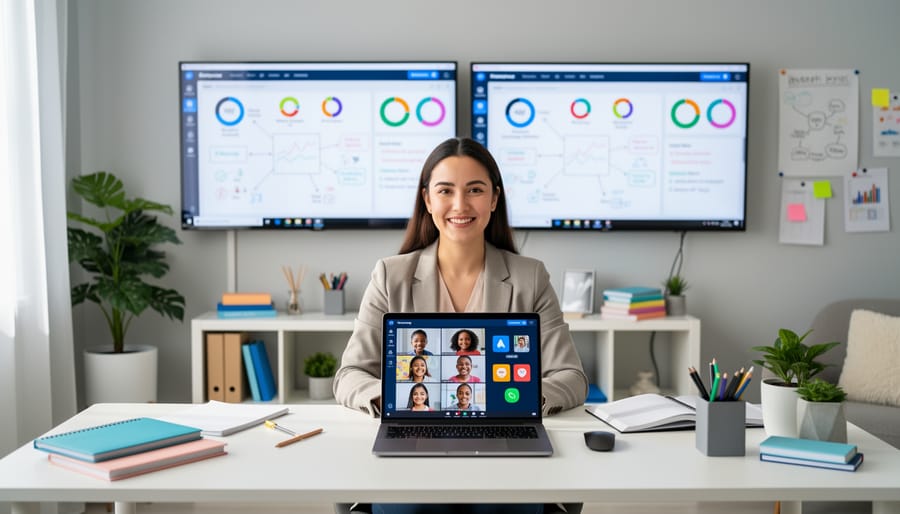
Virtual classroom technology goes far beyond basic video conferencing by providing a comprehensive digital environment specifically designed for educational purposes. While platforms like Zoom or Google Meet offer communication capabilities, true virtual classroom systems integrate teaching tools, learning management features, and interactive elements that replicate and often enhance the traditional classroom experience.
The distinction becomes clear when examining the core features that define authentic virtual classroom platforms. These systems support both synchronous and asynchronous learning modes, allowing educators to conduct live sessions while also providing recorded content, assignments, and resources students can access on their own schedule. According to research on learning effectiveness, this flexibility significantly improves student engagement and knowledge retention compared to single-mode delivery methods.
Understanding key terminology helps clarify what sets these platforms apart:
- Synchronous Learning
- Real-time instruction where teachers and students interact simultaneously through live video, chat, and collaborative activities during scheduled class times.
- Asynchronous Learning
- Self-paced educational content that students access independently, including recorded lectures, discussion boards, and assignments with flexible deadlines. By leveraging modern classroom recording solutions, educators can automatically capture high-quality audio and video during live sessions for seamlessly structured review. This ensures students can revisit complex lesson concepts at their own pace without increasing teacher workload.
- LMS Integration
- Seamless connection between the virtual classroom and Learning Management Systems, enabling automatic grade syncing, attendance tracking, and unified course materials.
- Interactive Whiteboards
- Digital canvases where instructors and students can draw, annotate, and collaborate in real-time, simulating traditional classroom whiteboard experiences with enhanced functionality.
The integration capabilities distinguish virtual classrooms from simple video tools. These platforms connect with student information systems, assessment tools, and content libraries, creating a unified ecosystem rather than disconnected applications. For example, a teacher using a comprehensive virtual classroom can share multimedia presentations, conduct breakout group discussions, administer quizzes, and track participation metrics all within one interface, while basic video conferencing requires switching between multiple separate applications to accomplish the same tasks.
Essential Features Every Virtual Classroom Needs
Communication and Collaboration Tools
Virtual classrooms succeed largely because of their robust communication and collaboration features that keep students connected with teachers and peers. These platforms typically offer multiple channels for interaction, including live video conferencing, text-based chat, discussion boards, and breakout rooms for small group work.
Real-time video and audio enable face-to-face instruction, allowing teachers to read student reactions and adjust their teaching approach accordingly. A 2022 study found that 78% of students reported feeling more comfortable asking questions through chat features than raising their hand in traditional classrooms, demonstrating how diverse communication options can increase participation.
Breakout rooms have proven particularly valuable for collaborative projects, enabling students to work in smaller groups while teachers monitor progress by dropping into different rooms. Discussion boards extend learning beyond class time, giving students space to reflect thoughtfully before responding to prompts or peer comments.
Many platforms also integrate collaborative whiteboards where multiple users can simultaneously contribute ideas, annotate documents, or solve problems together. Screen sharing capabilities allow both teachers and students to present their work, fostering a more interactive learning environment. These varied communication tools ensure that different learning styles are accommodated, whether students prefer verbal discussion, written communication, or visual collaboration, making virtual classrooms genuinely inclusive spaces for all participants.
Assessment and Progress Tracking
Virtual classroom platforms feature sophisticated assessment and progress tracking tools that empower teachers to monitor student learning effectively. Built-in quiz builders allow educators to create formative and summative assessments with multiple question types, including multiple-choice, short answer, and interactive elements. These assessments can be auto-graded, saving teachers valuable time while providing immediate feedback to students.
Digital gradebooks centralize all student performance data in one accessible location. Teachers can track assignment completion, test scores, and participation metrics across their entire class or drill down to individual student progress. For example, a middle school teacher using Google Classroom reported reducing grading time by 40% while gaining clearer insights into which students needed additional support.
Learning analytics dashboards provide data-driven insights into engagement patterns and learning outcomes. These tools identify students who may be struggling by tracking login frequency, assignment submission rates, and assessment performance trends. Many platforms generate visual reports showing class-wide progress toward learning objectives, helping teachers adjust instruction accordingly. Parents also benefit from real-time access to their child’s grades and completed work, fostering stronger home-school communication and enabling timely intervention when challenges arise.
Popular Virtual Classroom Platforms Educators Are Using
Choosing the right virtual classroom platform can significantly impact teaching effectiveness and student engagement. Today’s educators have access to several robust solutions, each offering distinct advantages depending on their specific needs and teaching contexts.
| Platform | Best Suited For | Key Strengths | Pricing Model |
|---|---|---|---|
| Zoom for Education | All grade levels | Reliable video quality, breakout rooms, screen sharing | Free for K-12; paid plans for higher ed |
| Google Classroom | K-12, especially elementary | Assignment management, seamless Google integration | Free with Google Workspace for Education |
| Microsoft Teams for Education | Middle school through university | Comprehensive collaboration tools, Office 365 integration | Free for eligible institutions |
| Canvas LMS | Higher education, advanced K-12 | Robust assessment tools, detailed analytics | Institution-based pricing |
| Schoology | K-12 | Social learning features, standards-aligned grading | Free basic version; premium features available |
Zoom for Education has become a household name since 2020, with over 300,000 schools worldwide using the platform. Teachers appreciate its straightforward interface and dependable connectivity, making it ideal for synchronous instruction. A high school English teacher in Oregon reported that Zoom’s breakout rooms transformed her literature discussions, allowing small groups to analyze texts independently while she monitored progress across rooms.
Google Classroom continues to dominate the K-12 space, serving more than 150 million users globally. Its strength lies in streamlining assignment distribution and collection, particularly for younger students already familiar with Google tools. Elementary teachers find the platform intuitive for students as young as third grade, who can submit work with minimal technical assistance.
Microsoft Teams for Education offers a comprehensive ecosystem that combines video conferencing, file storage, and collaborative workspaces. Universities and secondary schools favor Teams for its professional-level features that prepare students for workplace technology. A middle school in Texas reported 40 percent improvement in project collaboration after implementing Teams for group assignments.
Specialized platforms like Canvas LMS and Schoology provide advanced learning management capabilities beyond basic video conferencing. Canvas serves over 6,000 institutions globally, offering sophisticated grade books and analytics that help instructors identify struggling students early. Meanwhile, Schoology’s social learning approach resonates with educators seeking to build classroom community online.
When selecting a platform, consider your existing technology infrastructure, student age ranges, and specific teaching goals. Many educators successfully combine platforms, using Zoom for live instruction alongside Google Classroom for assignment management. The most effective choice aligns with your teaching style while remaining accessible to all students, regardless of their technical proficiency or home technology resources.
Setting Up Your Virtual Classroom for Success
Creating an effective virtual classroom begins with thorough technical preparation. Start by testing your equipment at least 48 hours before your first session. Check your webcam quality, microphone clarity, and internet connection speed. Research from the Online Learning Consortium shows that 73% of technical issues in virtual classrooms stem from inadequate pre-session testing. Position your camera at eye level and ensure proper lighting—a simple desk lamp facing you can dramatically improve video quality.
Next, organize your digital workspace strategically. Create a clear folder structure on your computer for course materials, separating resources by week or topic. This organization saves valuable class time and reduces technical fumbling during live sessions. When selecting digital classroom tools, prioritize platforms that integrate seamlessly with your existing systems. Most educators find success limiting their toolkit to 3-4 core applications rather than overwhelming students with multiple platforms.
Establish clear protocols before your first class. Develop a one-page guide covering expectations for camera usage, microphone etiquette, chat box communication, and hand-raising procedures. Share this document with students and parents at least one week in advance. A middle school teacher in Ohio reported that implementing structured protocols reduced classroom disruptions by 68% and increased student participation by 45%.
Design your virtual environment to mirror the engagement of physical classrooms. Use your platform’s breakout room feature for small group discussions, enabling peer-to-peer learning. Incorporate interactive elements like polls, digital whiteboards, and screen sharing to maintain attention. Studies indicate that virtual classes incorporating three or more interactive elements every 15 minutes see 40% higher engagement rates.
Finally, create a backup plan. Keep alternative contact information for students, prepare offline activities, and familiarize yourself with your platform’s mobile app. When technology fails—and it occasionally will—having contingencies demonstrates professionalism and keeps learning on track. Remember, successful virtual teaching combines technical competence with thoughtful classroom management, creating spaces where students feel connected and motivated to learn.
Real Challenges Teachers Face (And How to Overcome Them)
Transitioning to virtual classroom technology often feels overwhelming, and you’re not alone in facing these hurdles. A 2022 survey of educators found that 68% reported student engagement as their top concern in virtual settings, while 54% struggled with technical difficulties that disrupted learning.
Student engagement remains the most persistent challenge. Many teachers notice students turning off cameras, multitasking during lessons, or simply going silent during discussions. The solution lies in interactive design rather than passive content delivery. Break your sessions into 10-15 minute segments with varied activities. Incorporate polls, breakout rooms, and collaborative whiteboards to maintain attention. One middle school teacher in Ohio increased participation by 40% simply by implementing “camera-optional” days paired with alternative engagement methods like chat responses and emoji reactions, reducing student anxiety while maintaining involvement.
Technical difficulties can derail even the most carefully planned lessons. Internet connectivity issues, platform glitches, and audio problems affect both teachers and students. The most effective approach involves preparation and backup plans. Always have a simplified lesson version ready that requires minimal technology. Test your equipment 15 minutes before class, and maintain a troubleshooting document with quick fixes for common problems. Keep your platform’s help resources bookmarked and share them with students so they can solve simple issues independently.
Digital equity represents perhaps the most serious obstacle. Digital access disparities affect millions of students who lack reliable internet or adequate devices at home. Teachers can address this by offering asynchronous alternatives, recording all sessions for later viewing, and designing assignments that work on smartphones. Communicate with families early to identify access issues and work with administration to secure resources.
Classroom management shifts dramatically in virtual spaces. Without physical presence, maintaining behavioral expectations requires new strategies. Establish clear digital citizenship guidelines from day one. Use platform features like muted entry, waiting rooms, and participation permissions strategically. Create a visual signal system for students to indicate they need help without interrupting. Regular check-ins through direct messages help identify struggling students before issues escalate.
Proven Strategies for Student Engagement in Virtual Classrooms
Keeping students engaged in virtual classrooms requires intentional strategies backed by research and real-world success. Studies show that student attention spans drop significantly after 10-15 minutes of passive online learning, making interactive approaches essential for effective teaching.
Start each session with a quick poll or interactive question to activate student participation from the moment they log in. Teachers at Roosevelt Middle School increased engagement by 67% simply by opening every class with a live question using their platform’s polling feature. This immediate interaction sets an active learning tone and helps instructors gauge student readiness.
Incorporate breakout room discussions every 15-20 minutes to maintain focus and encourage peer collaboration. Research from Stanford University demonstrates that students retain 40% more information when they discuss concepts with classmates compared to passive listening. Assign specific roles within groups—facilitator, note-taker, presenter—to ensure everyone contributes meaningfully.
Gamification elements transform routine activities into compelling experiences. Award points for participation, create leaderboards for completed assignments, or design digital badges for milestone achievements. One district in Texas reported a 53% increase in assignment completion rates after implementing a point-based system through their tech tools for learning platform.
Build genuine connections through intentional relationship-building practices. Dedicate the first five minutes to personal check-ins, celebrate student achievements publicly, and create virtual office hours for one-on-one support. Data from the Online Learning Consortium shows that students who feel personally connected to their instructor are 2.5 times more likely to complete coursework successfully.
Use the chat feature strategically by asking students to respond with emojis, short answers, or quick reactions throughout lessons. This low-pressure participation method engages hesitant students while maintaining lesson flow. Incorporate multimedia elements like short video clips, interactive simulations, and collaborative digital whiteboards to address different learning styles and sustain interest across diverse learner needs.
Making Virtual Classrooms Work for Different Age Groups
Elementary Students: Keeping Young Learners Focused
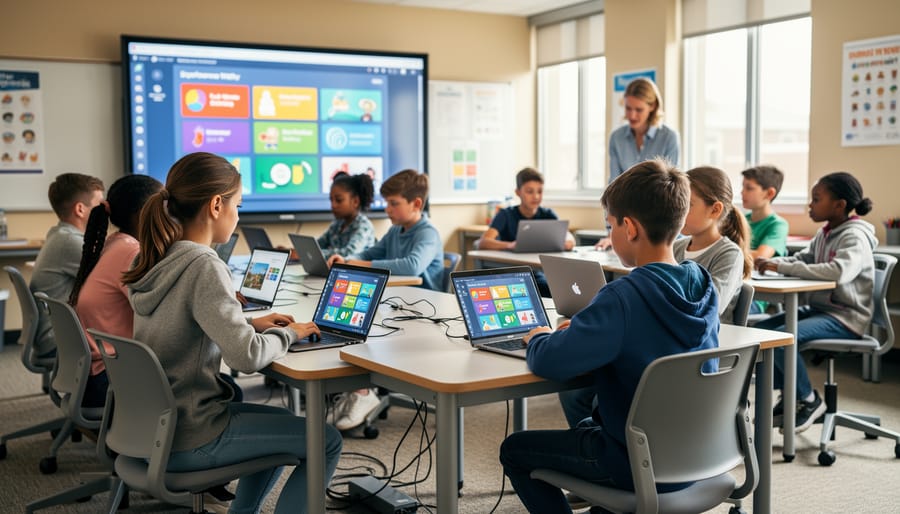
Young learners thrive in virtual classrooms when technology accommodates their shorter attention spans. Interactive tools like digital whiteboards with drawing features and drag-and-drop activities keep elementary students physically engaged with the material. Research shows that switching activities every 10-15 minutes maintains focus, so platforms offering built-in timers and transition signals prove invaluable.
Gamification elements work exceptionally well for this age group. Virtual rewards, animated characters, and progress badges transform routine lessons into exciting challenges. For example, a third-grade teacher reported 40% higher engagement rates after implementing a point-based system where students earned stars for participation.
Breakout rooms for small group work help prevent overwhelm while building collaboration skills. Teachers should incorporate movement breaks using simple commands like “stand up and touch your toes” or quick dance sessions. Video tools with virtual backgrounds also capture imagination, allowing students to “travel” to different locations during lessons. Keep parent communication channels open through the platform’s messaging features, enabling caregivers to support learning at home effectively.
Secondary and Higher Education: Maximizing Independence
Secondary and higher education students bring significant technological fluency to virtual learning environments, allowing educators to implement more sophisticated approaches. Research from the Online Learning Consortium shows that college students using advanced features like breakout rooms for peer collaboration and asynchronous discussion boards demonstrate 23% higher engagement than those in traditional lecture formats. High school teachers report success with flipped classroom models, where students review recorded lectures independently and use live sessions for problem-solving and projects. For instance, a New York high school increased AP exam pass rates by 15% after implementing this approach. At the university level, students benefit from self-paced modules combined with scheduled virtual office hours, accommodating varied schedules while maintaining instructor connection. Encouraging students to master platform features like screen sharing for presentations, polling for real-time feedback, and collaborative whiteboards for group work builds both subject knowledge and valuable digital literacy skills applicable to modern workplaces.
What Parents Need to Know About Supporting Virtual Learning
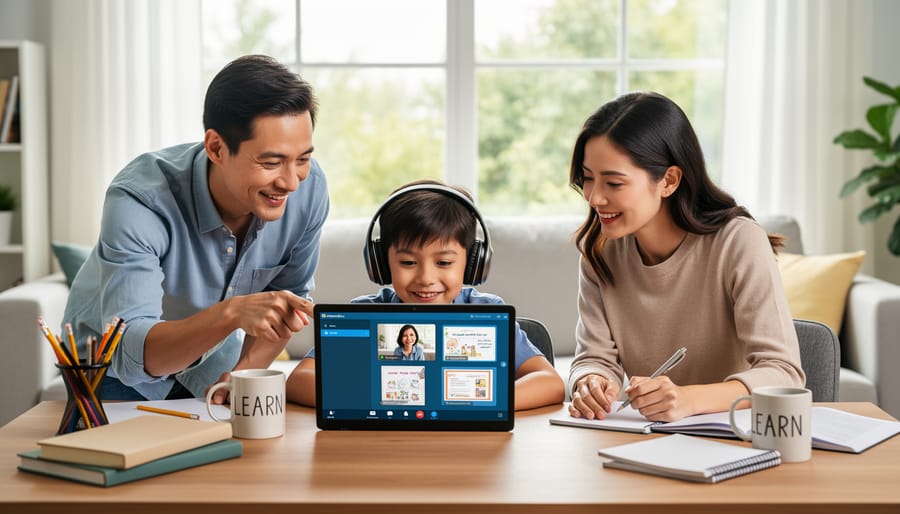
Supporting your child’s virtual learning journey doesn’t require you to become a teacher, but rather to serve as a facilitator and advocate for their education. According to recent research from the National Education Association, students whose parents establish structured routines and dedicated learning spaces show 23% higher engagement rates in virtual classrooms.
Start by creating an effective home learning environment that minimizes distractions and signals that learning time is important. This doesn’t mean you need a separate room—a quiet corner with good lighting, reliable internet connectivity, and essential supplies works perfectly. One parent from Oregon shared how transforming their dining table into a “learning station” each morning helped their third-grader transition into school mode mentally.
Your primary role involves establishing consistent daily routines, monitoring attendance and participation without hovering, and maintaining open communication with teachers. Check in briefly when your child logs on to ensure technical aspects are working, then step back. For younger students, periodic check-ins every 30-45 minutes help them stay on track.
Communicate regularly with teachers through designated channels rather than interrupting virtual class sessions. Many educators now use weekly email updates or classroom management platforms to share progress reports and upcoming assignments.
When technical issues arise, help troubleshoot basic problems like connection issues or platform navigation, but encourage your child to use teacher office hours for academic questions. This builds independence and preserves the teacher-student relationship.
Remember that behavioral expectations matter as much virtually as in physical classrooms. Students should dress appropriately, arrive on time, and participate actively. A middle school teacher in Texas noted that students whose parents reinforced these expectations demonstrated significantly better academic outcomes throughout the year.
Virtual classroom technology holds transformative potential for education when implemented with intention and care. The key to success lies not in adopting the most advanced tools available, but in selecting platforms that align with your specific educational goals and student needs. Research from the Online Learning Consortium shows that institutions focusing on pedagogical strategy before technology selection achieve 40% higher student satisfaction rates compared to those prioritizing features alone.
For educators approaching virtual classrooms for the first time, starting small offers the most sustainable path forward. Begin by integrating one or two core features—perhaps video conferencing and a shared digital whiteboard—before expanding to more complex tools. This measured approach allows both instructors and students to build confidence and competence gradually. A middle school teacher in Ohio implemented this strategy, starting with simple video lessons before adding breakout rooms and interactive polling, resulting in 85% student engagement within three months.
Proper training remains essential for maximizing the benefits of any virtual classroom platform. When teachers receive adequate professional development and ongoing support, they’re three times more likely to use technology effectively and creatively in their instruction. Remember that technology serves as a means to enhance teaching and learning, not replace the human connection at education’s heart. By maintaining focus on pedagogical outcomes, providing necessary training resources, and allowing time for adjustment, educators can harness virtual classroom technology to create engaging, accessible, and effective learning experiences for all students.